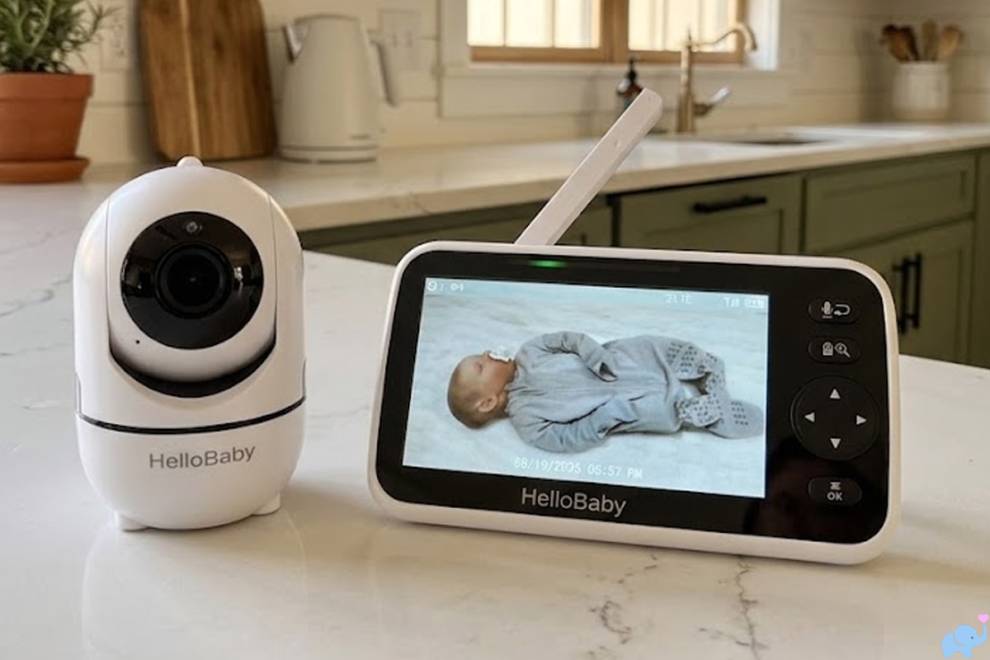
A rugged, super-portable baby monitor that doubles as a walkie-talkie? We had to try it!
 By: Tali Ditye, Ph.D., Co-founder
Mommyhood101 independently curates baby gear to help inform decisions; if you buy through links on our site, we may earn a commission.
Designed for camping, road trips, cabins, and everyday use around the house, the new Roar Pro builds on the original Roar Baby Monitor with improved range and speaker volume, USB-C charging, an informative screen, and a dedicated walkie-talkie mode.
We were especially curious whether it could deliver on the basics: reliable reception, useful volume, and all-night battery life. Let's find out!
-
- Take-Home Message
- How We Tested
- Specifications & Dimensions
- Roar Classic vs. Pro
- Unboxing & Accessories
- Size, Weight & Portability
- Buttons, Ports & Controls
- Setup & Operating Modes
- Real-World Range & Audio
- Battery Life & Charging
- What Could Be Improved
- Our Conclusions
- Frequently Asked Questions
-
Most product links lead directly to an affiliate partner. For example, Mommyhood101 participates in the Amazon Services LLC Associates Program, an affiliate advertising program providing a means for sites to earn advertising fees by linking to Amazon.com and affiliated sites.
Full disclosure: Roar provided samples of the Baby Monitor Pro for testing but did not sponsor this article. Our conclusions are based on our own independent, hands-on testing.
Our Roar Baby Monitor Pro Review
The Pro made an excellent first impression. The units are tiny, light, rugged, and intuitive, and their wireless performance genuinely surprised us. Best of all, we measured 21 hours and 10 minutes of battery life.
✔️ Great indoor range. and outdoors.
✔️ Excellent outdoor range.
✔️ No Wi-Fi or app needed.
✔️ No power outlet needed.
✔️ Tiny, lightweight units.
✔️ Rugged construction.
✔️ IP54 dust & water resistance.
✔️ Very long battery life.
✔️ Loud, adjustable speaker.
✔️ Dedicated walkie-talkie mode.
✔️ Clear status screen.
✔️ Illuminated buttons.
✔️ Convenient waist clips.
✔️ Includes wrist straps.
✔️ USB-C charging.
❌ Audio like a walkie-talkie.
❌ Shared charging cable.
The short version: we think the Roar Baby Monitor Pro is an excellent choice for families who need a simple, portable audio monitor, especially for camping and other outdoor adventures. It won't replace a feature-rich video monitor, but it excels at keeping you connected without Wi-Fi.
Overall, we give the new Roar Pro a 4.7/5.0 and think it is the best baby monitor for camping and other outdoor activities.
How We Tested
We inspected and measured both units, weighed them, checked the controls and charging ports, and tested baby-monitor and walkie-talkie modes throughout a large, multistory house and in outdoor settings.
We also evaluated speaker volume, reception between tents, vehicles, and nearby campsites, and battery runtime.
Specifications & Dimensions
Dimensions, weight, and runtime marked ours were measured during testing. Other technical specifications are from Roar's product information.
| Feature | Details |
|---|---|
| Monitor type | Audio-only; black parent unit and orange child unit |
| Wireless connection | Direct 2.4 GHz radio connection; no Wi-Fi, internet, or app needed |
| Advertised range | Up to 985 ft (300 m) under favorable, open conditions; actual range varies |
| Battery runtime (ours) | 21 hr 10 min; Roar advertises 20+ hr |
| Battery | Built-in rechargeable battery; capacity 1500mAh (3.7V) |
| Charging | USB-C; covered side port and recessed bottom port |
| Weather resistance | IP54 dust and splash resistance; not waterproof |
| Dimensions (ours) | Approx. 4.5 H × 2.2 W × 1 D in per unit, excluding rear clip (adds about 0.5 in) |
| Weight (ours) | Approx. 80 g (2.8 oz) per unit |
| Modes | Baby monitor with parent talk-back; two-way push-to-talk walkie-talkie |
| Status indicators | Connection, operating mode, signal strength, and battery status |
| Warranty | 1 year (Roar) |
Roar Classic vs. Pro
The Pro is a meaningful update to the original Roar monitor, especially for parents who wanted stronger reception, louder audio, and simpler charging.
| Feature | Classic | Pro |
|---|---|---|
| Advertised range | 500+ ft on Roar's current comparison | Up to 985 ft |
| Charging | Micro-USB | USB-C |
| Battery life | 20+ hr advertised | 20+ hr advertised; 21 hr 10 min in our test |
| Sound | Original speaker | Louder speaker and revised audio (per Roar) |
| Status display | Indicator lights | Screen with battery, signal, and mode |
| Two-way audio | Parent talk-back | Parent talk-back plus dedicated walkie-talkie mode |
| Battery replacement | Replacement battery available | Sealed battery; not user-replaceable |
Unboxing & Accessories
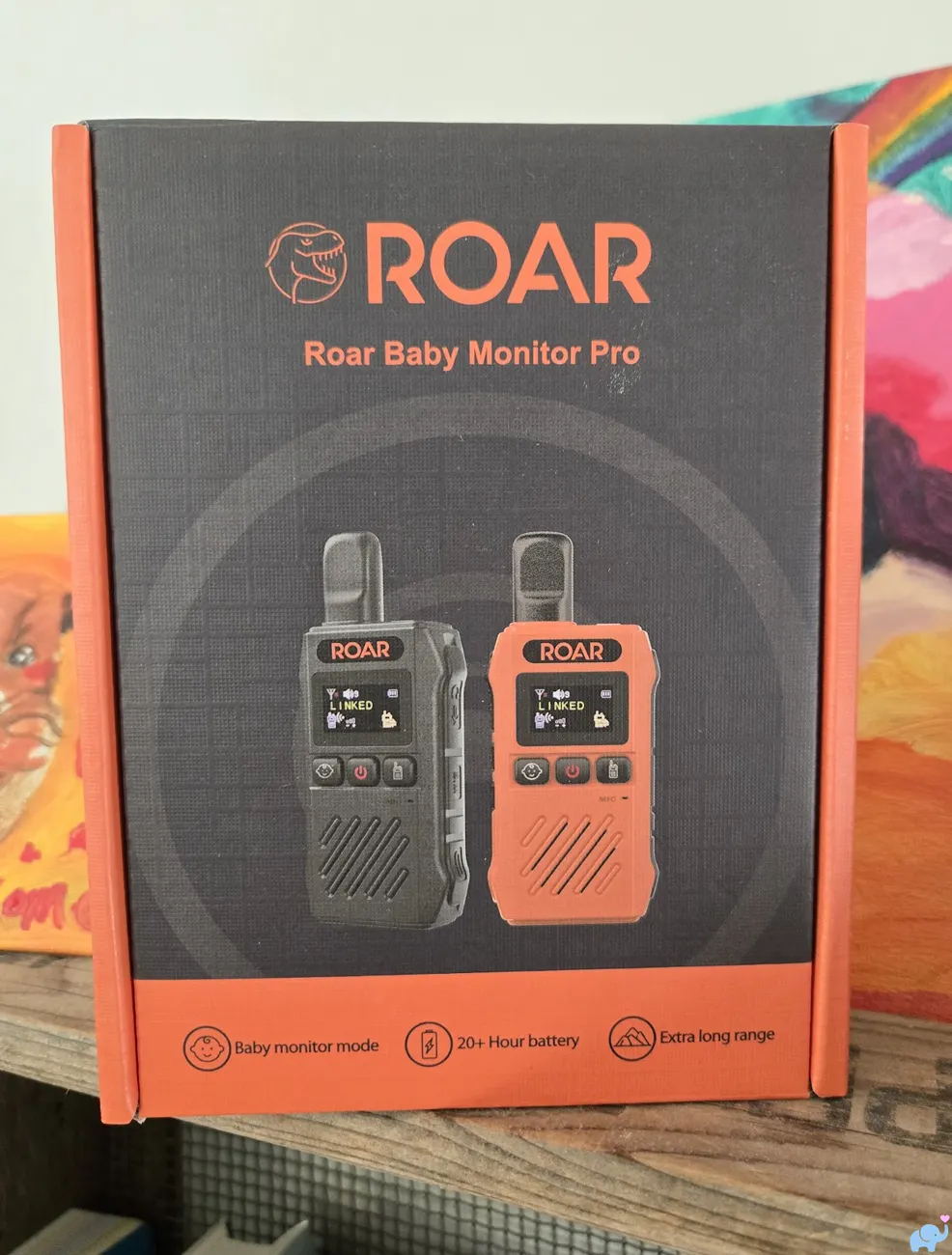
The Roar Pro arrives in a reasonably attractive, well-presented box.
It would make a fun and practical baby shower gift for an outdoorsy family, as pictured here:
Inside our sample were the black parent unit, orange child unit, instruction manual, two wrist straps, a USB-A wall charger, and a Y-shaped charging cable with two USB-C ends.
Here is everything unboxed:
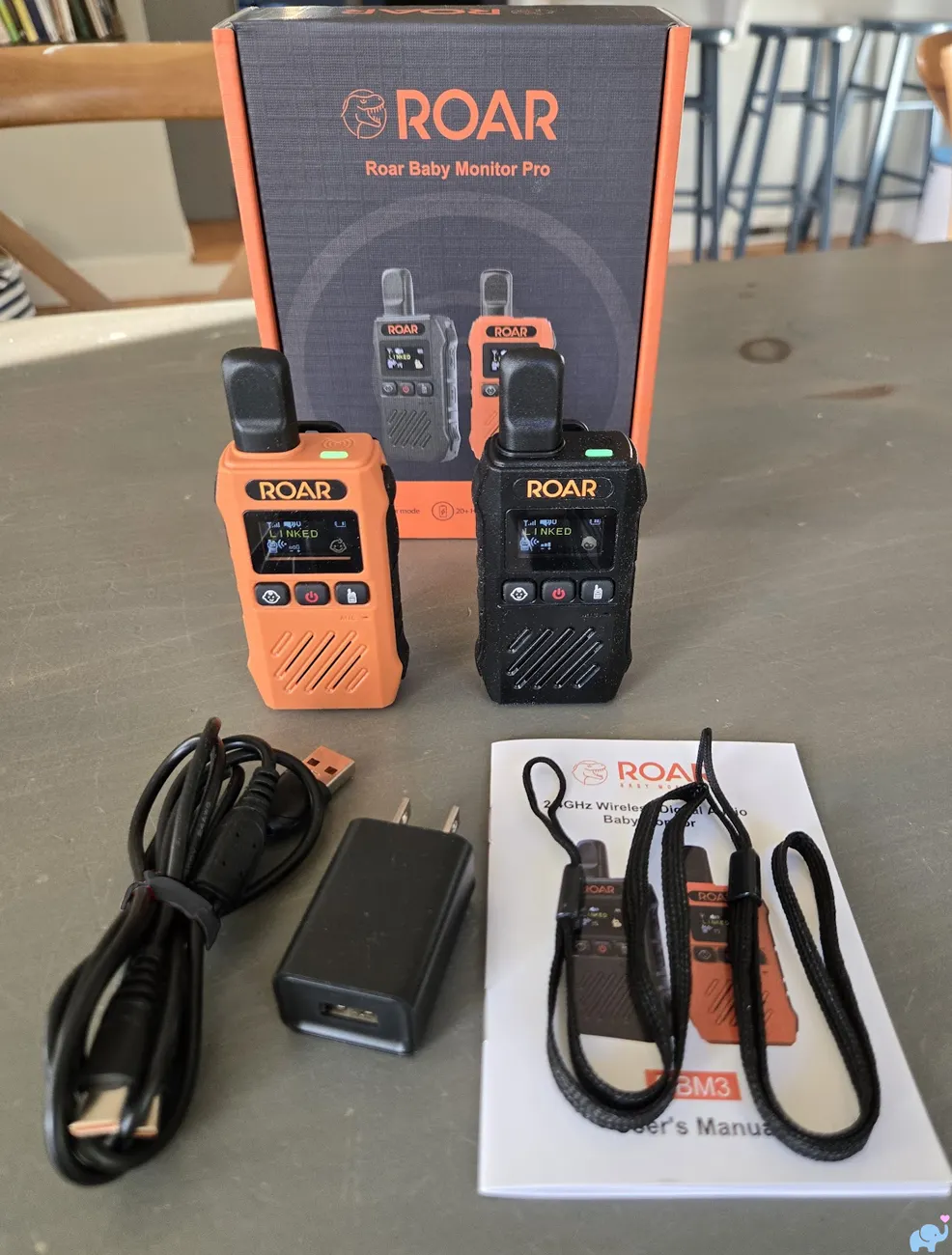
No assembly is required: charge the units, power them on, and they connect automatically.
Size, Weight & Portability
Our first surprise was just how compact these monitors are.
Each measures only about 4.5 inches tall, 2.2 inches wide, and 1 inch thick before accounting for the rear clip.
They fit easily in the palm of a hand:
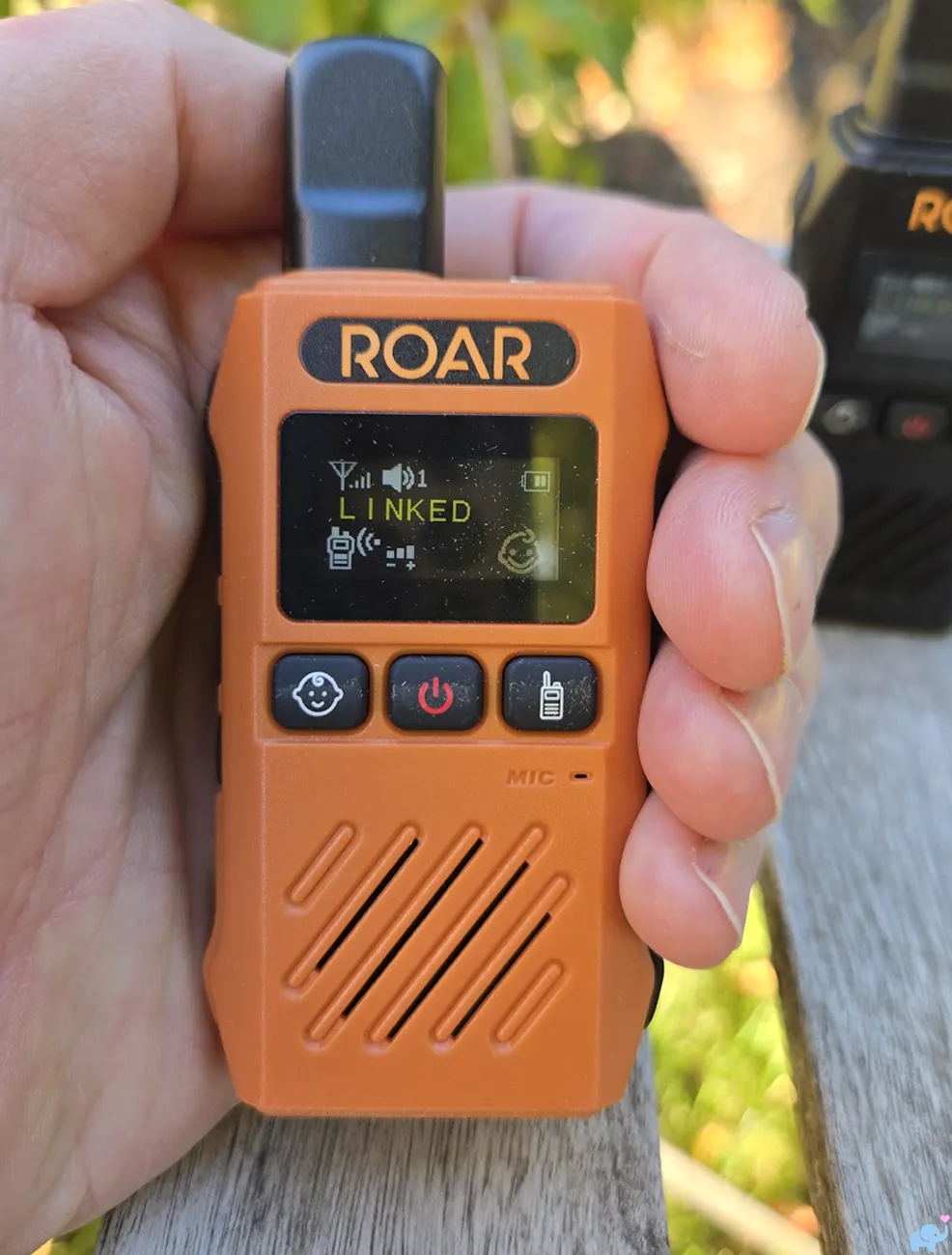
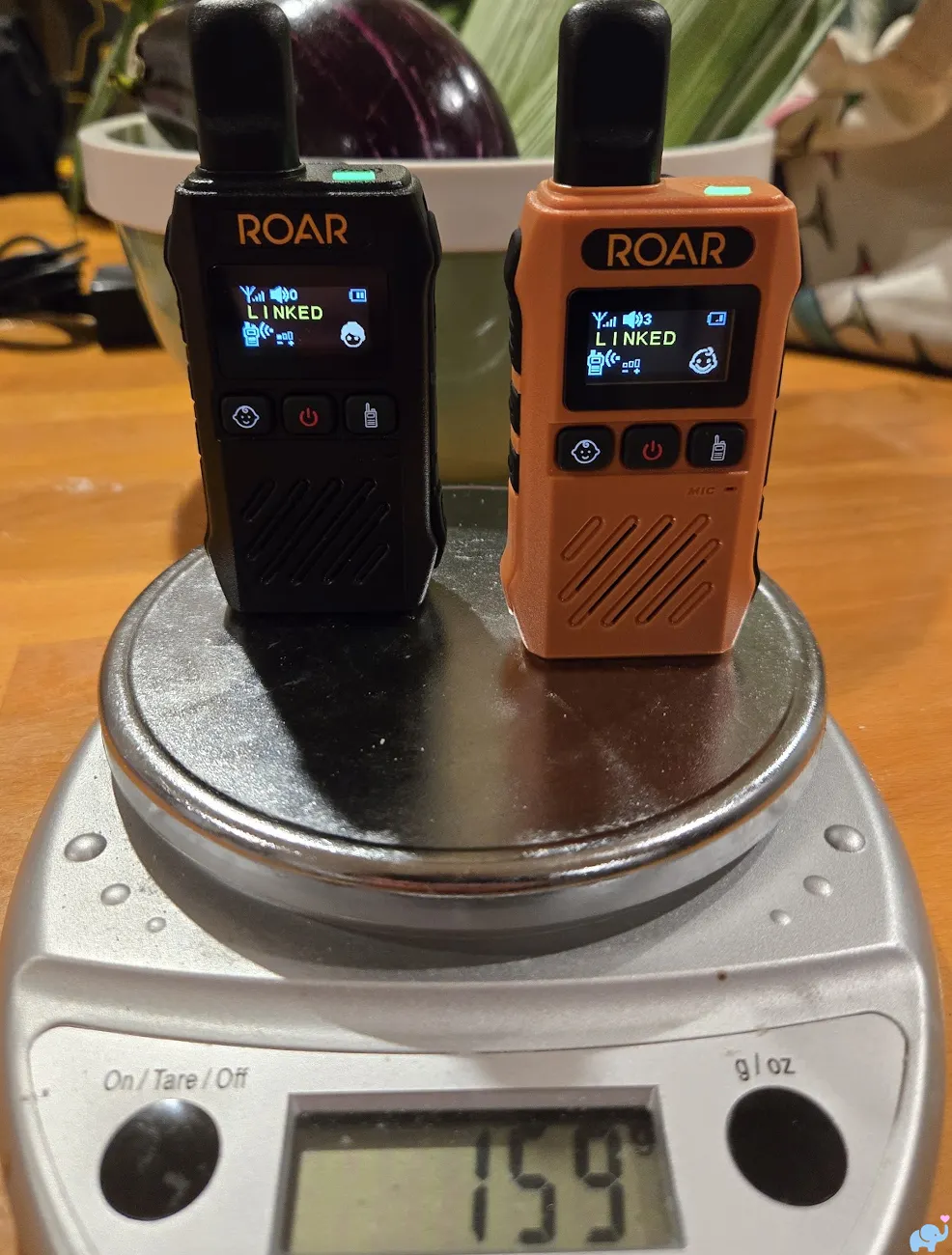
They're incredibly light, too.
Both together registered 159 grams on our scale, or roughly 80 grams (under 3 ounces) apiece, as shown below:
Buttons, Ports & Controls
The controls are very straightforward and take only a couple mintues to learn.
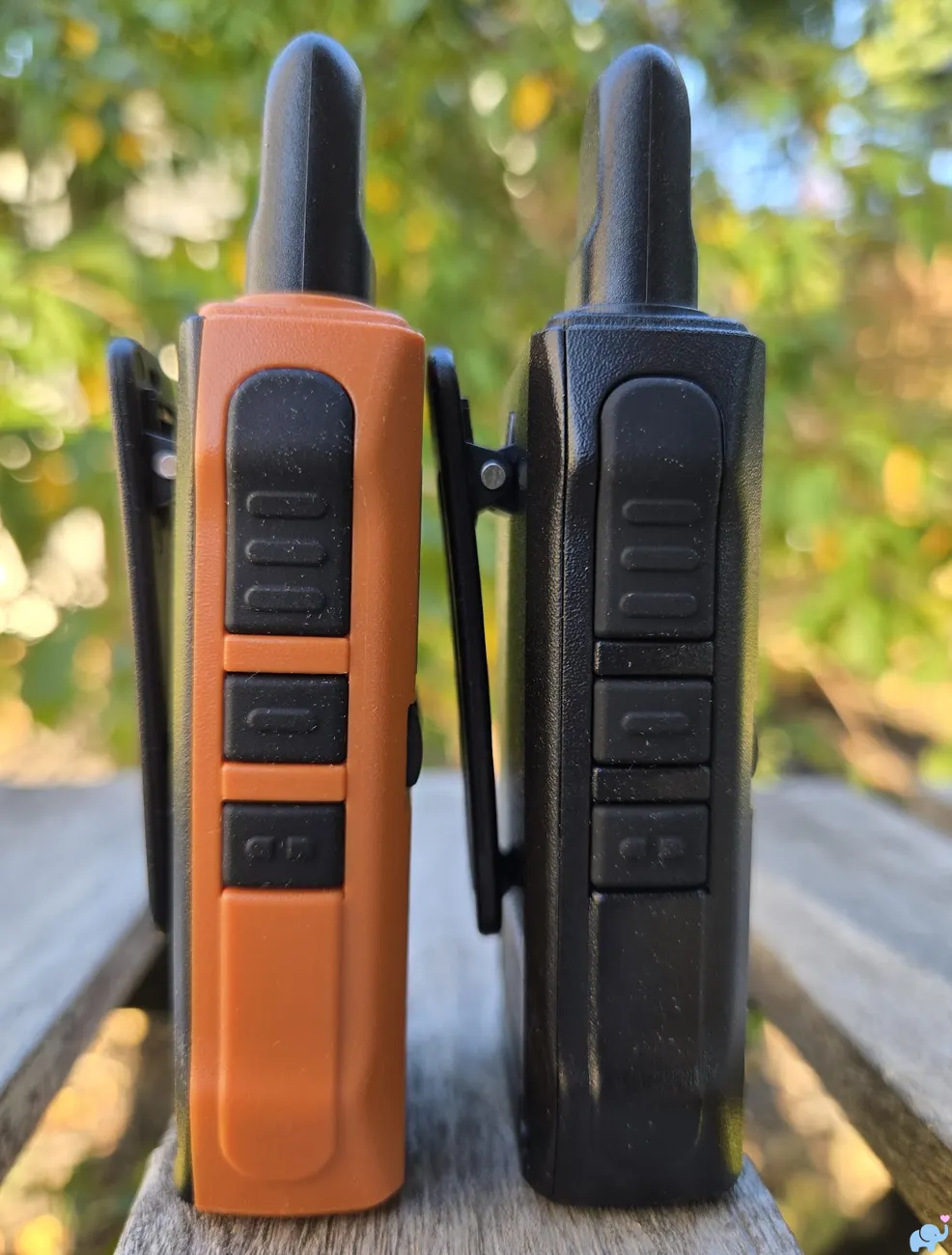
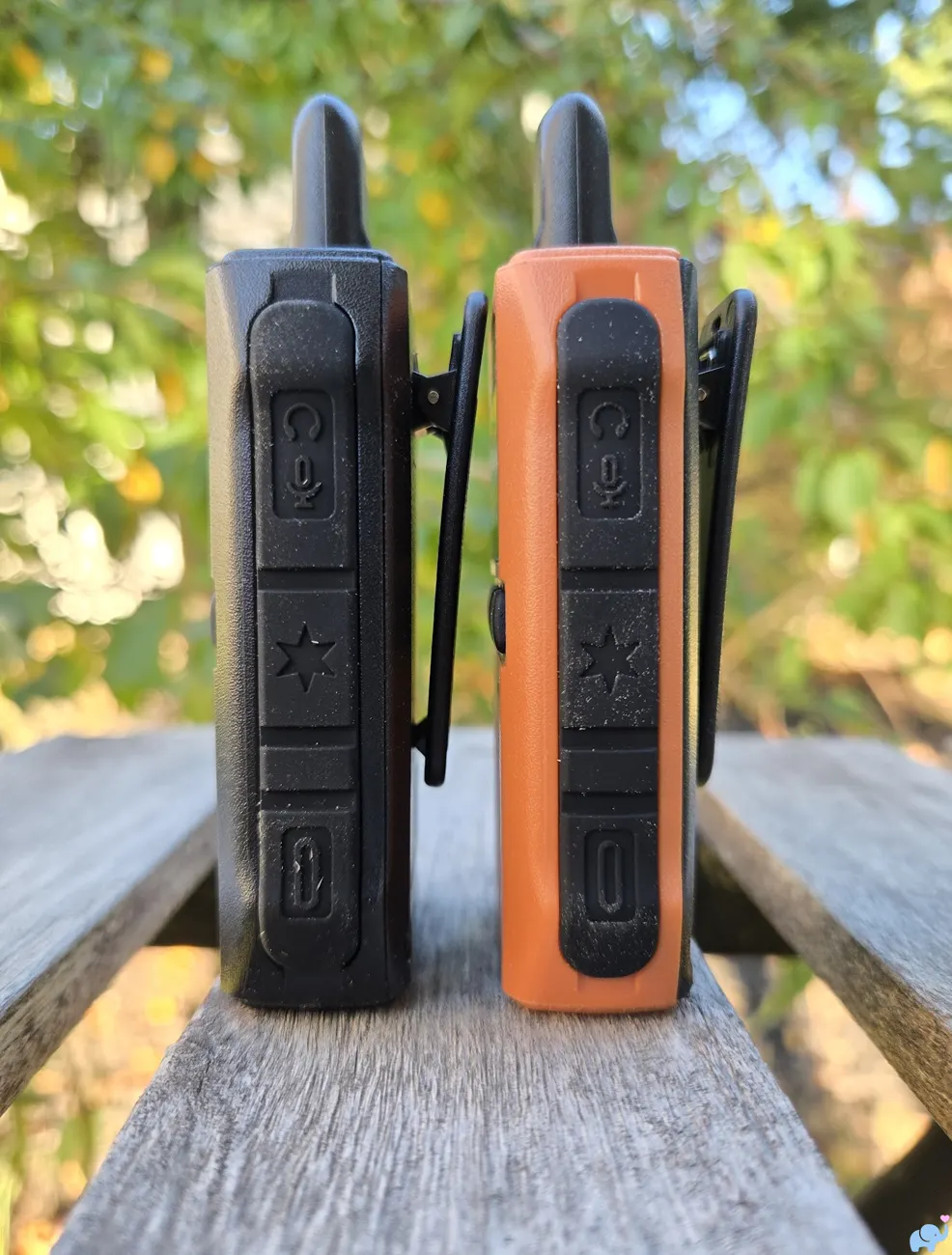
On the left side, a large rubberized push-to-talk button sits above the volume-up and volume-down buttons.
The thin profile and rugged buttons are visible here:
The right side has several rubberized features, including covers for the headset connections and charging port.
You can see those in this image:
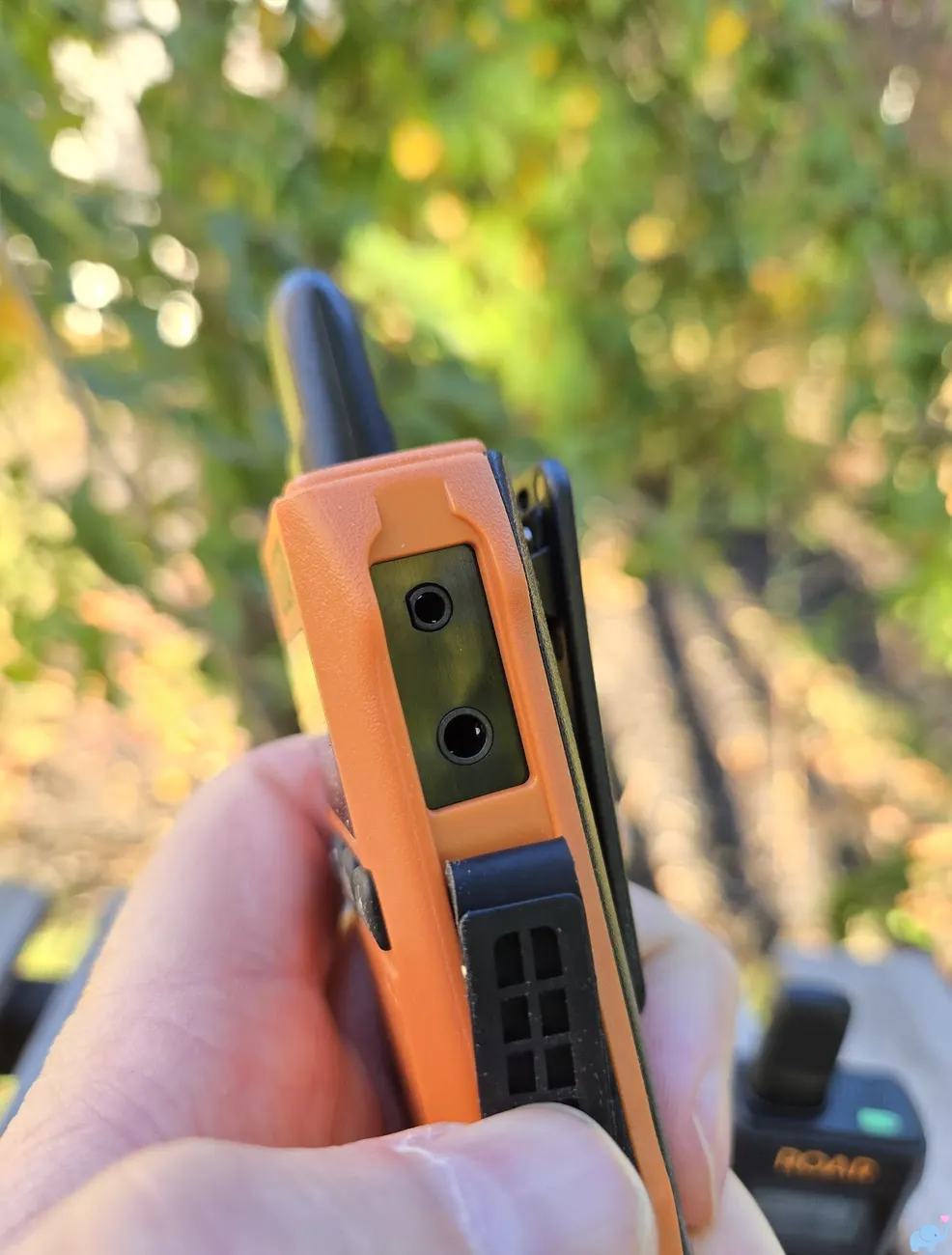
Under the upper flap are separate headphone and microphone connections for Roar's optional two-plug headset system.
It's a niche accessory and unlikely necessary or helpful for most families, but we appreciate the flexibility:
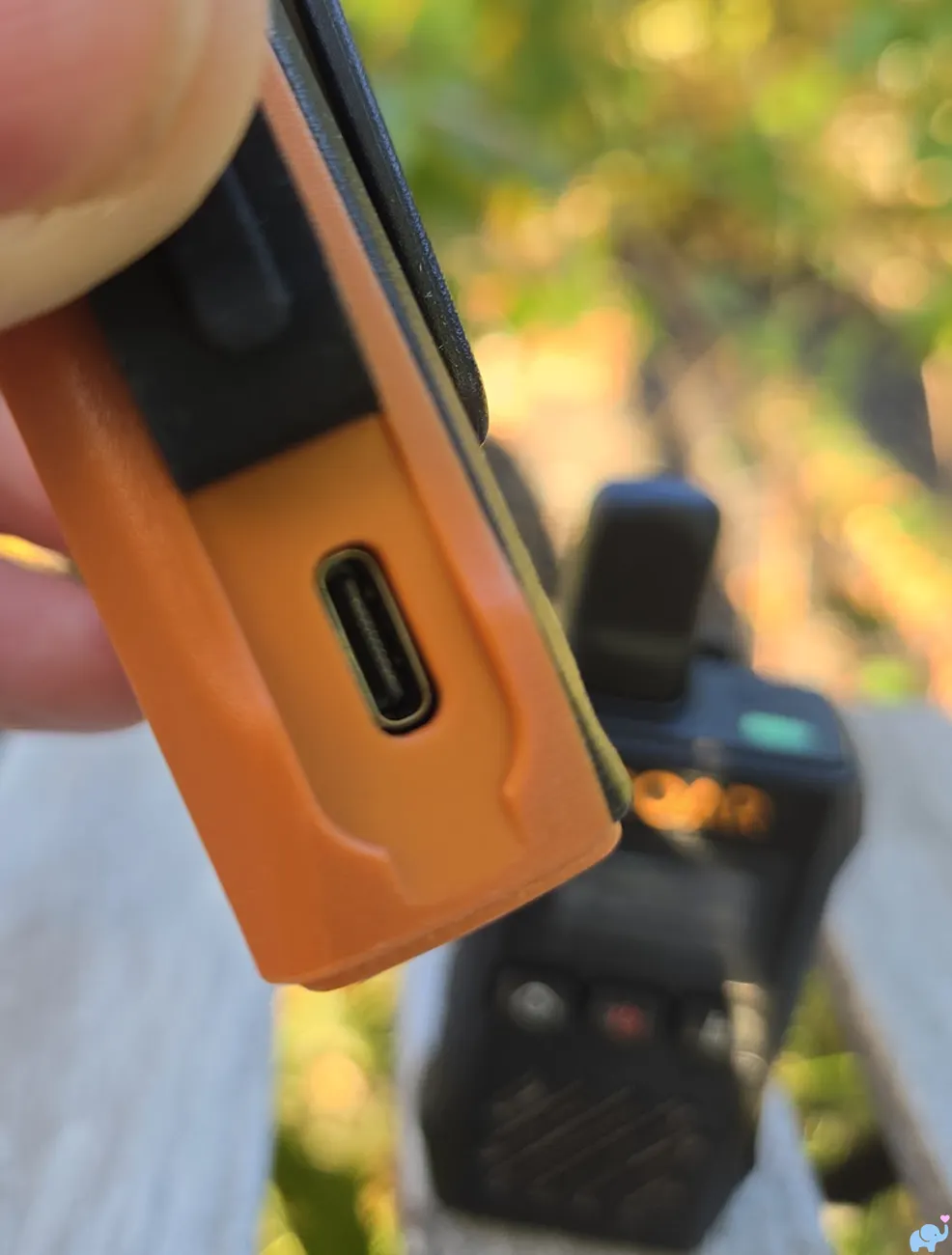
The lower side flap conceals a USB-C charging port, pictured here:
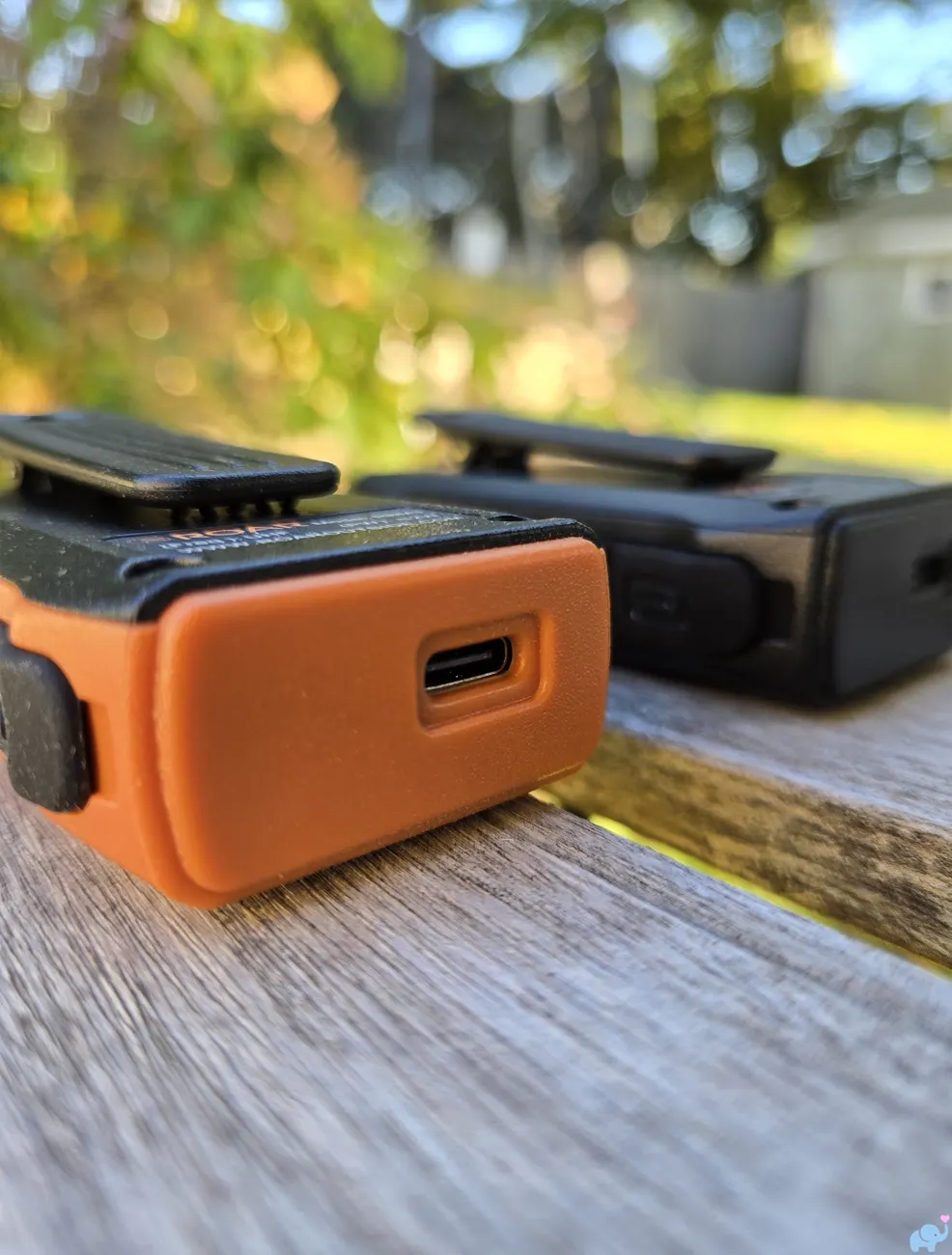
Interestingly, there is also a recessed USB-C charging port on the bottom.
Unlike the side port, it has no protective cover, so we'd be cautious around moisture (like setting it down in a pool of water):
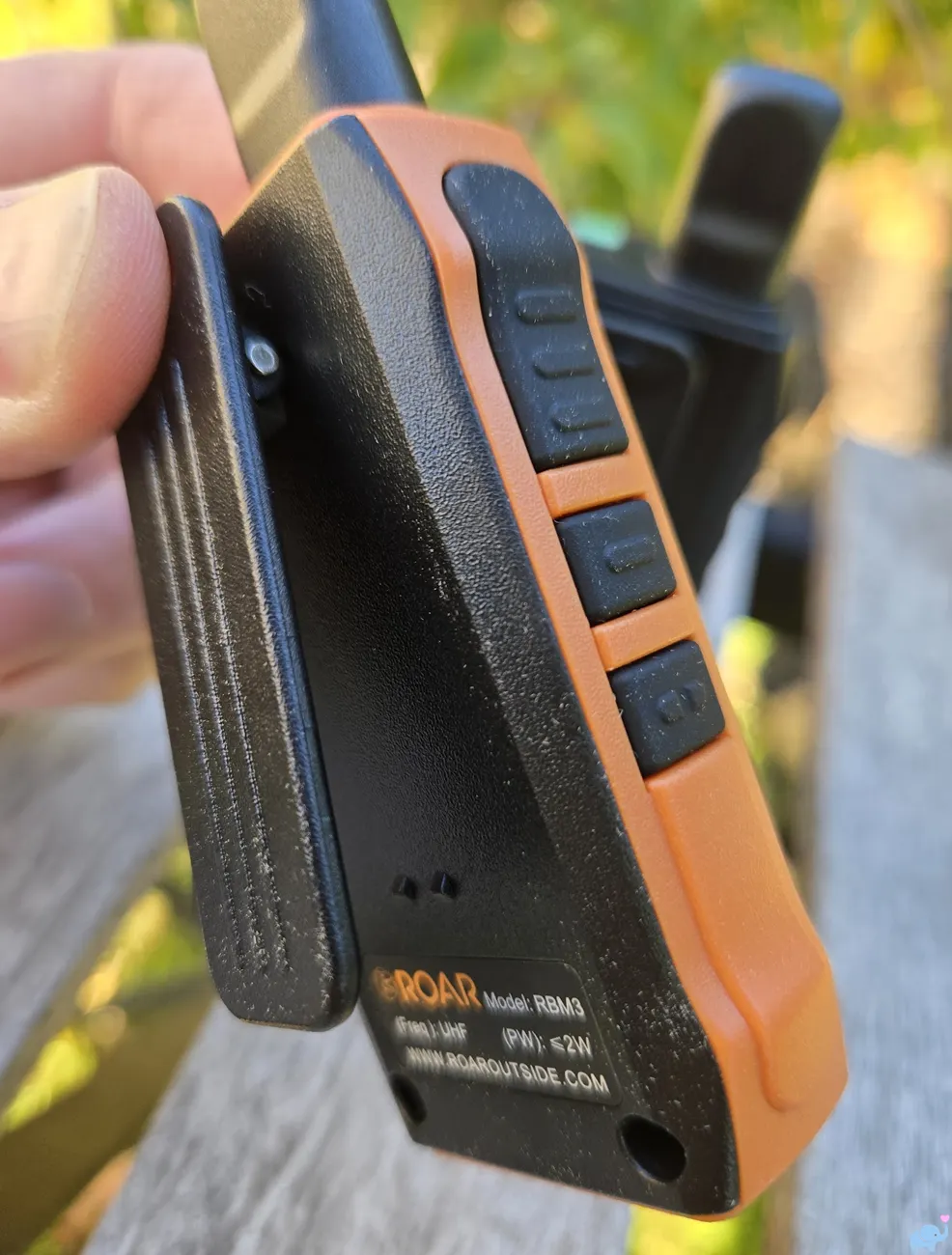
Each unit also has a sturdy rear clip and an included wrist strap, making it easy to keep close while moving around a campsite.
Here is the clip:
Setup & Operating Modes
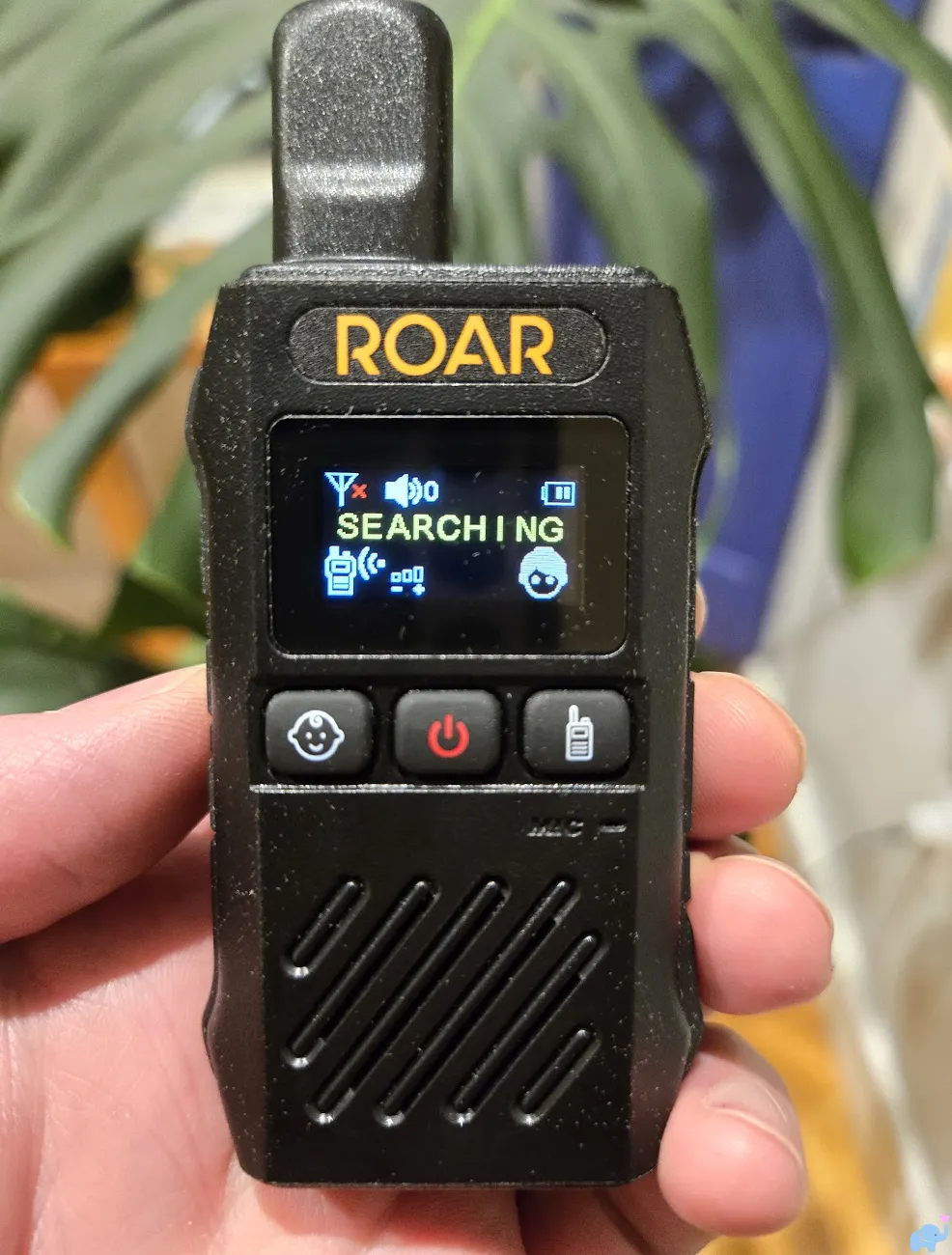
Power both units on and the screens initially display SEARCHING while they establish a connection.
In our testing, this usually took only a few seconds:
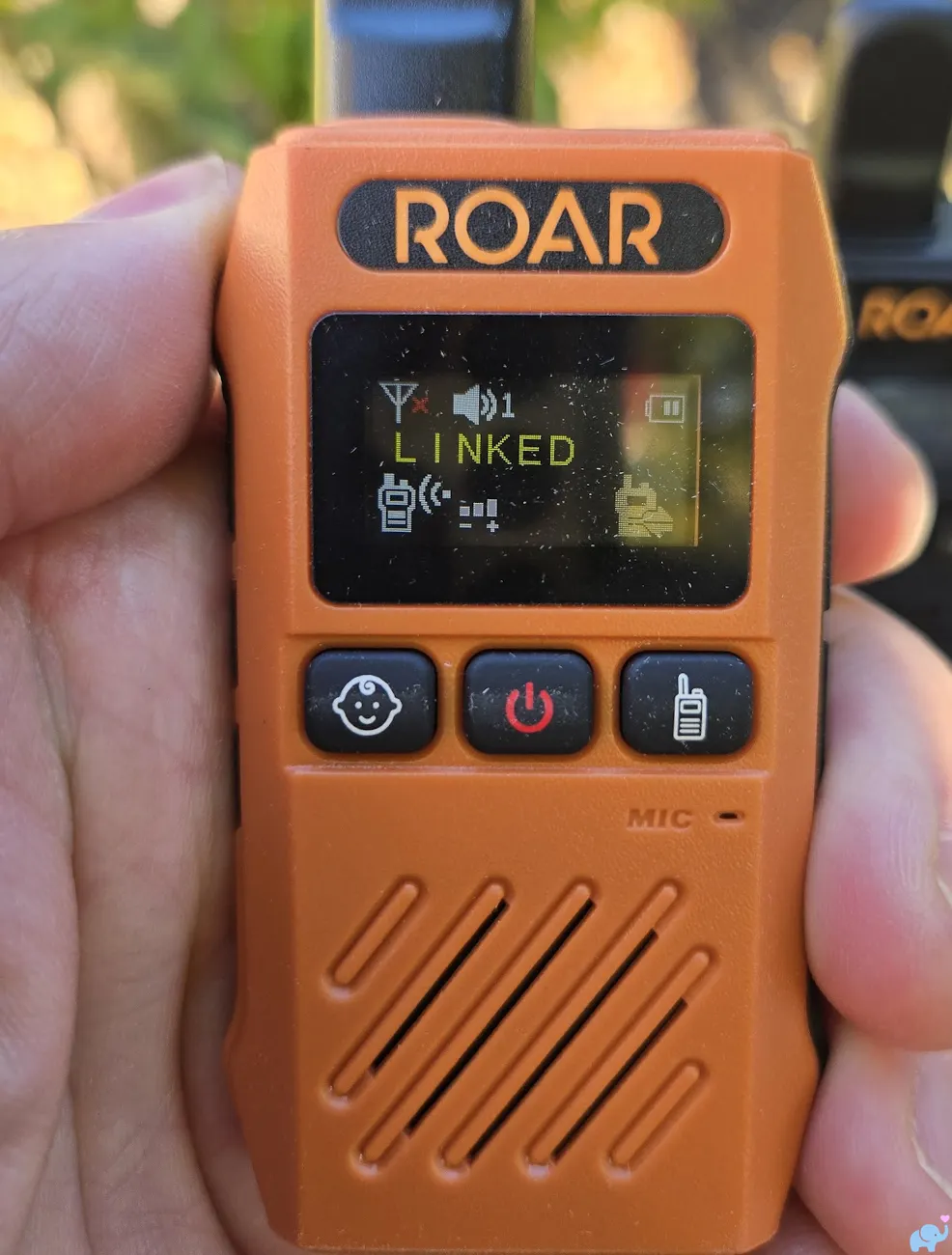
Once connected, the display reads LINKED and shows signal strength, battery status, and the current mode.
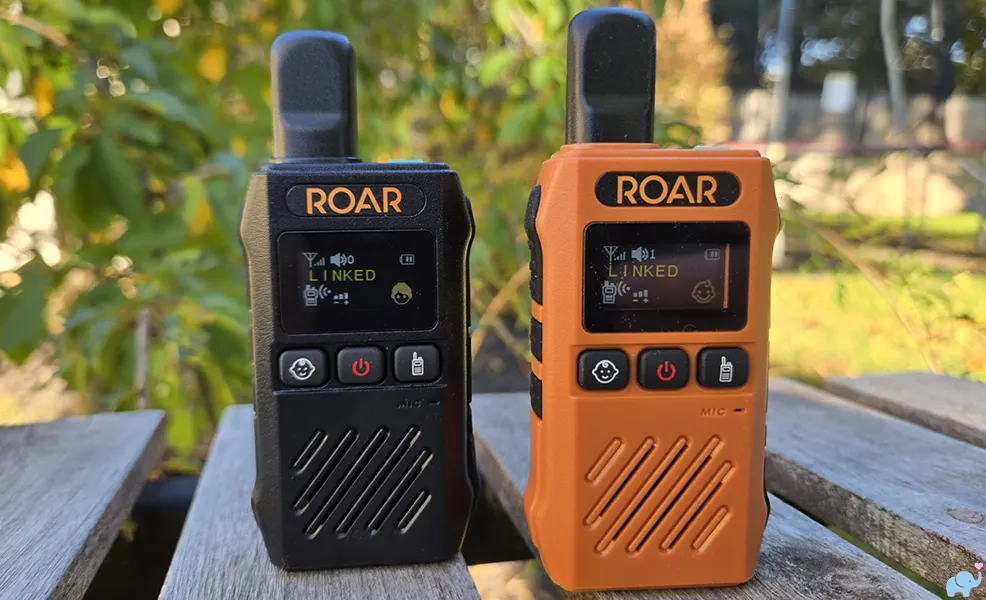
The three illuminated front buttons select baby-monitor mode (baby face), power (center), or walkie-talkie mode (right), as shown below:
In baby-monitor mode, the orange unit stays with the child and sends audio to the black parent unit.
The black unit can also talk back using its side push-to-talk button. The on-screen adult and baby icons make it easy to tell which is which.
In walkie-talkie mode, either unit can transmit when its user holds the push-to-talk button.
That makes the pair useful well beyond nap time, such as coordinating between two adults around a campsite or while hiking.
Real-World Range & Audio
Range was impressive.
Indoors, we maintained a strong connection across two floors and from one end of a wide house to the other.
Outdoors, reception was even better, with no issues communicating between tents, vehicles, and nearby campsites. Of course, we tested on relatively flat/level ground, reception will certainly vary with denser vegetation and hilly terrain.
We tried both operating modes extensively outside.
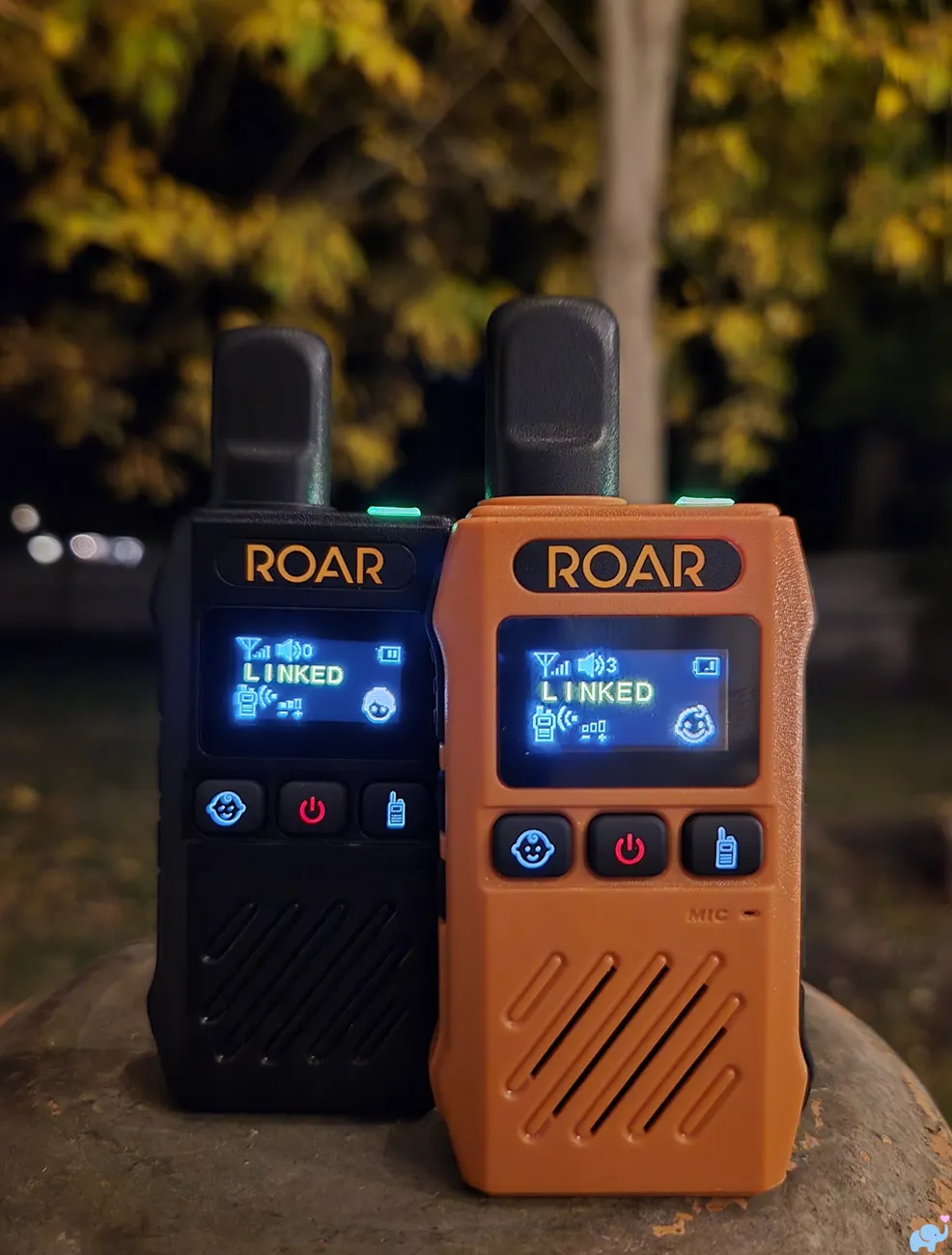
The screen was bright and legible, the three front buttons were visible in nighttime use, and the connection indicators were reassuringly easy to read.
Here they are during one of our outdoor tests, on a beautiful New England fall evening:
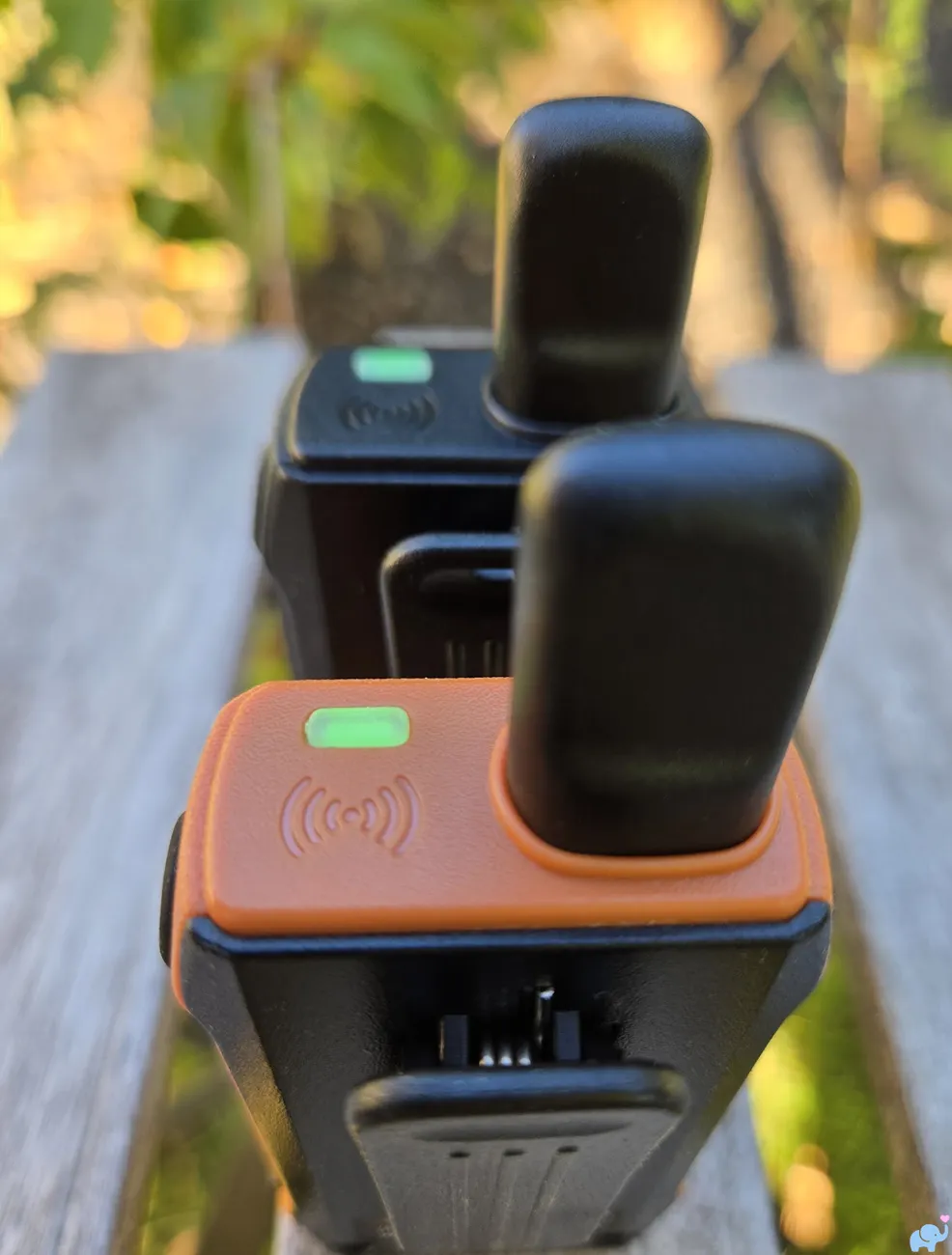
There is also a glowing indicator on top of each unit, useful when checking status in low light.
Here is a closer look:
Speaker volume was good and could be turned up quite loud.
However, the sound still has the somewhat compressed, radio-like character of a walkie-talkie.
It's perfectly useful for hearing a child and communicating, but don't expect the rich audio of some premium indoor baby monitors like the Infant Optics or Nanit systems.
Roar advertises up to 985 feet of range.
We did not conduct a standardized maximum-distance test, but the figure is believable in an open field.
Battery Life & Charging
Our battery test lasted 21 hours and 10 minutes, slightly exceeding Roar's 20+ hour claim.
That's excellent for overnight monitoring and makes the Pro appealing for camping without convenient outlets.
We love the upgrade to USB-C, especially because portable USB battery packs are so common.
The included Y-cable can charge both units from the supplied USB-A wall adapter, though the two monitors need to be physically close together to charge simultaneously.
The battery is sealed inside the case. We did not open the units to verify capacity, and unlike the Classic, the Pro does not have a user-replaceable battery.
What Could Be Improved
1. Audio fidelity. The Pro is loud and intelligible, but the sound is closer to a walkie-talkie than a premium nursery monitor. If crystal-clear audio or video is your priority, consider a conventional indoor monitor. For the great outdoors, the Roar Pro is definitely the better option.
2. Charging flexibility. The dual-ended cable is clever for charging both units together, but two separate cables would be more convenient when the parent and child units are in different rooms or tents.
3. Exposed bottom charging port. The case feels durable and the Pro is rated IP54 for dust and splashes, but its uncovered bottom USB-C port gives us pause around rain and wet surfaces. Water-resistant does not mean waterproof.
These are relatively minor criticisms considering how well the Pro performed overall in our testing.
Our Conclusions
We came away impressed by the Roar Baby Monitor Pro.
It is highly portable, easy to operate, rugged, and reliable across the indoor and outdoor locations where we tested it. Its 21-hour-plus runtime and useful walkie-talkie mode add to its appeal and make it useful (and fun!) as your little ones grow older.
We would improve the audio fidelity and include separate charging cables, but neither issue would discourage us from recommending it to families who camp, travel, or simply want a dependable, Wi-Fi-free baby monitor.
For outdoorsy families, the Roar Pro is an excellent little companion. To check its current price and availability, click the image below:
Frequently Asked Questions
Does the Roar Baby Monitor Pro need Wi-Fi?
No. The parent and child units communicate directly over a 2.4 GHz radio connection. You do not need an app, smartphone, or internet connection.
Does the Roar Pro have a camera?
No. It is an audio-only monitor, designed for portability and listening rather than viewing a video feed.
How long does the Roar Pro battery last?
Roar advertises more than 20 hours. We measured 21 hours and 10 minutes in our testing; actual runtime will vary with usage and settings.
Is the Roar Baby Monitor Pro waterproof?
No. Roar specifies IP54 dust and splash resistance, not waterproofing or submersion protection. Keep the charging ports away from water, and follow the manufacturer's instructions.
Can you talk through both Roar Pro units?
Yes. In baby-monitor mode, the black parent unit has a talk-back function. In walkie-talkie mode, either unit can transmit using its push-to-talk button.