
Jartoo 5.5" Dual Mode Smart Baby Monitor Review
A versatile hybrid baby monitor with excellent battery life, reliable smart alerts, and both local and remote viewing.
 By: Tali Ditye, Ph.D., Co-founder
Mommyhood101 independently curates baby gear to help inform decisions; if you buy through links on our site, we may earn a commission.
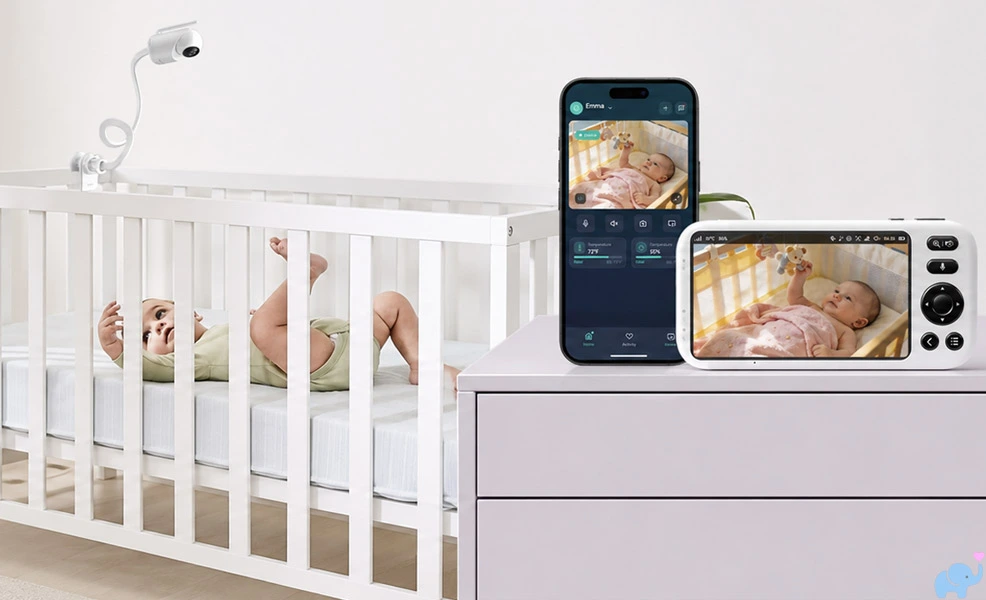
The Jartoo JBM550 is a new dual-mode baby monitor designed to provide the convenience of a dedicated parent unit and the flexibility of remote smartphone viewing.
Could it deserve a spot on our list of best baby monitors? Let's test it out!
-
- Take-Home Message
- Unboxing
- Features
- Specifications & Design
- Camera & Movement
- Mounting Options
- Parent Unit & Controls
- Daytime Video Quality
- Night Vision & Zoom
- Smart Alerts & Human Tracking
- Multiple Cameras
- Jartoo Smartphone App
- Recording & Storage
- Reception & Range
- Audio, Intercom, & Sleep Sounds
- VOX Mode & Standby
- Temperature & Humidity
- Battery & Charging
- Privacy & Security
- Comparison with Similar Baby Monitors
- User & Reddit Sentiment
- Things we Loved
- Things we Disliked
- Conclusions
- References Cited
Our Jartoo JBM550 Review
Nobody wants to read this entire article just to get to the point. You've got more important things to do!
Here are our findings right up front.
The JBM550 is an impressive hybrid baby monitor for parents who want a traditional handheld display at home without giving up remote smartphone viewing.
Its strongest features are the large 5.5-inch screen, clear daytime and night video, reliable cry and motion alerts, accurate temperature and humidity readings, excellent battery life, simultaneous parent-unit and app streaming, local microSD storage, and physical WiFi switch.
Here is a summary of what we loved, and a few things that could be improved.
✔️ Dedicated 5.5" display.
✔️ Optional app streaming.
✔️ No home WiFi required.
✔️ Simultaneous streaming.
✔️ Up to 5 app viewers.
✔️ 2K camera resolution.
✔️ Split-screen camera view.
✔️ Good daytime image quality.
✔️ Useful infrared night vision.
✔️ ~300-degree horizontal pan.
✔️ Broad remote vertical tilt.
✔️ 1x to 5x digital zoom.
✔️ Reliable cry detection.
✔️ Reliable noise detection.
✔️ Reliable motion detection.
✔️ Daytime human tracking.
✔️ Accurate temp monitoring.
✔️ Accurate humidity level.
✔️ Two-way intercom.
✔️ Lullabies & white noise.
✔️ VOX and Deep Sleep modes.
✔️ Lage 5000mAh battery.
✔️ 24-hour life in VOX mode.
✔️ 10-hour life with screen on.
✔️ Local microSD recording.
✔️ App picture-in-picture overlay.
✔️ Multiple camera view in app.
✔️ Physical WiFi on/off switch.
✔️ Universal 1/4"-20 mounting.
✔️ USB-C power connections.
✔️ Fair price for dual-mode.
❌ Flexible mounting arm sags.
❌ 5GHz WiFi is not supported.
❌ QR code blocked by arm.
❌ No app zoom control.
❌ Human tracking inconsistent.
❌ Digital zoom can be grainy.
❌ Low outdoor brightness.
❌ No storage on parent unit.
❌ Cloud-storage details are unclear.
The defining feature is its dual-mode design, which can operate simultaneously:
At home, the parent unit connects directly to the camera without relying upon a WiFi connection.
When remote access is useful, the same camera can stream through the Jartoo app to an iPhone or Android phone.
Other major strenghts include battery performance, reception, and image quality.
The most serious weakness was the included flexible mounting arm.
The camera was simply too heavy for the arm, which could droop or collapse when we tried to aim the camera downward.
Depending on the mounting position, parents may need to purchase a stronger 1/4"-20 camera arm or use a stable shelf, wall bracket, or floor stand.
Overall, we give the Jartoo JBM550 a very good 4.3 out of 5.

Feel like an expert on this baby monitor already? You should!
But if you are still uncertain, continue reading to see exactly how we reached these conclusions.
Unboxing
To be completely transparent, Jartoo provided us with this baby monitor for hands-on testing.
The system arrives in a sleek black retail box with extensive feature information printed on the exterior.
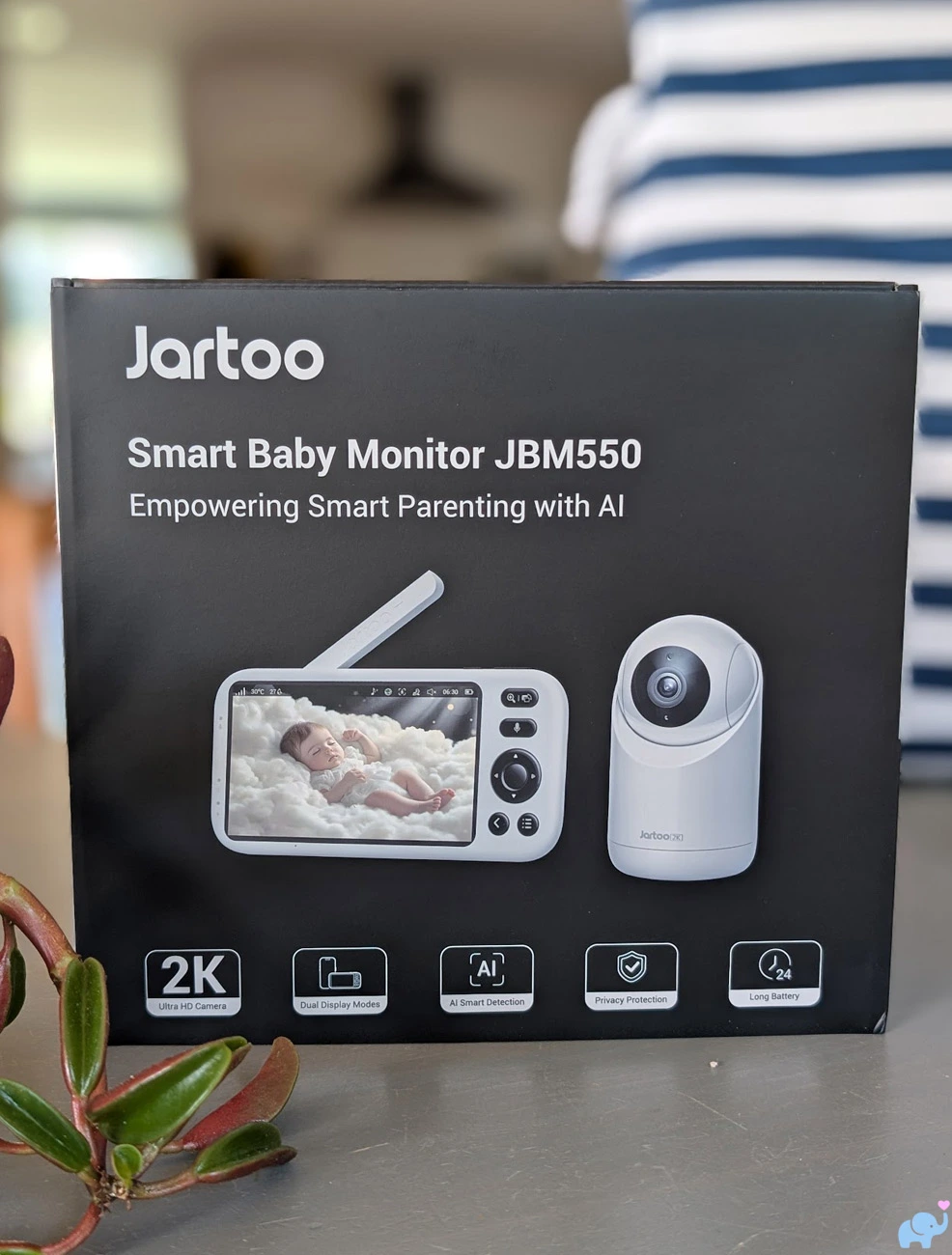
The box advertises a 2K Ultra HD camera, dual display modes, intelligent detection, privacy protection, long battery life, cry and noise detection, temperature and humidity monitoring, motion detection, human tracking, remote streaming, noise reduction, activity alerts, and local video recording.
That is an unusually ambitious feature list for a baby monitor priced around $170.
Opening the top reveals the camera and parent unit wrapped and protected inside molded packaging.
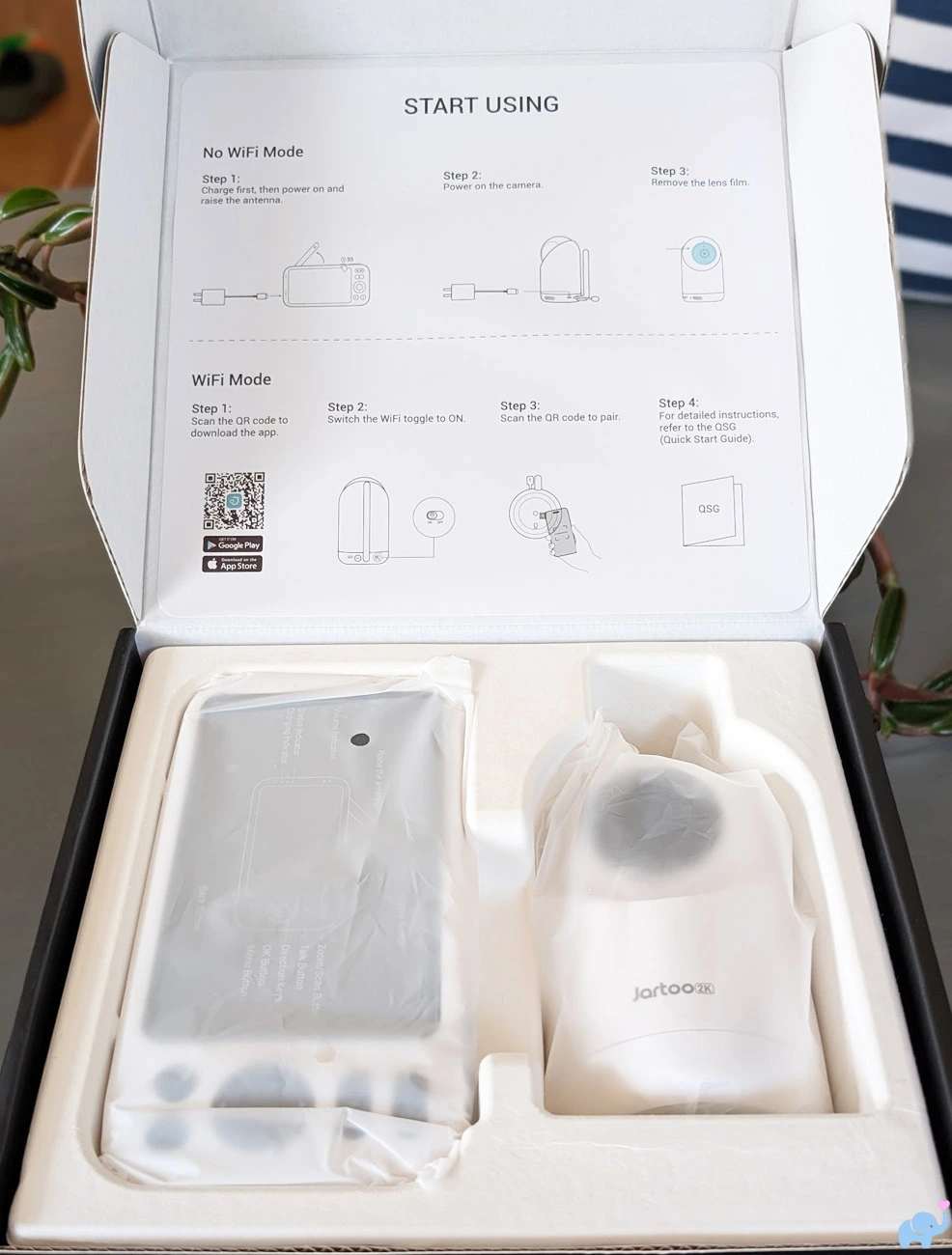
The packaging was orderly and kept the glossy camera surfaces and parent display protected during shipping.
Once everything is unpacked, the package includes:
- One motorized 2K camera.
- One 5.5-inch parent display.
- Two USB-C power adapters and cables.
- One clamp-style mounting base.
- One flexible gooseneck mounting arm.
- One quick-start guide.
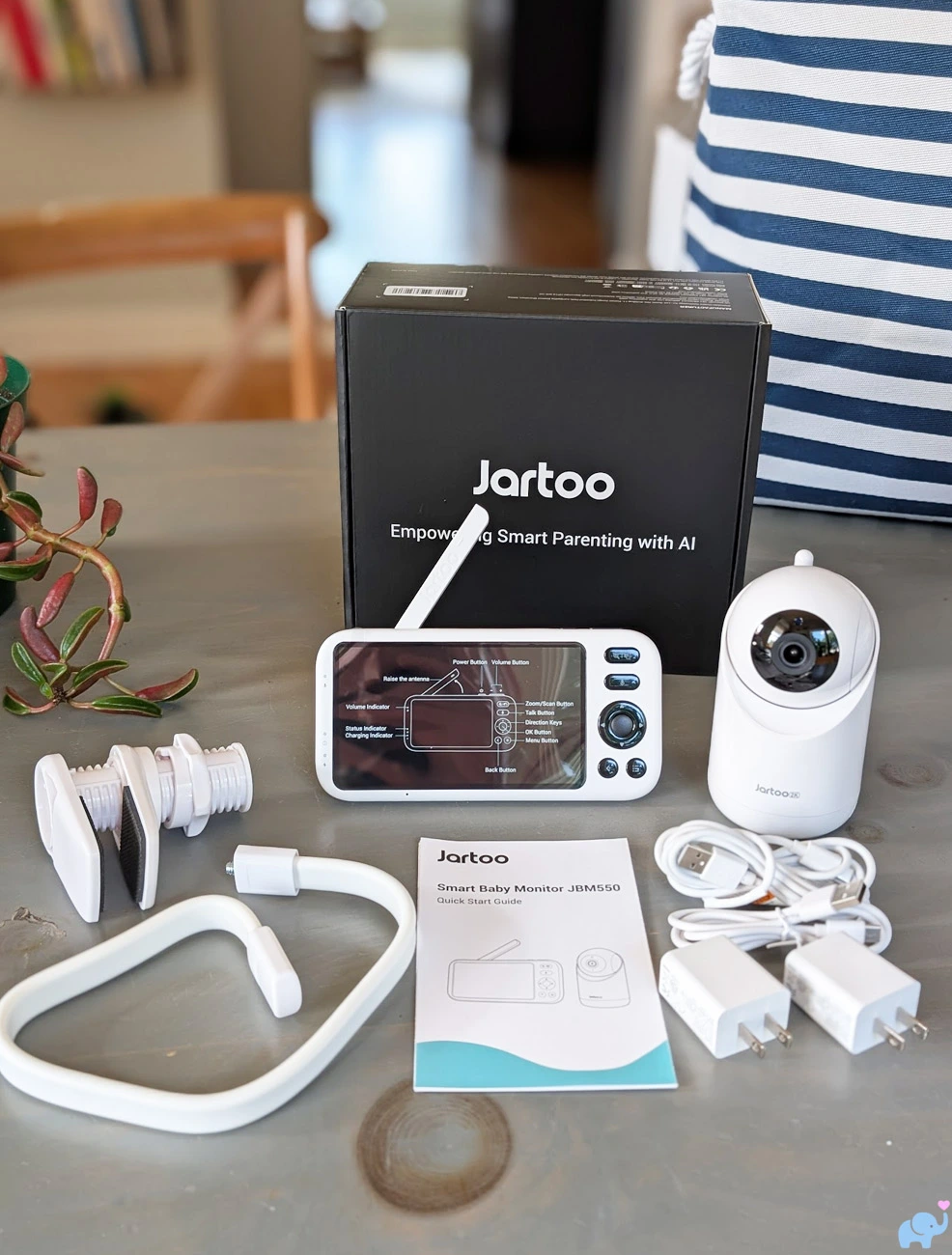
Both cables use USB-C connections, which we appreciate.
However, one cable is only about two feet long, while the other is approximately six feet long.
We wish Jartoo had included two six-foot cables, which would give more flexibility for camera placement and parent unit charging.
The camera and parent unit arrived pre-paired.
Basic local monitoring was therefore quick and did not require an account, app, WiFi password, or QR-code scan.
Features
The JBM550 provides one of the most extensive feature sets we have encountered at this price.
Its primary features include:
- Hybrid local and remote monitoring.
- Direct camera-to-parent-unit connection.
- Optional Jartoo smartphone app.
- Support for iPhone and Android devices.
- Simultaneous parent-unit and app viewing.
- Up to five simultaneous app viewers.
- Device sharing with up to 20 users.
- Physical camera WiFi switch.
- 5.5-inch IPS parent display.
- 2K camera.
- Split-screen camera viewing.
- Remote horizontal pan and vertical tilt.
- Approximately 300 degrees of horizontal rotation.
- 1x through 5x digital zoom on the parent unit.
- Automatic infrared night vision.
- Cry detection.
- Noise-threshold detection.
- Motion detection.
- Human tracking.
- Temperature monitoring.
- Humidity monitoring.
- Adjustable alert volume.
- Two-way talk.
- Lullabies.
- White noise.
- Nature sounds.
- VOX standby mode.
- Deep Sleep mode.
- 5000mAh parent-unit battery.
- Local microSD storage up to 128GB.
- Continuous and event-based recording options.
- App snapshots and video controls.
- App picture-in-picture overlay.
- App full-screen landscape viewing.
- Support for multiple cameras.
- Parent-unit camera scan and selection.
- Multiple app camera streams.
- USB-C power connections.
- Built-in parent-unit kickstand.
- Clamp and flexible arm included.
- Universal 1/4"-20 camera mounting socket.
- One-year warranty.
- Warranty extension to two years with registration.
The unusual combination of direct local monitoring and remote app access is the central appeal.
Parents do not need to hand over their phone for ordinary monitoring, and the system remains usable if the internet goes down.
At the same time, app access remains available for date nights, caregivers, travel, work, or checking on the nursery from outside the parent unit's radio range.
Specifications & Design
| Specification | Jartoo JBM550 |
|---|---|
| Product type | Hybrid local and WiFi-connected video baby monitor |
| Camera model | JBM550 camera; FCC ID 2BF7Y-JBM550C1 |
| Camera resolution | Advertised 2K |
| Parent display | 5.5-inch IPS LCD |
| Parent-screen resolution | Not clearly stated by Jartoo |
| Local connection | Direct wireless camera-to-monitor connection without home WiFi |
| Remote connection | Jartoo app over a 2.4GHz WiFi network |
| 5GHz WiFi support | No |
| Simultaneous monitor and app use | Yes |
| App sharing | Up to 20 shared users and five simultaneous live viewers |
| Horizontal camera movement | Approximately 300 degrees in our testing |
| Vertical camera movement | Remote motorized tilt with broad crib coverage |
| Zoom | 1x to 5x digital zoom on parent unit |
| Night vision | Automatic infrared black-and-white video |
| Smart detection | Cry, noise, motion, and human tracking |
| Environmental monitoring | Temperature and humidity |
| Audio | Live audio, two-way talk, noise reduction, and adjustable volume |
| Sleep sounds | Lullabies, white noise, and nature sounds |
| Parent-unit battery | Built-in 5000mAh rechargeable battery |
| Tested battery life | More than 24 hours in VOX standby and about 10 hours with continuous screen use |
| Advertised open-field range | Up to 2,000 feet |
| Tested outdoor range | About 50–60 feet with basement placement and a few hundred feet with first-floor placement near a window |
| Recording | App-based recording and playback with installed microSD card |
| Local storage | microSD up to 128GB; card not included |
| Parent-unit recording | No apparent photo or video capture |
| Additional cameras | Supported; one camera at a time on parent unit, multiple streams available in app |
| Parent-unit split screen | Yes |
| Camera power | 5V, 1.5A wired USB-C power |
| Included cable lengths | Approximately two feet and six feet |
| Camera mounting | Tabletop, included clamp and gooseneck, or universal 1/4"-20 accessory |
| Warranty | 12 months; extendable to 24 months with registration |
| Typical price at review | About $170 before temporary discounts |
The camera uses a clean white-and-black design that looks modern without drawing unnecessary attention in a nursery.
The white camera body has rounded edges, while the upper black lens assembly rotates and tilts inside the motorized housing.
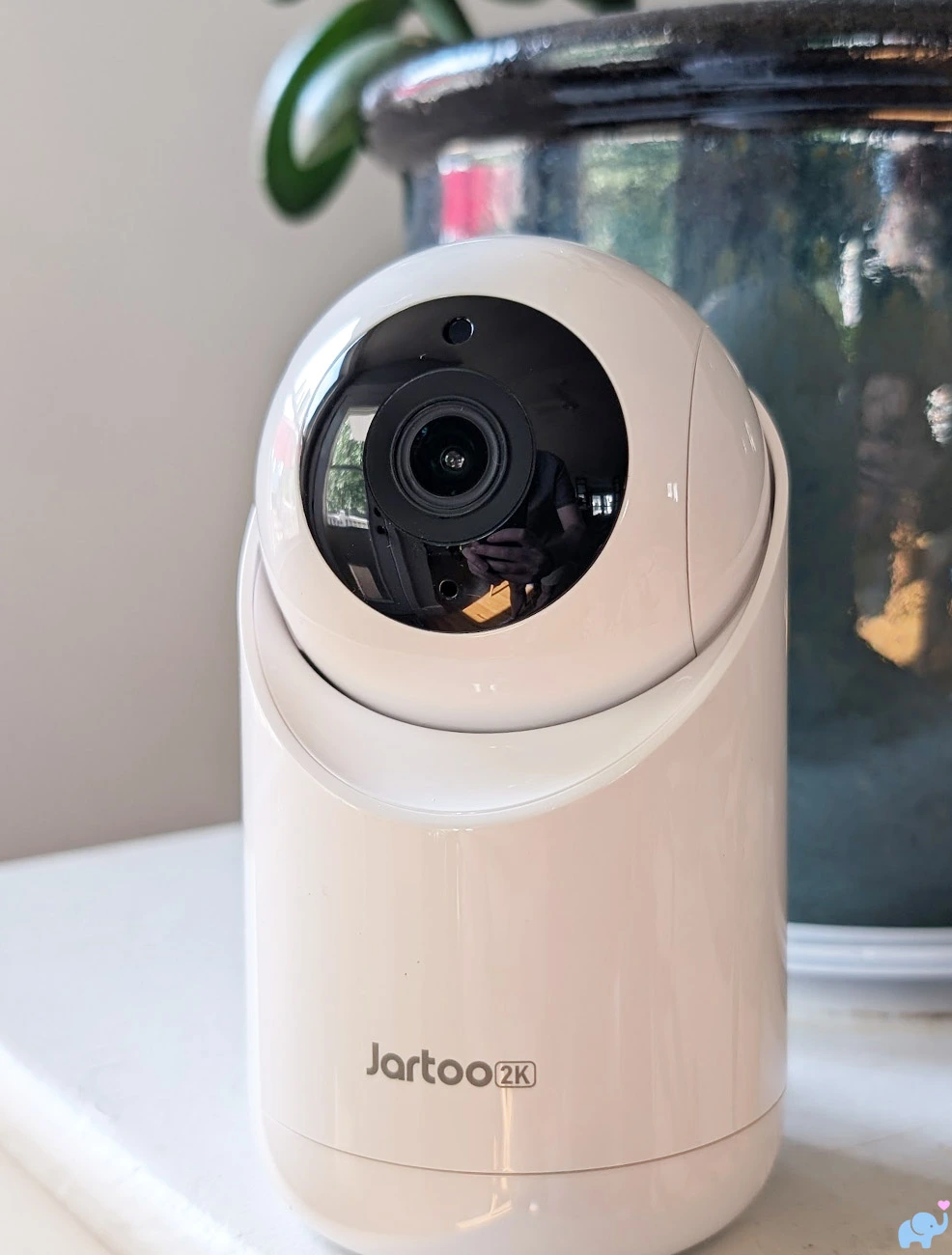
The styling is neutral enough to blend into most modern nurseries, bedrooms, playrooms, or living spaces.
Camera & Movement
The camera combines its image sensor, infrared night-vision emitters, speaker, microphone, temperature and humidity sensing, WiFi radio, and local parent-unit transmitter inside one motorized housing.
The rear contains a long external antenna, a small microphone opening, and the USB-C power connection.
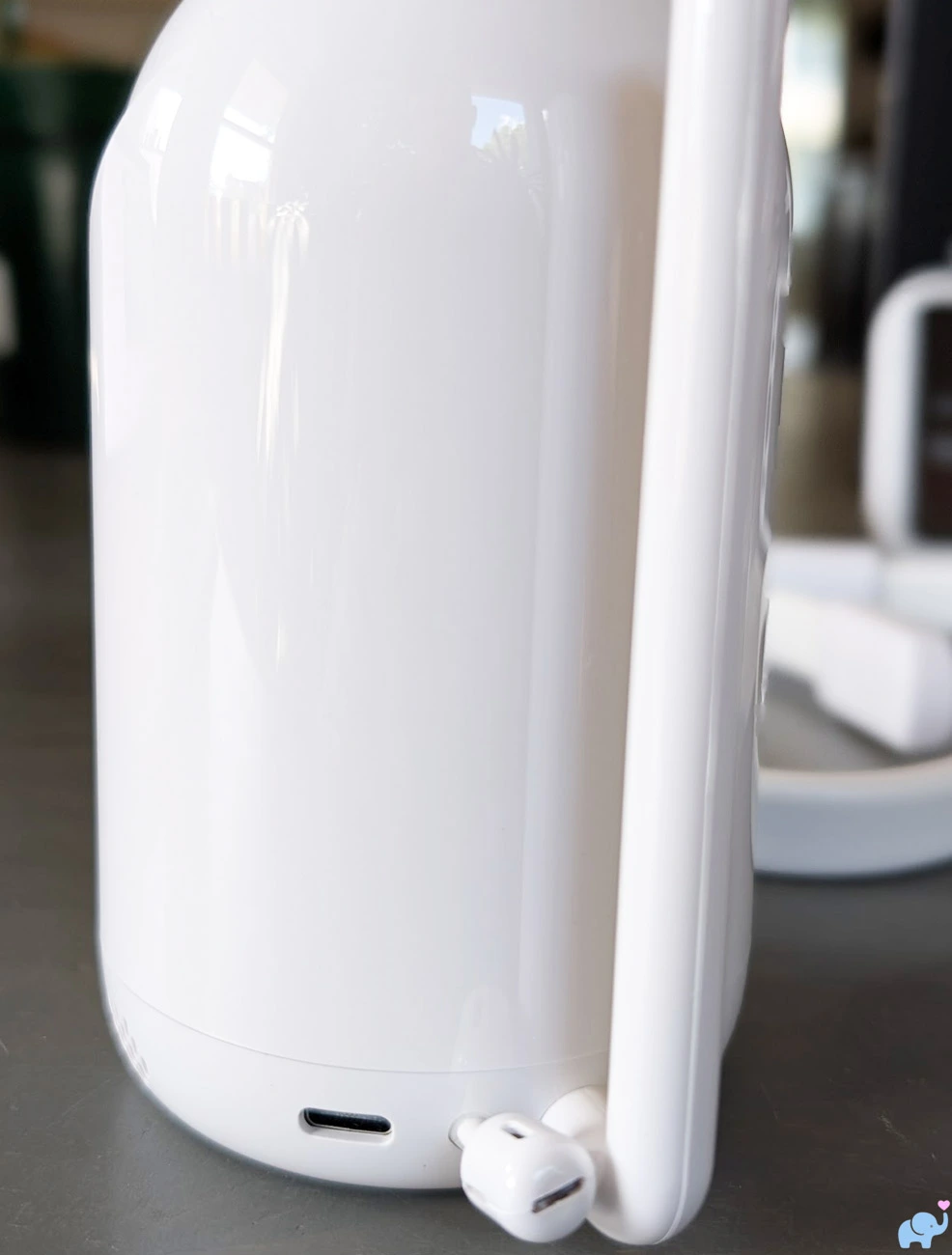
The external antenna helps support the direct wireless connection between the camera and parent display.
The camera must remain connected to power during use.
It does not contain a rechargeable battery like the portable camera included with the more expensive eufy E20 and E21 systems.
A separate physical switch on the rear turns the camera's WiFi connection on or off.
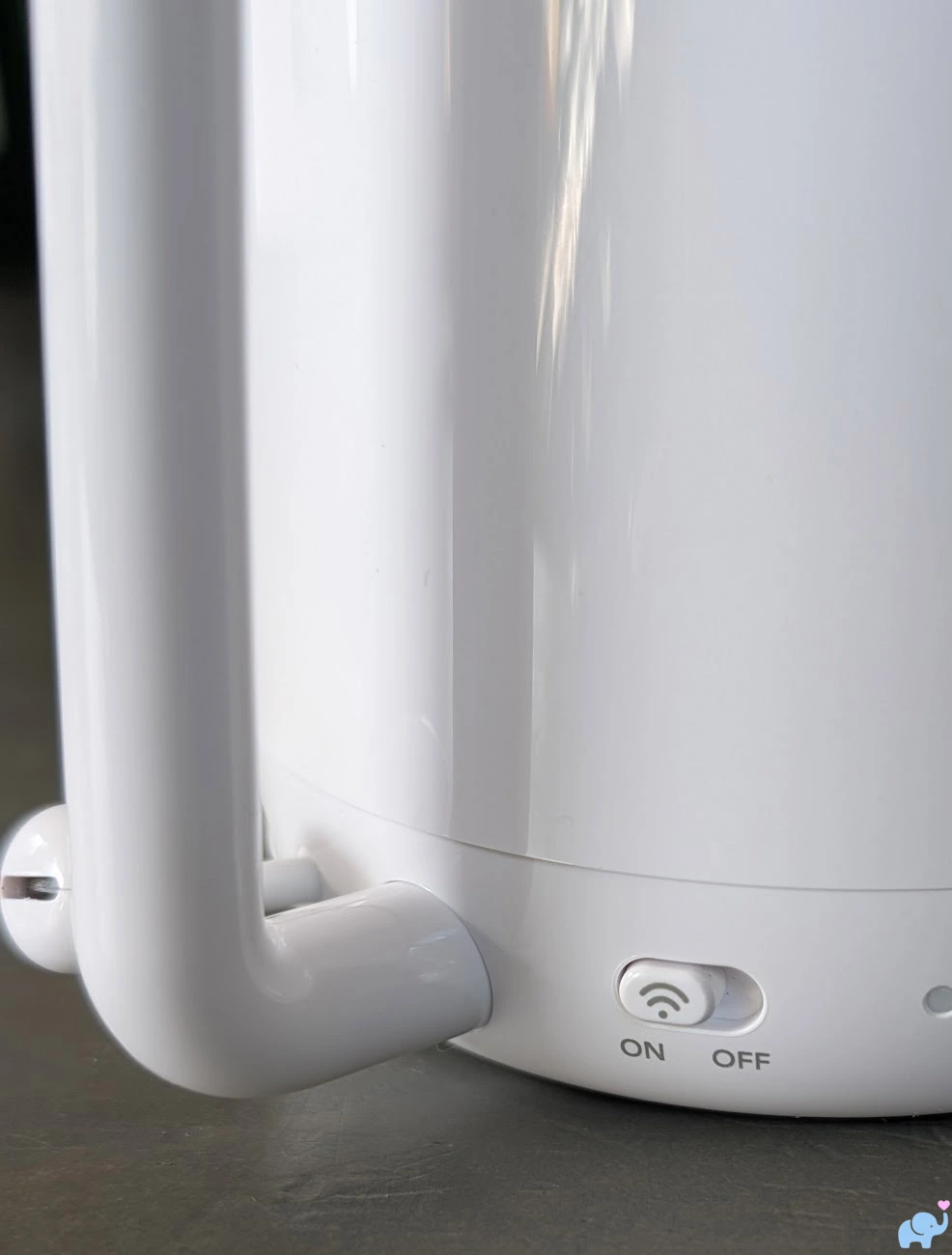
This switch affects remote app streaming.
With WiFi switched off, the dedicated parent unit continues to communicate directly with the camera.
That makes it easy to disable internet access when remote viewing is unnecessary, reducing unnecessary WiFi transmission.
Jartoo advertises 360-degree viewing, but the camera does not rotate through a complete circle; we found that it was closer to about 300 degrees.
That is enough to cover most of a nursery when the camera is positioned carefully, but it leaves a noticeable blind area behind the unit.
The camera also provides broad motorized vertical tilt.
Directional movements were responsive from the parent unit and app.
The bottom label identifies the camera as model JBM550 and lists its 5V, 1.5A power requirement, FCC identification, CE marking, pairing button, serial information, and setup QR code.
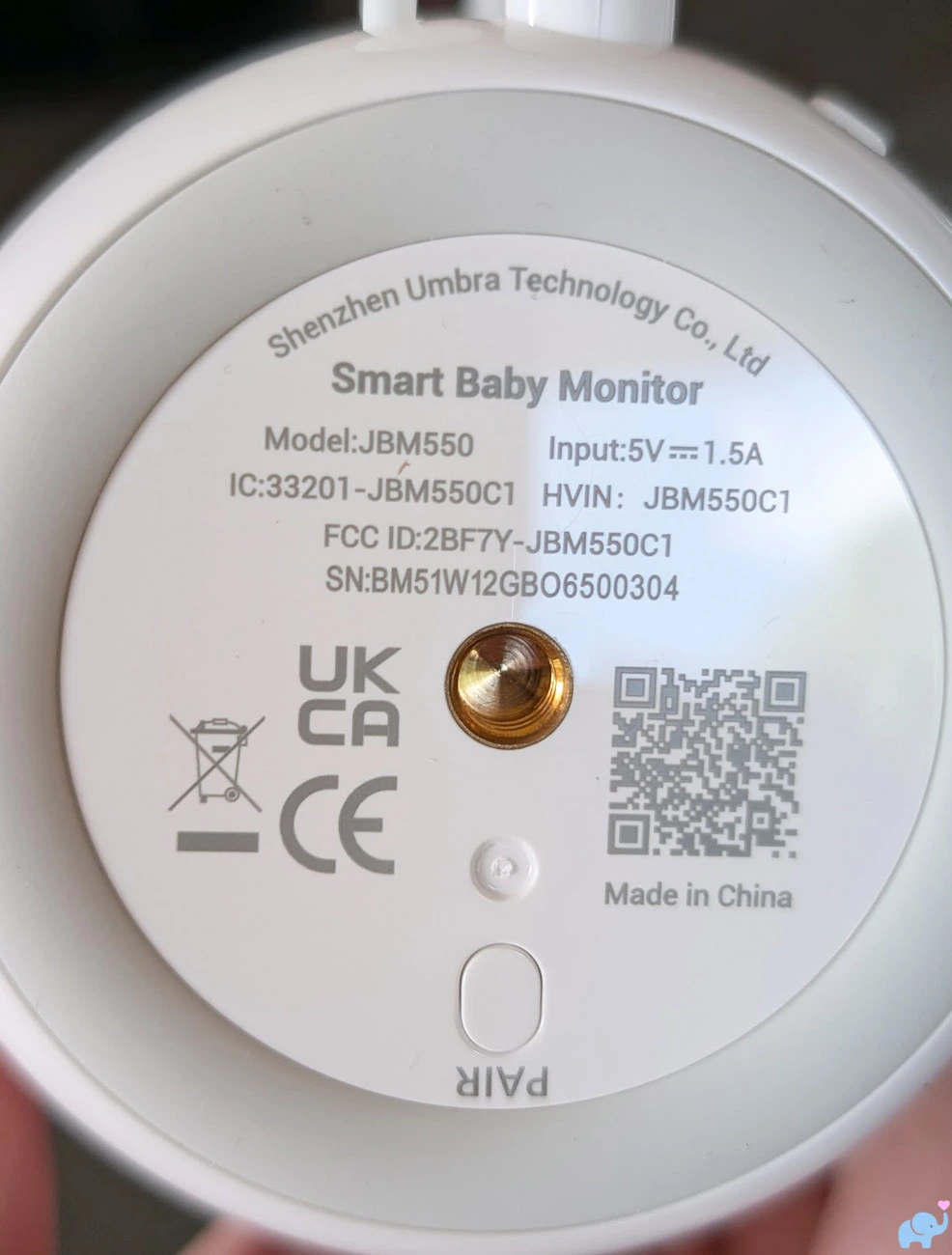
Holding the pairing button for approximately five seconds begins the app-pairing process.
The camera emits confirmation beeps and flashes its indicator after the button is released.
One of our favorite design details is the universal 1/4"-20 UNC threaded mounting socket.
This is the standard thread used by a huge range of photography and camera accessories.
It allows parents to replace the included mount with a stronger clamp, articulating arm, wall bracket, tripod, floor stand, suction mount, or other compatible accessory.
Mounting Options
Jartoo includes a clamp and flexible gooseneck arm to help position the camera above or beside the monitored area.
The clamp opens wide enough to attach to many tables, shelves, dressers, and furniture edges.
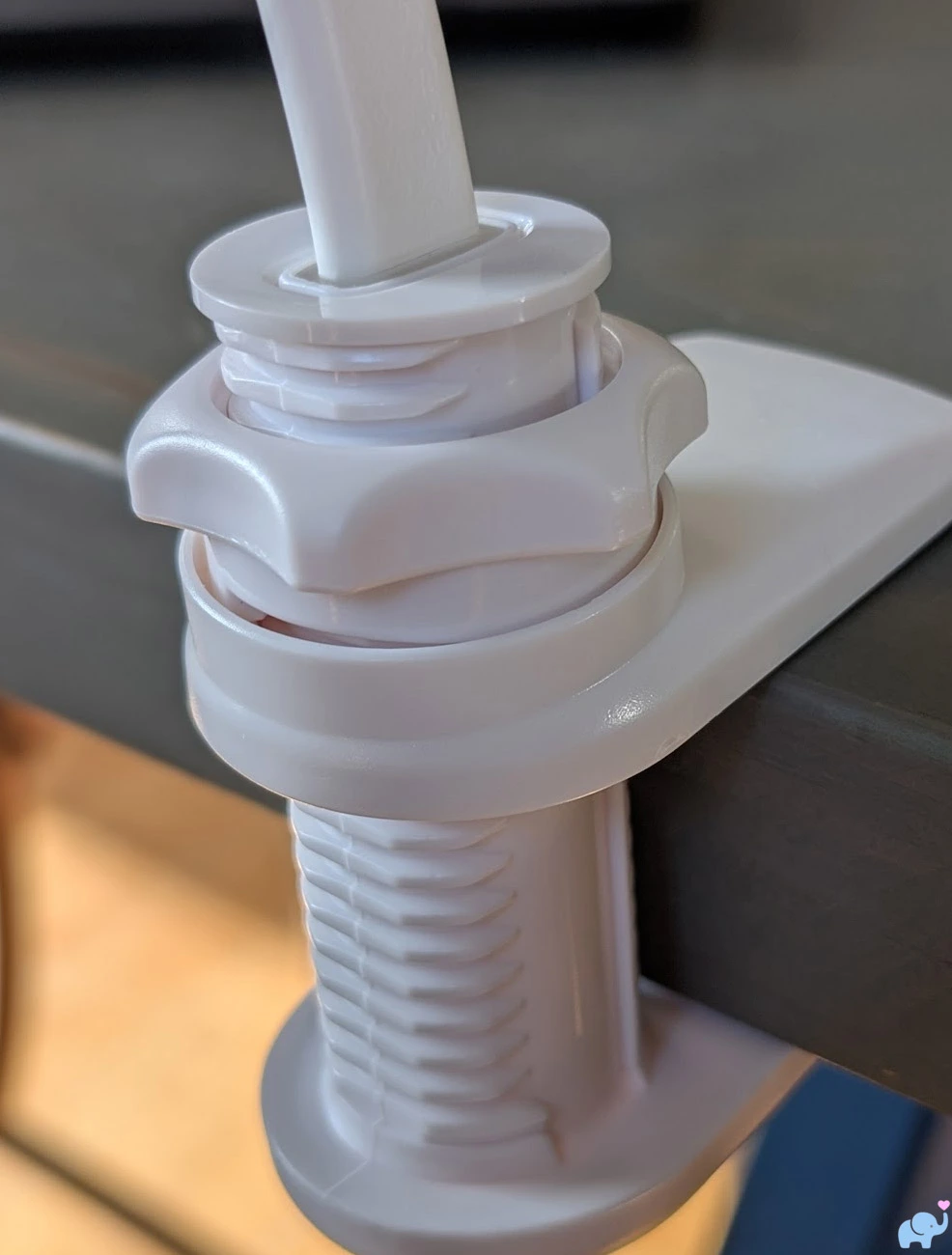
The threaded end of the flexible arm screws into the universal mounting socket on the bottom of the camera.
Before doing that, pair the camera with the Jartoo app.
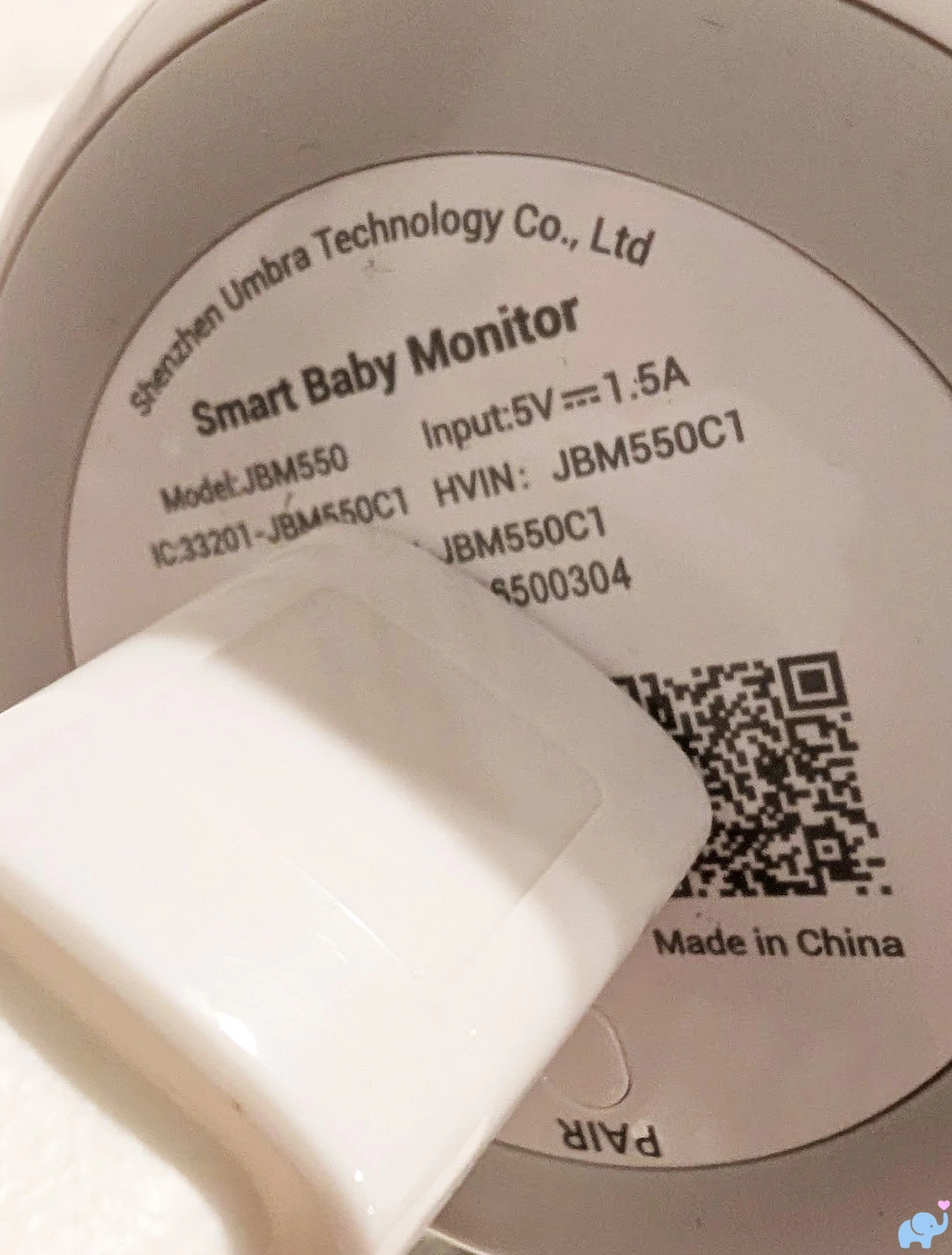
Once the arm is screwed into place, its mounting bracket blocks the QR code needed during app setup.
If the camera has not already been paired, you will need to unscrew and remove the camera just to scan the code.
This is an avoidable setup frustration.
Jartoo should either move the QR code to an unobstructed area or repeat it on a removable setup card inside the box.
Unfortunately, the flexible arm was also the weakest part of the entire system.
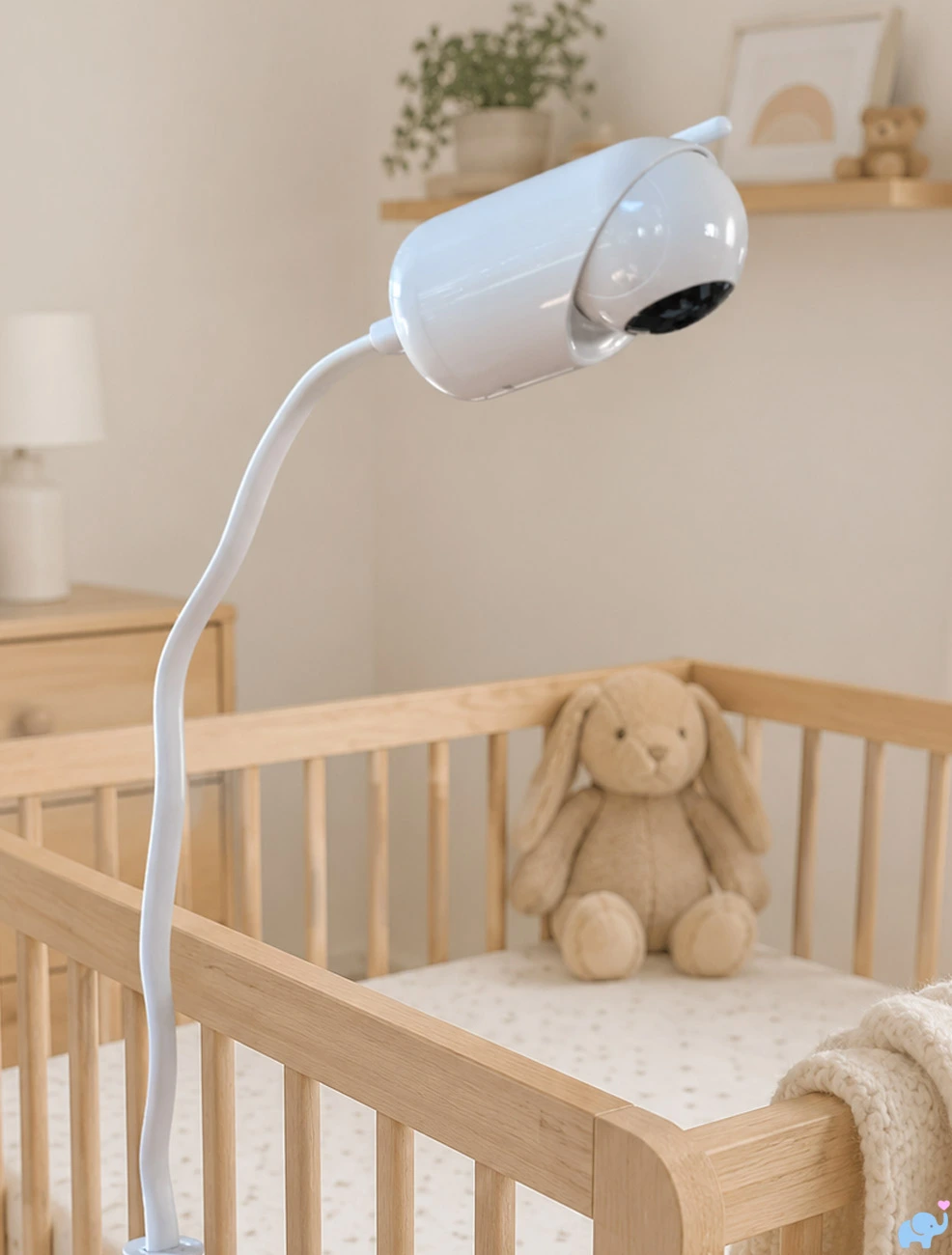
The camera was too heavy for the arm to hold securely at many useful downward angles.
We found a narrow sweet spot where the arm remained upright while providing a partial downward view.
When we bent the camera any farther toward the crib, the arm would sag or collapse downward.
This made the included mount precarious and, depending on the nursery layout, nearly useless.
Jartoo needs to reduce the camera's weight or include a substantially stiffer and stronger arm.
Parents who encounter the same problem can take advantage of the universal 1/4"-20 socket and purchase a stronger camera mount.
A rigid wall bracket, sturdy shelf, floor stand, or high-quality articulating arm will generally provide better stability.
Important safety note: We temporarily attached the camera to a changing table immediately next to the crib, to evaluate the supplied hardware and photograph its positioning.
Jartoo's instructions state that the camera, adapter, and power cords should remain at least three feet from the child and should not be placed this close to a crib or playpen.
Jartoo also advises against positioning the camera directly above the baby, perhaps due to the sagging and falling risk.
Any permanent installation should keep the camera, arm, clamp, and power cable completely outside the child's reach and in a location where a mount failure could not cause the camera to fall into the sleep space.
Parent Unit & Controls
The parent unit uses a large 5.5-inch screen with physical controls arranged along the right side.
The display is large enough to provide a useful crib view without forcing parents to use a smartphone.
Along the top edge are dedicated volume-down, volume-up, and power or standby buttons.
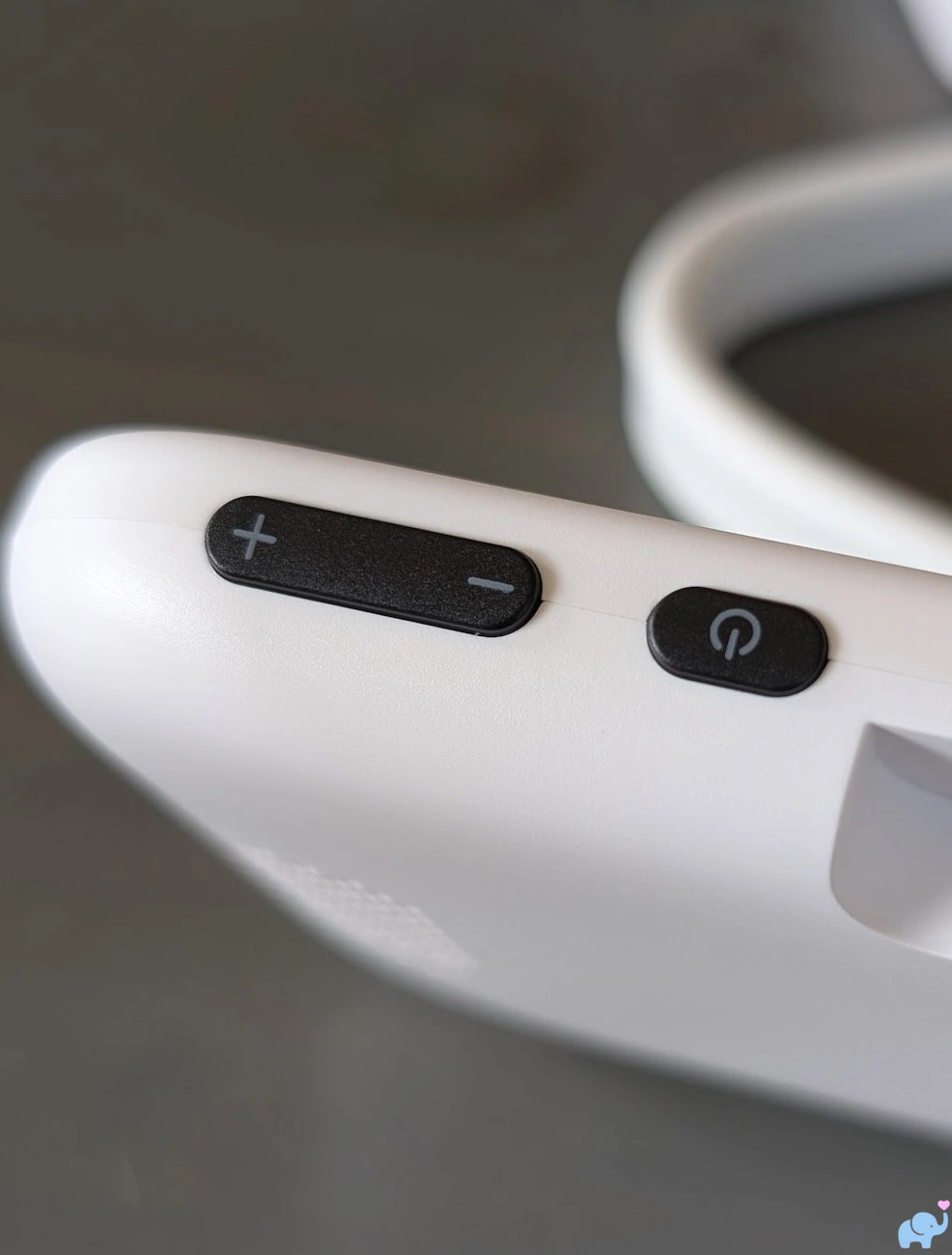
A short press of the power button turns the screen on or off, while a longer press powers the unit down.
Dedicated volume buttons are more convenient than opening a menu every time the room audio needs adjustment.
The identification label on the rear contains the parent-unit model information, FCC identification, serial number, and regulatory markings.
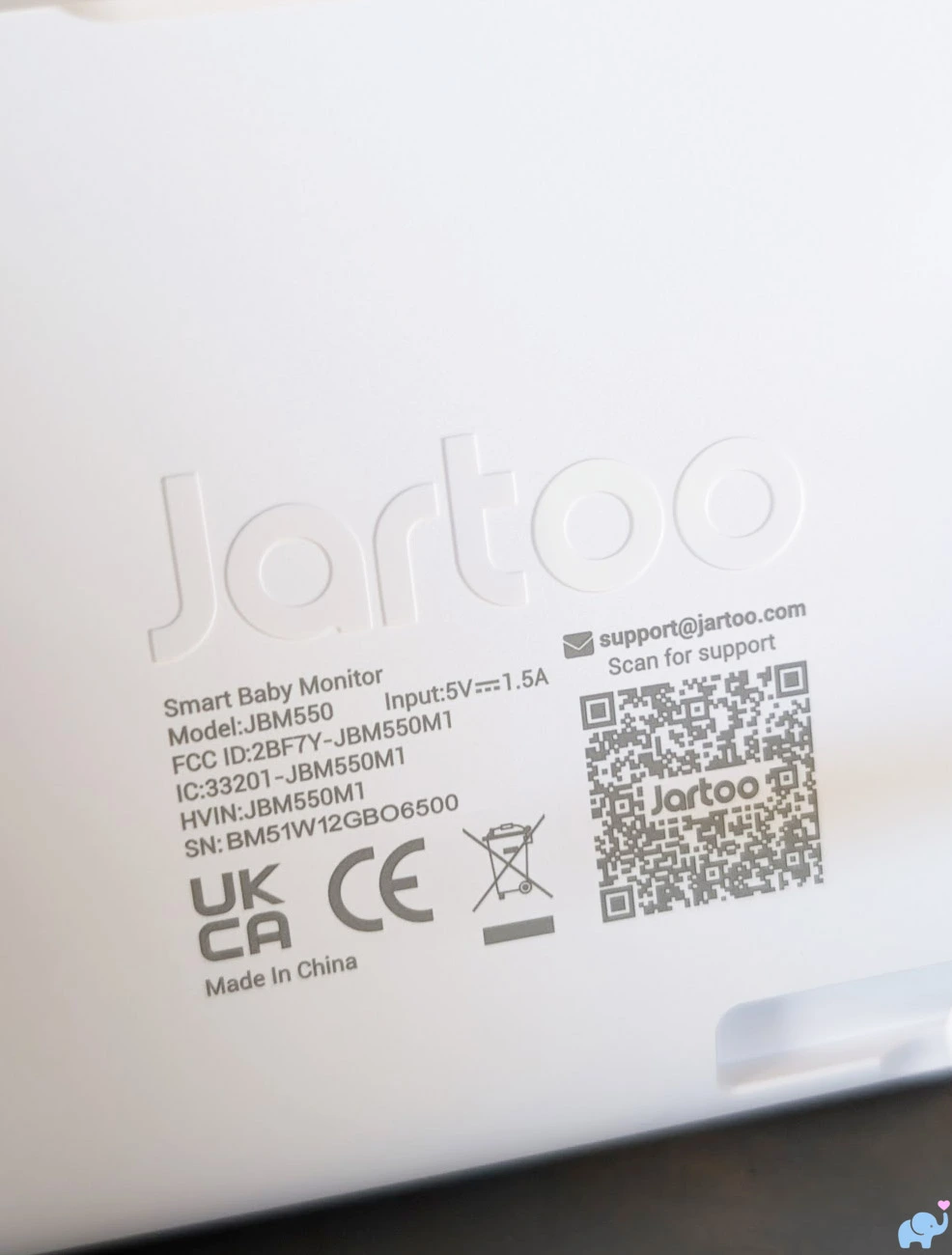
The rear also includes a folding kickstand.
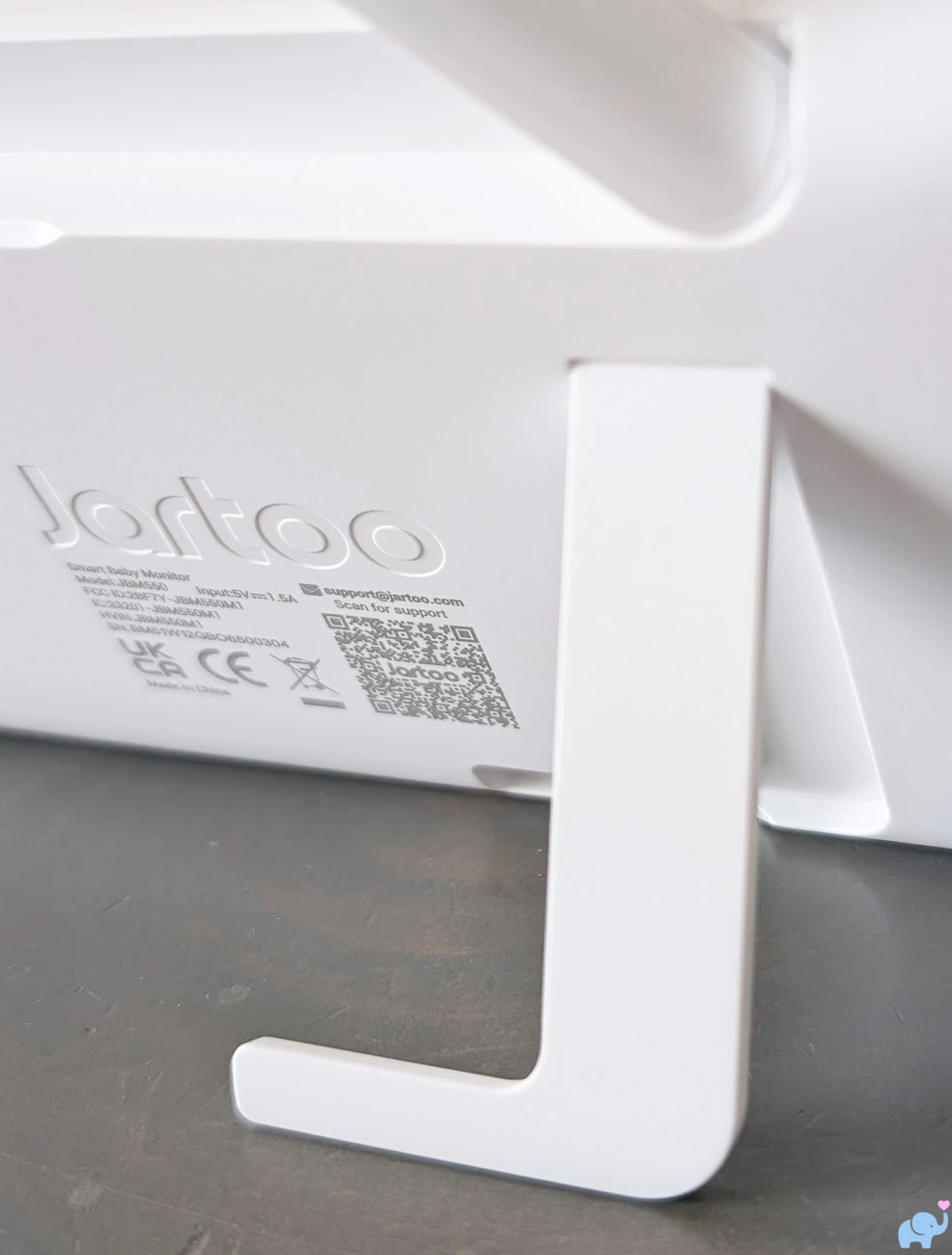
The stand holds the monitor upright on a nightstand, dresser, kitchen counter, desk, or table.
It provides only one viewing angle, but that angle was comfortable for most ordinary placements.
The front controls include:
- A zoom and camera-scan button.
- A two-way intercom button.
- Directional arrows for camera movement and menu navigation.
- A central confirmation button.
- A back button.
- A menu button.
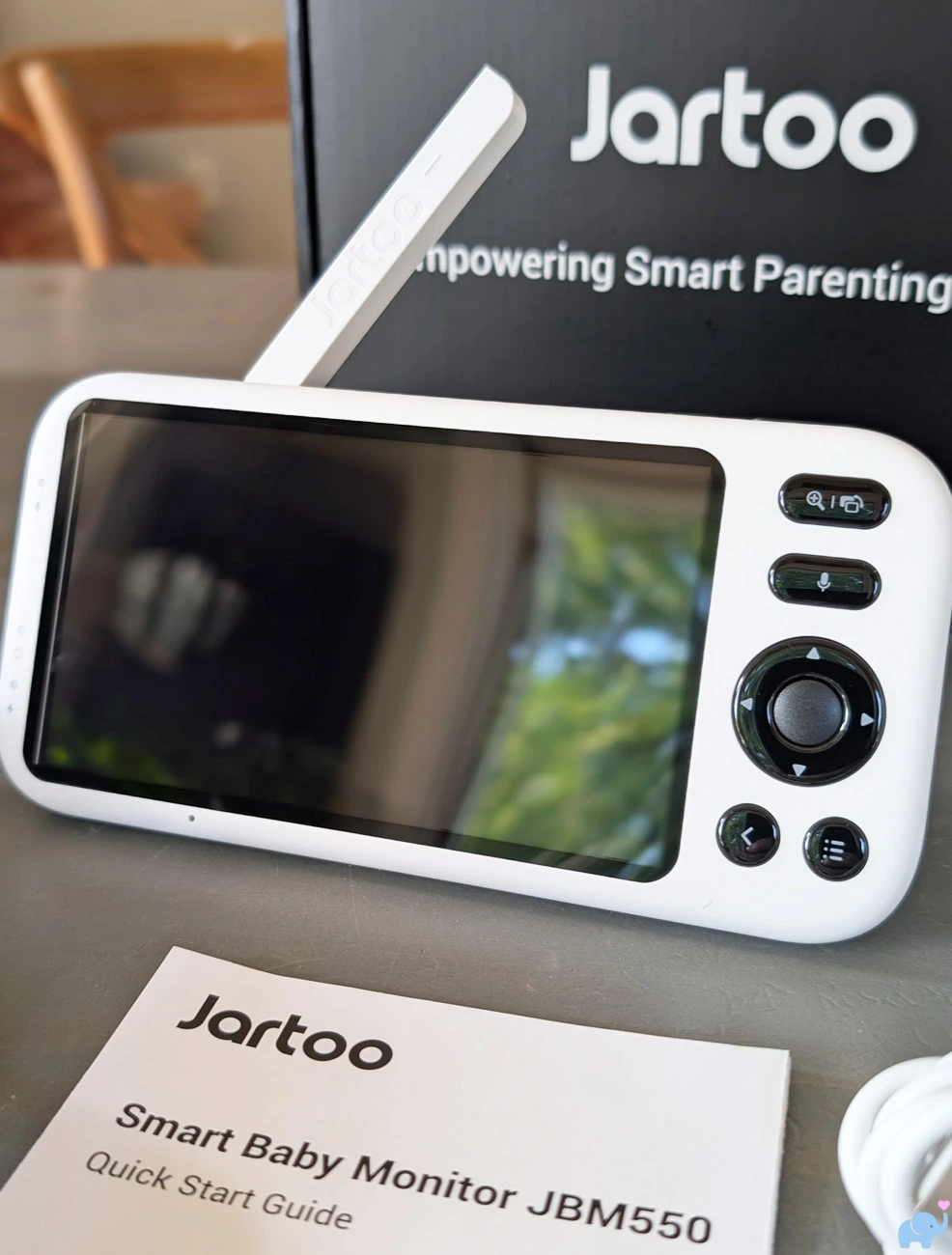
The physical interface is relatively intuitive after a few minutes of use.
Parents can pan, tilt, zoom, speak through the camera, change volume, and open common settings without touching a phone.
We activated human tracking and the other smart features through the on-screen menu.
Daytime Video Quality
Daytime image quality was good.
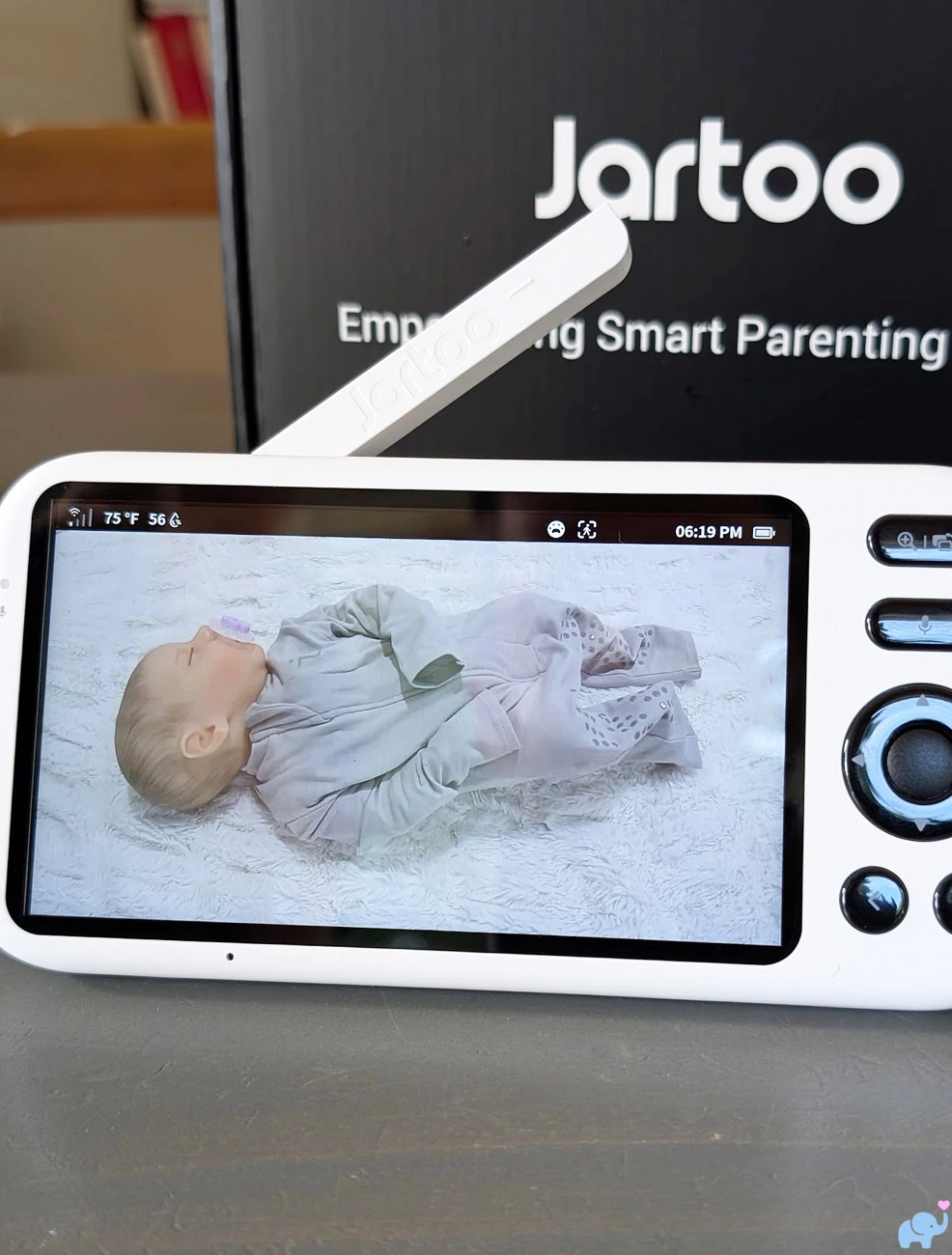
The parent unit produced decent color, contrast, brightness, and detail.
We could clearly identify the baby's position, face direction, clothing, bedding, crib boundaries, and larger facial features.
Colors looked reasonably natural and did not show the strong green, blue, or purple cast sometimes seen on inexpensive monitors.
The image did not look as sharp as a high-end smartphone display, but it was easily sufficient for ordinary nursery monitoring.
Indoors, the available brightness levels were sufficient.
Outdoors in brighter daylight, we occasionally wished the parent display could become brighter.
Reflections and ambient light can make the image harder to see when standing in direct sun.
Night Vision & Zoom
When the room becomes dark, the camera automatically switches to infrared black-and-white night vision.
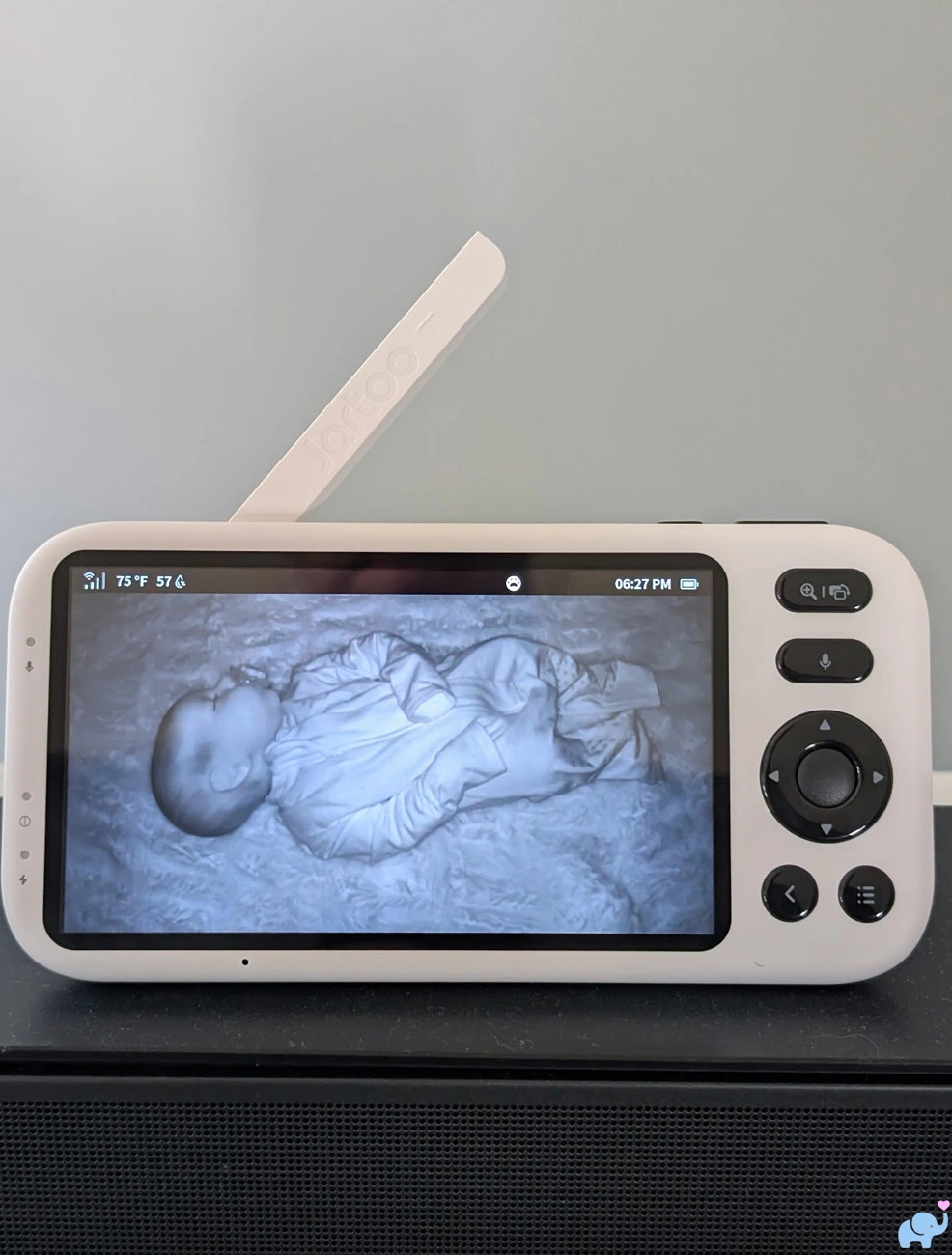
Night-vision quality was good.
The image maintained useful contrast and enough detail to see the baby's body position, head direction, movements, bedding, and crib rails.
As expected, very light fabrics could appear bright or slightly washed out when close to the infrared emitters.
Fine facial details were also reduced relative to daylight mode.
Overall, the night image was fully adequate for overnight monitoring.
The parent unit provides 1x through 5x digital zoom.
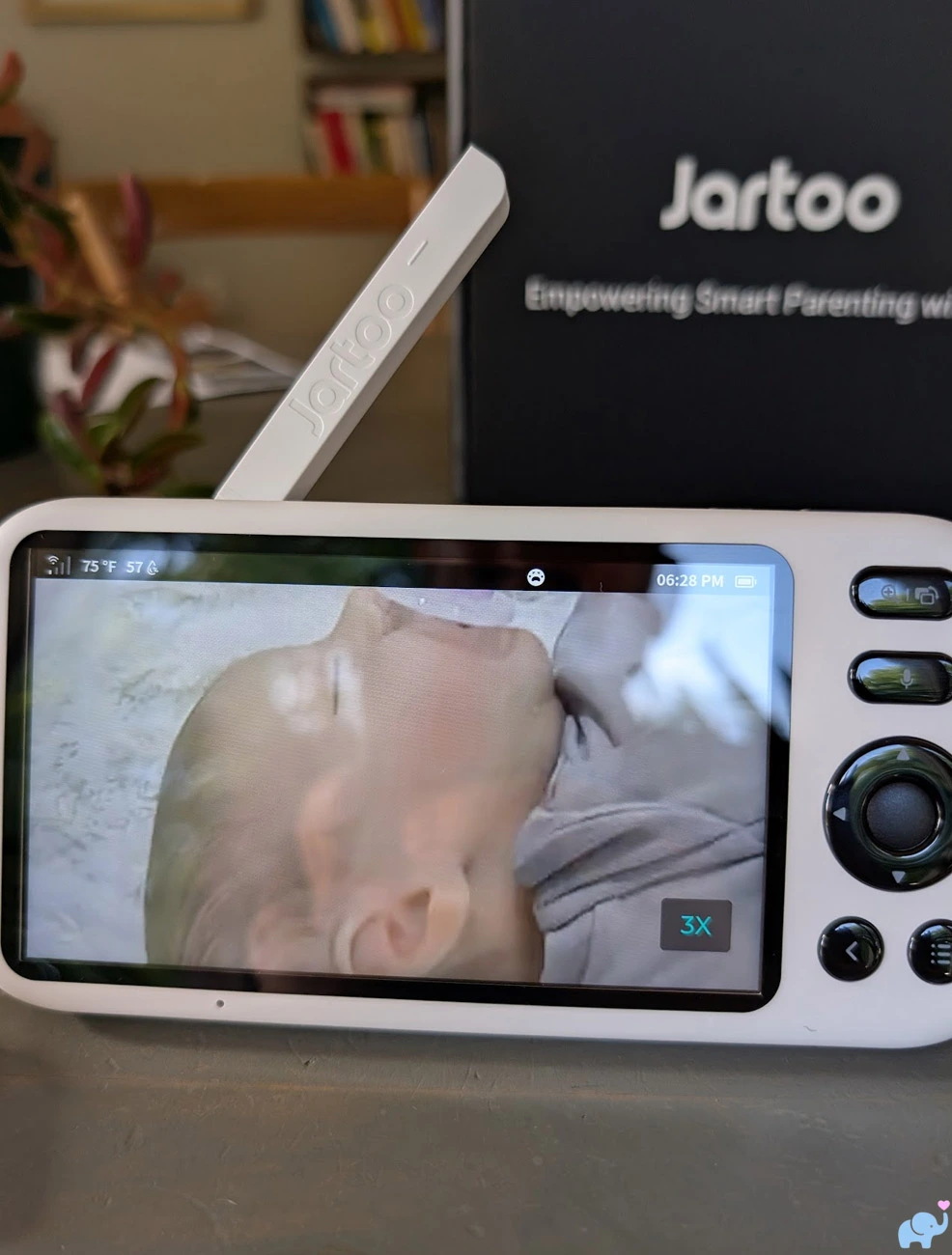
Because the zoom is digital rather than optical, it crops and enlarges the original image.
Image degradation is unavoidable.
We appreciated zoom levels through approximately 3x, which remained useful for checking the baby's eyes, head position, pacifier, or smaller movements.
At 4x and 5x, the image became substantially softer and grainier.
The highest zoom levels are still useful for enlarging a particular area, but they do not reveal additional true detail.
Smart Alerts & Human Tracking
The parent-unit menu includes six primary monitoring controls.
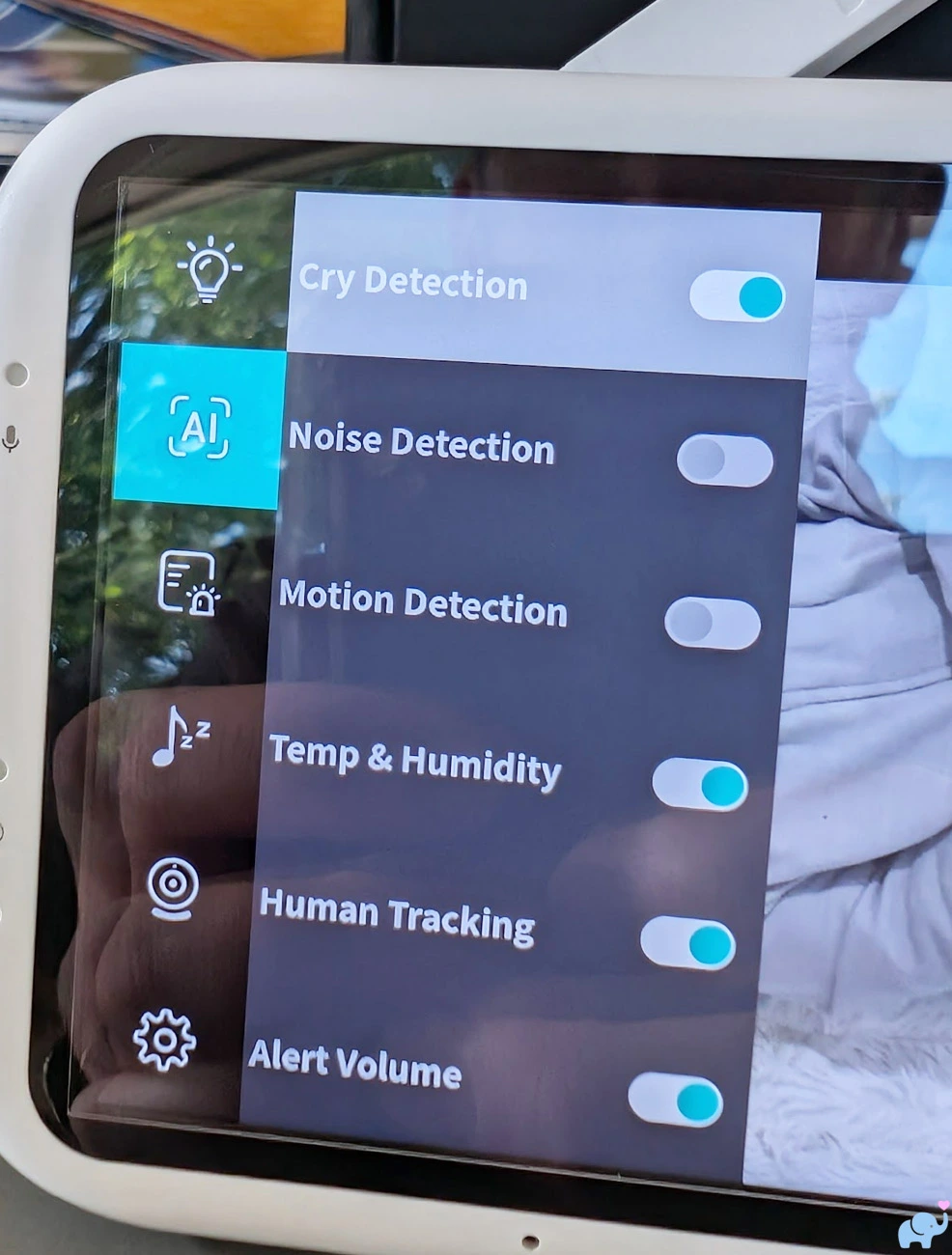
These include:
- Cry detection.
- Noise detection.
- Motion detection.
- Human tracking.
- Temperature and humidity monitoring.
- Alert-volume control.
Cry detection worked very well in our testing, recognizing crying and generating an alert on the parent unit.
Noise detection also worked well when sound exceeded the selected threshold.
Motion alerts were similarly dependable and responded to meaningful movement in the camera's field of view.
Human tracking produced more mixed results, sometimes framing the baby's torso and legs rather than keeping the head and face centered.
For a sleeping infant, a carefully selected fixed camera position may be more dependable than automatic tracking.
The smart-feature controls appear in both the app and on the parent unit.
Multiple Cameras
The parent unit includes a menu option for adding another camera.
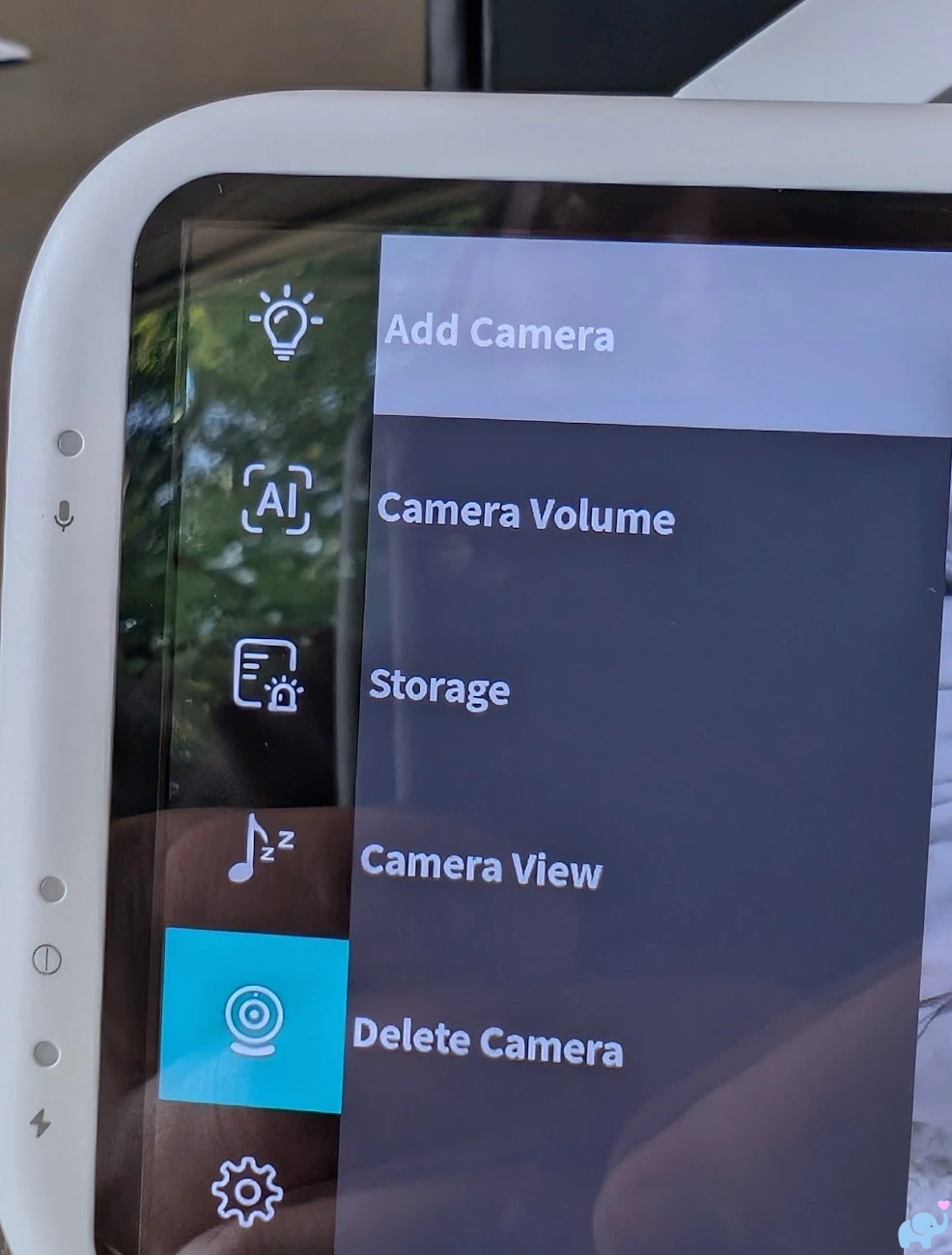
Additional cameras can therefore be paired for siblings, twins, separate rooms, a play area, or different viewing angles.
The parent unit has a split-screen feature which allows you to view two cameras simultaneously.
This is similar to monitors such as the Babysense Max View Pro, eufy E20 and E21, and some two-camera Momcozy systems that also support simultaneous feeds on the dedicated display.
The smartphone app is similarly capable: it can show multiple camera streams, making it a great interface for families who need to see more than one room at once.
Jartoo Smartphone App
The Jartoo app is available for iPhone and Android and provides remote access through the camera's 2.4GHz WiFi connection.
Once setup is complete, the app is simple and easy to use.
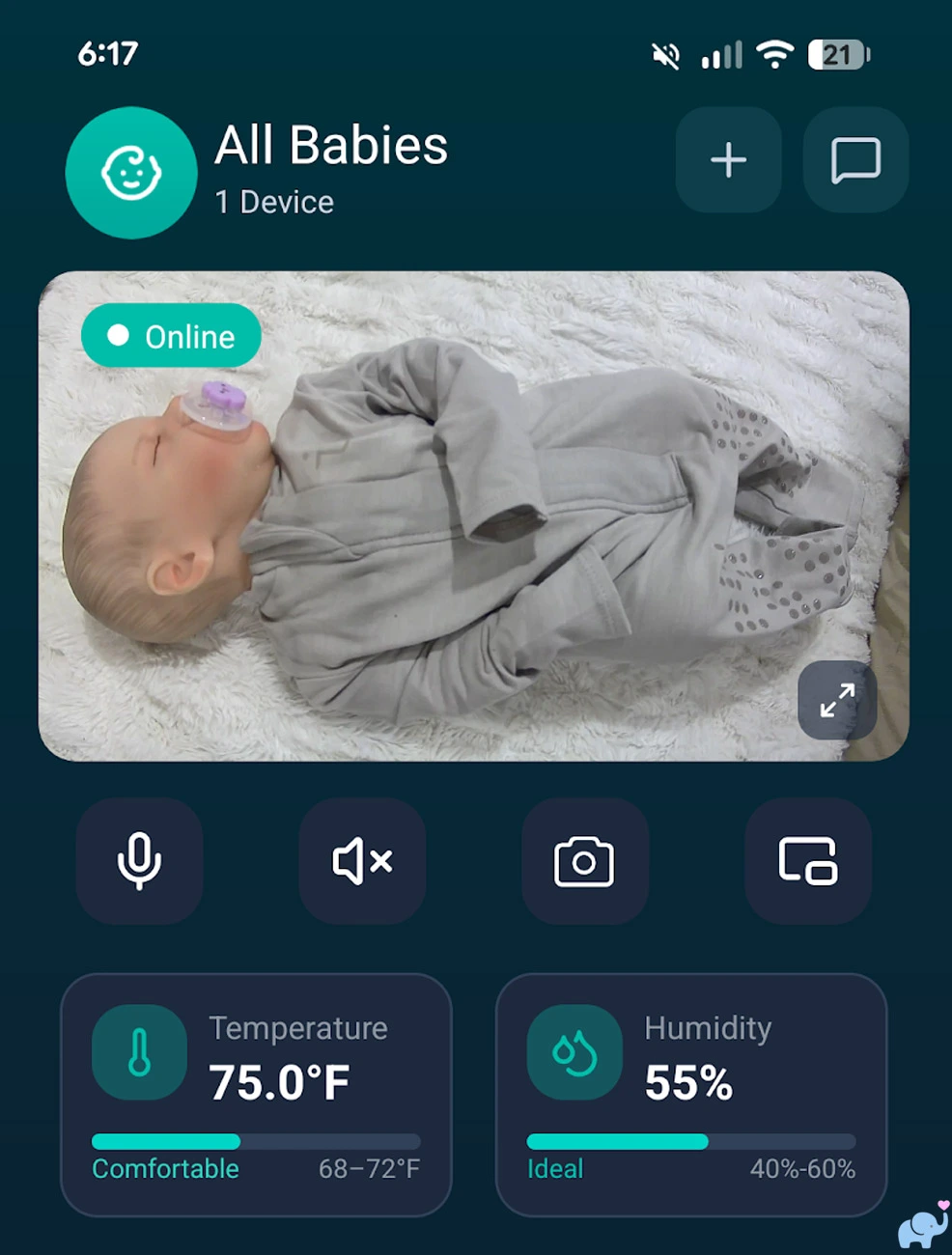
The main camera view shows the live video along with current temperature and humidity readings.
It also provides quick controls for:
- Two-way talk.
- Mute and unmute.
- Taking a snapshot.
- Picture-in-picture mode.
- Opening additional settings.
The temperature and humidity displays include visual comfort ranges, which makes it easier to interpret the readings at a glance.
The biggest setup limitation is that the camera supports only 2.4GHz WiFi (not 5.0Ghz).
This limitation is common among smart cameras, but Jartoo handles it poorly.
When we attempted to connect using 5GHz WiFi, the setup simply failed.
The app did not clearly explain that the network frequency was the problem.
Parents could easily assume that the password, camera, app, or router was malfunctioning.
The camera enters pairing mode only after the rear pairing button has been held for approximately five seconds and then released.
Once connected, the video can be expanded into a full-screen landscape view.
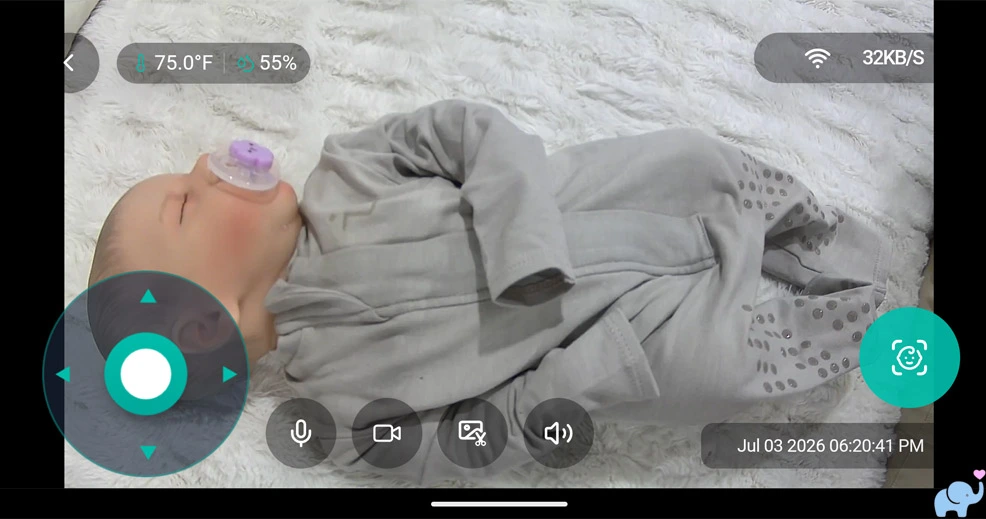
From this interface, parents can pan and tilt the camera, use two-way talk, record video, capture a screenshot, mute or unmute audio, and enable human tracking.
Unfortunately, the app does not provide zoom control.
Zoom is available through the dedicated parent unit but not from the remote smartphone interface.
The app also displays the infrared feed when the camera enters night mode.
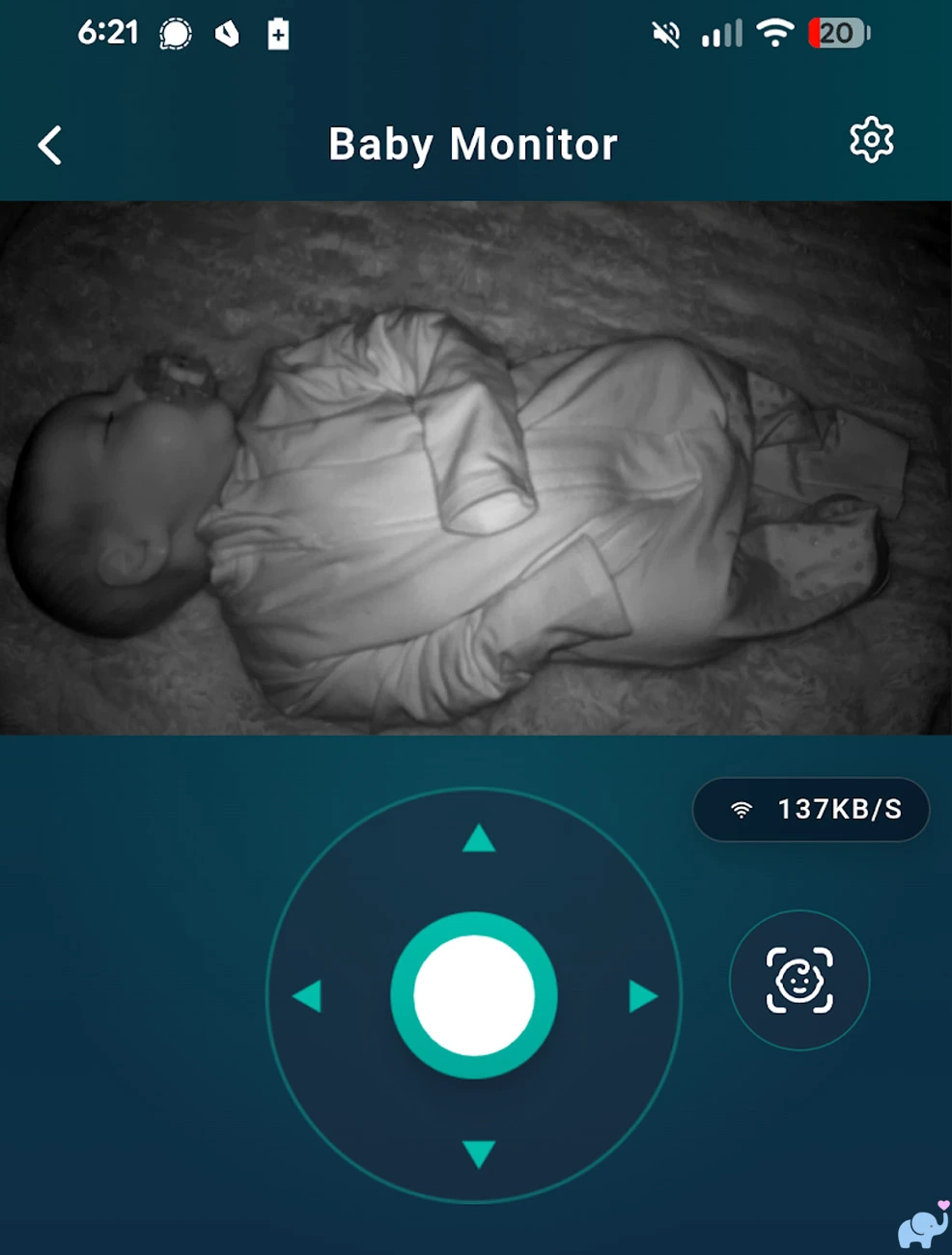
Night video in the app looked similar to the parent-unit feed, with decent detail and contrast for ordinary monitoring.
The app can operate at the same time as the dedicated monitor. Here's what that looks like, streaming on the app and parent unit simultaneously:
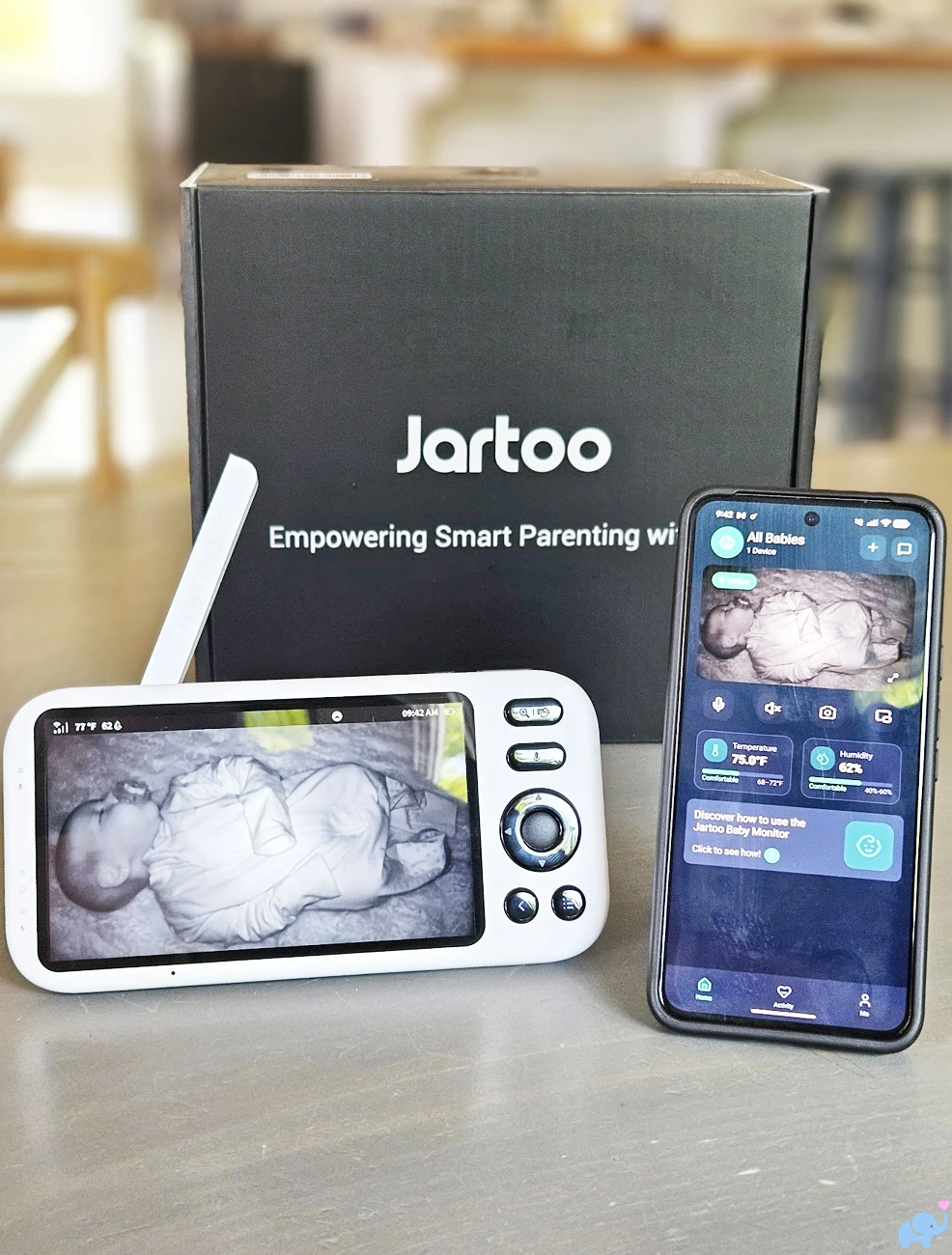
This is especially useful when one caregiver keeps the parent unit nearby while another checks the camera from work, a restaurant, another floor, or outside the home.
Jartoo says access can be shared with up to 20 users, with as many as five simultaneous live app viewers.
That is unusually generous for a baby monitor and could accommodate parents, grandparents, babysitters, and other approved caregivers.
Floating Picture-in-Picture Overlay
One of our favorite app features is the floating picture-in-picture video overlay.

The live baby video shrinks into a small movable window that remains visible over other phone content.
This allows parents to watch Netflix or YouTube, browse Reddit, answer messages, read email, shop, or use another app while continuing to monitor their child.
It is much more practical than forcing the Jartoo app to remain full screen.
The feature also reduces one of the main disadvantages of app-based monitoring: tying up the entire phone display just to keep the camera visible.
Recording & Storage
The camera includes a microSD card slot hidden beneath the motorized lens assembly.
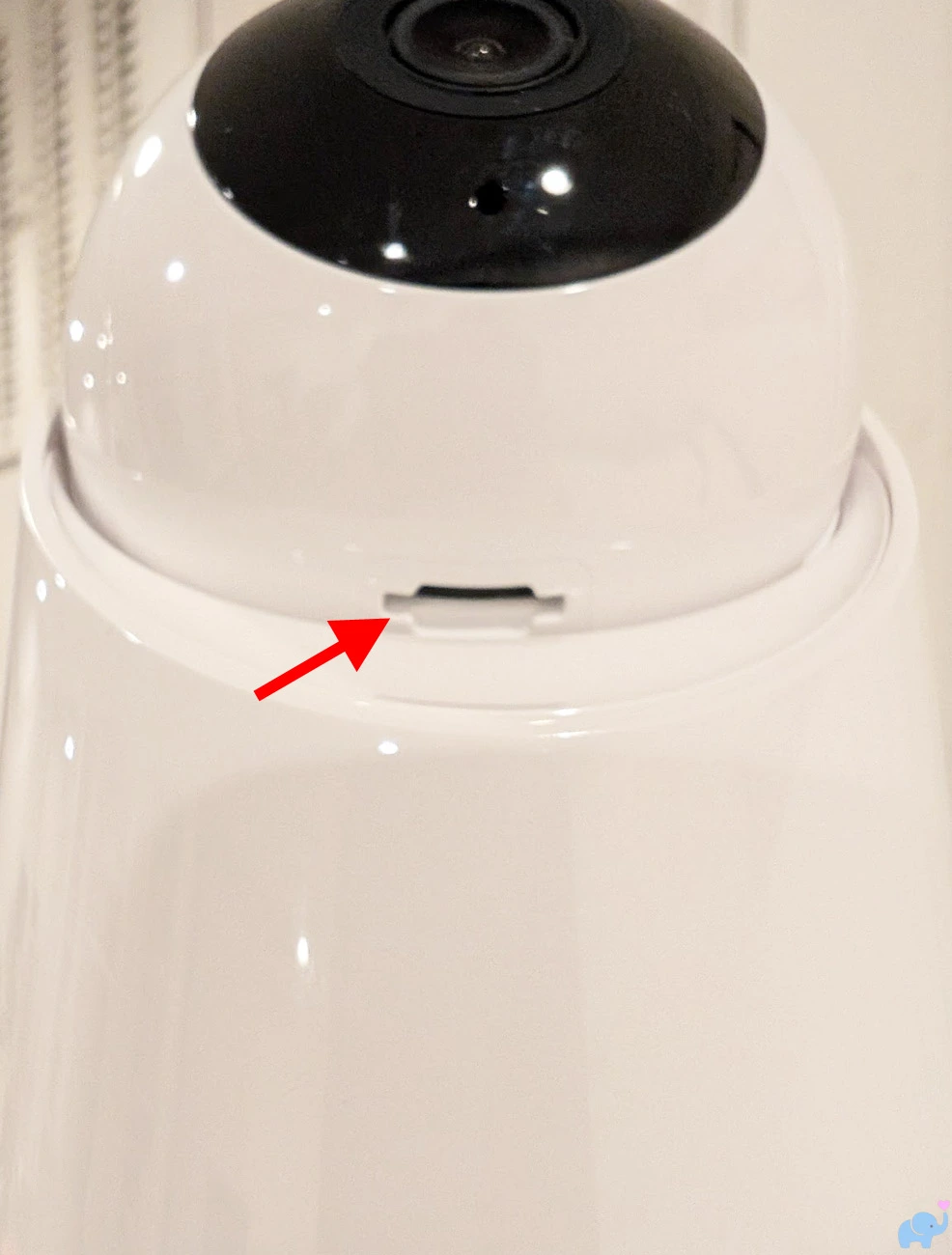
Tilting the camera upward exposes the slot.
Jartoo supports microSD cards up to 128GB, but a card is not included.
With compatible storage installed, the app can access recorded video and playback.
Jartoo describes both continuous and event-related local recording.
During our testing, the app presented buttons for recording video and taking screenshots.
However, those functions did not appear to save properly until local microSD storage was added to the camera.
That was confusing because phone screenshots and manually recorded clips often save directly to the phone on competing systems.
It's unclear whether any cloud-based storage is available.
There does not appear to be a way to capture photos or videos directly from the parent unit, only the app.
Reception & Range
Jartoo advertises up to 2,000 feet of direct transmission in an unobstructed open area.
As with every baby monitor, that figure does not represent performance inside a typical home.
Walls, floors, furniture, appliances, insulation, metal, glass, trees, and even the orientation of the parent unit can reduce range.
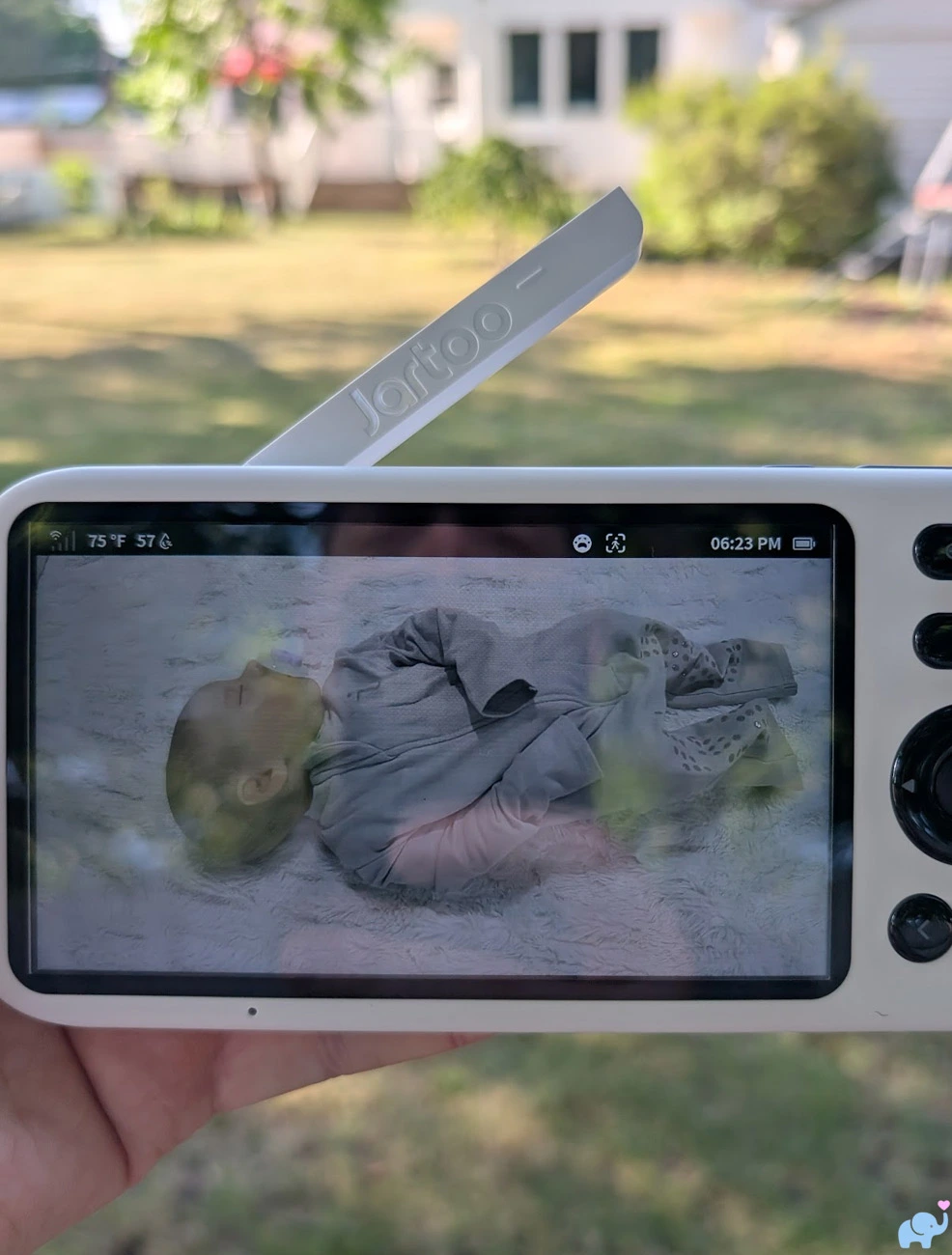
With the camera placed in our basement, we could walk approximately 50 to 60 feet into the backyard while maintaining reception.
With the camera moved to the first floor near a window, we could walk a few hundred feet into the backyard before losing the connection.
These results were similar to the practical range of many other dedicated baby monitors we have tested.
The parent unit's signal-strength meter was less helpful than we expected.
At long distance, it behaved more like a binary indicator than a four-level meter.
The display could show all four bars and then abruptly switch to no signal.
This makes it difficult to predict when the connection is becoming marginal.
Parents walking around a yard may believe they have a strong signal and then suddenly lose the feed.
A more gradual and accurate signal indicator would make the system easier to trust near the edge of its range.
Audio, Intercom, & Sleep Sounds
Live nursery audio was clear enough to hear crying, talking, movement, and ordinary room sounds.
The parent unit provides dedicated volume buttons along its top edge.
Camera speaker volume, parent speaker volume, and sleep-sound playback volume are adjusted separately.
Two-way talk allows a caregiver to comfort a child, speak to another adult, or communicate with an older toddler from either the parent unit or app.
As with most baby monitors, the intercom is better suited to brief reassurance than a natural telephone-style conversation.
The system also includes a selection of lullabies, white noise, and nature sounds.
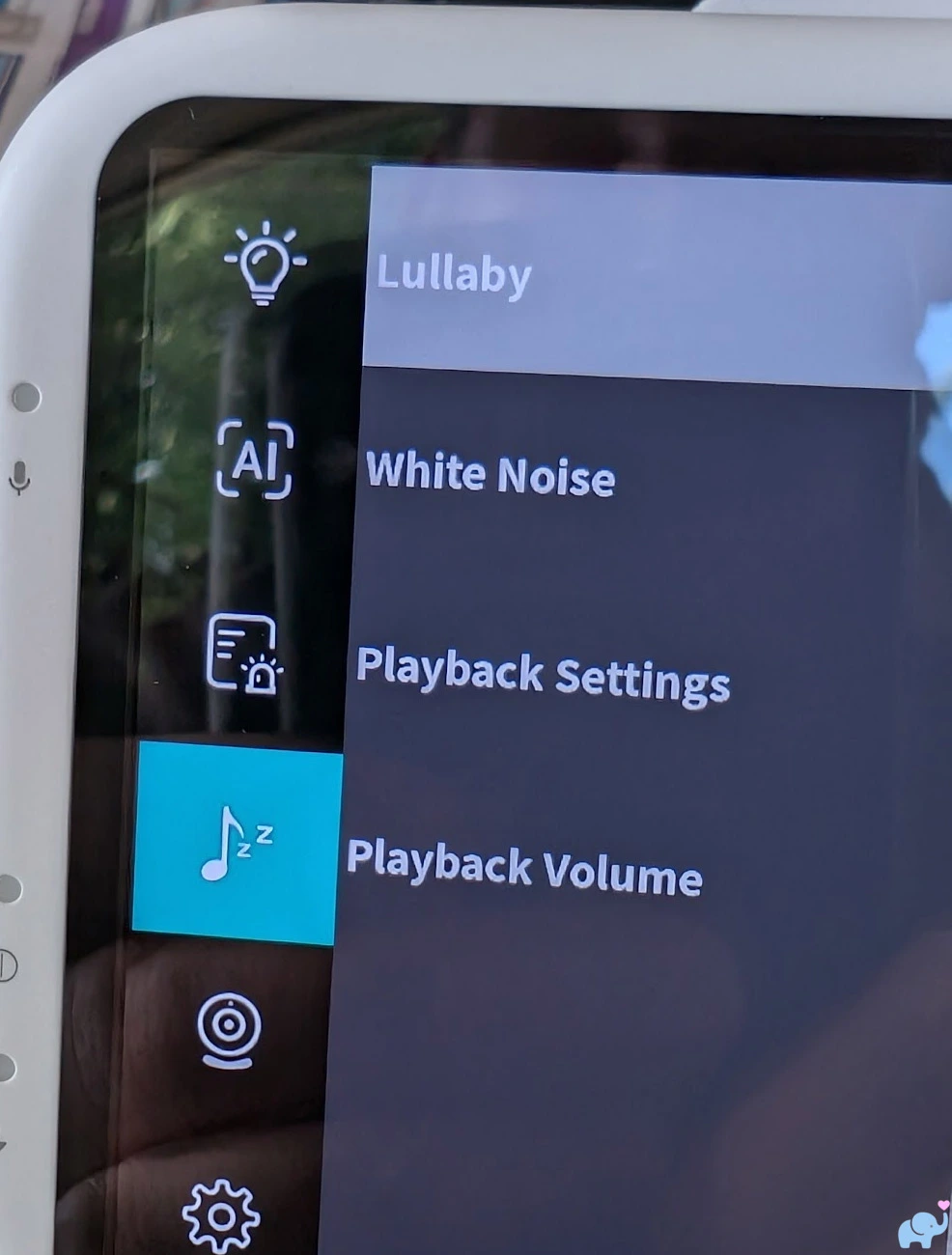
Parents can select a sound, adjust playback volume, and configure repeat behavior through the menu.
These built-in sounds may reduce the need for a separate sound machine in a travel nursery or temporary sleep space.
Families who already use a dedicated white-noise machine may prefer that device's broader sound selection and louder speaker.
Continuous background noise can also influence VOX and noise-detection behavior, so sensitivity should be tested under the same conditions used overnight.
VOX Mode & Standby
The monitor provides both VOX and Deep Sleep power-saving modes.
In VOX mode, the screen turns off while audio monitoring and intelligent detection remain active.
When the selected sound threshold or an enabled alert is triggered, the monitor wakes and displays the live video.
Deep Sleep turns off both the screen and continuous audio while keeping intelligent alert detection active.
The broader display settings menu provides controls for monitor volume, sleep mode, screen duration, time and date, temperature units, and language.
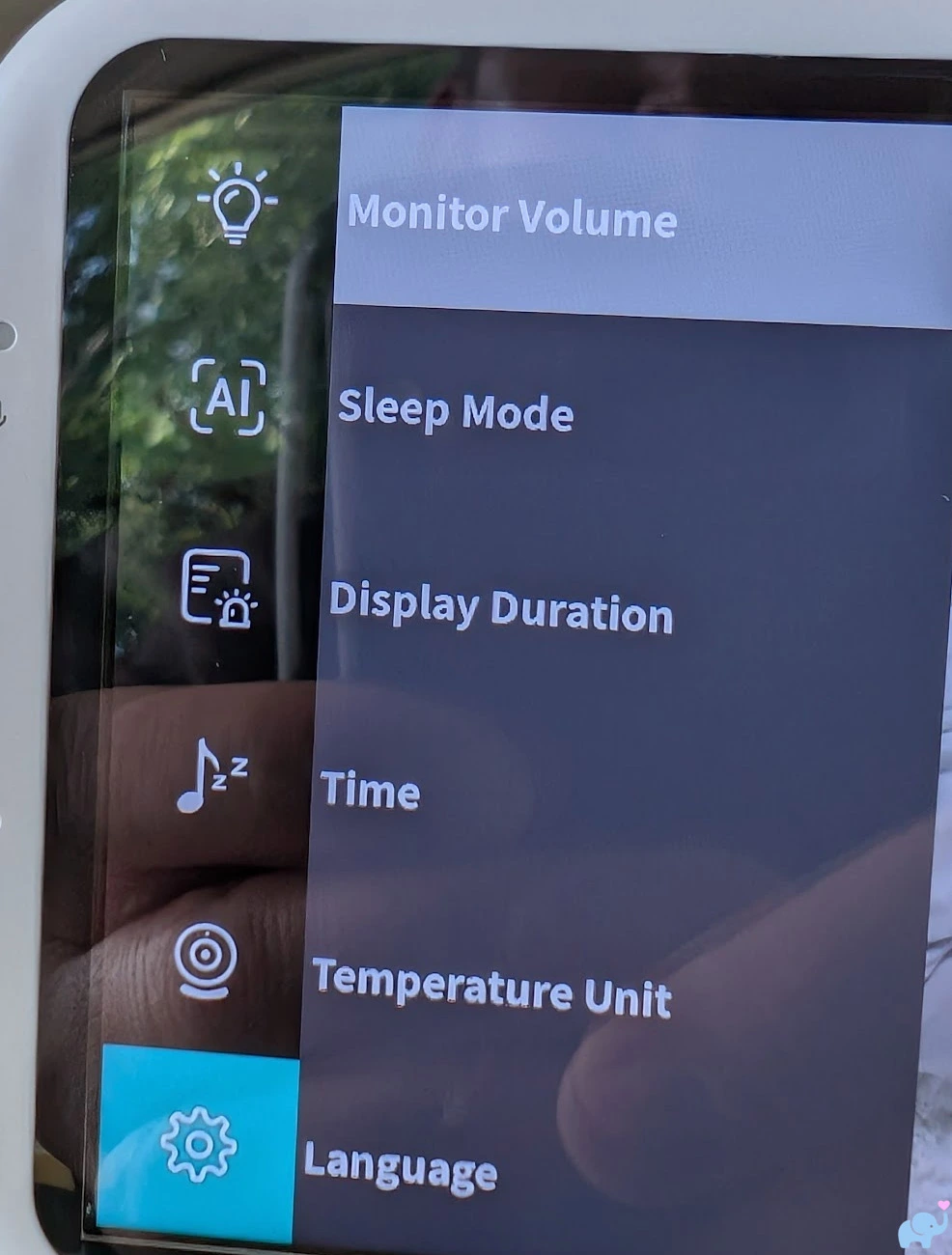
The language menu includes a wide selection of options, which should make the system accessible to many households.
VOX worked reliably during our testing and contributed to the excellent battery result.
As with any sound-activated monitor, parents should confirm that the selected sensitivity responds to their baby's quieter sounds.
A fan, air purifier, humidifier, heater, or sound machine may keep the audio threshold continuously active or create unnecessary alerts.
Temperature & Humidity
The JBM550 monitors both temperature and relative humidity, and displays them on both the app and parent unit.
During our testing, both readings were reasonably accurate when compared with our separate thermometer and humidity monitor.
Baby monitors are useful for detecting meaningful changes, but are not medical devices or laboratory-grade environmental instruments.
Battery & Charging
The parent unit contains a built-in 5000mAh rechargeable battery.
That capacity is very competitive in this category.
Battery performance was excellent.
With VOX enabled and the screen spending most of its time in standby, the parent unit lasted more than 24 hours in our testing.
With the screen kept continuously active, it lasted about ten hours.
That should cover an evening, overnight period, and morning use for many families without requiring constant charging.
Actual runtime will vary with:
- Screen brightness.
- Speaker volume.
- VOX or Deep Sleep use.
- Alert frequency.
- Signal strength.
- Camera movement.
- Two-way talk.
- Battery age.
- Ambient temperature.
The parent unit can continue operating while connected to power.
Both included power connections use USB-C, but the short two-foot cable limits placement.
We strongly prefer systems that include six- to eight-foot cables for both the camera and handheld display.
Privacy & Security
The JBM550 gives parents more control over connectivity than many conventional WiFi cameras.
The local parent unit communicates directly with the camera and does not require home internet service.
Remote app access can be enabled when needed and disabled using the physical WiFi switch on the rear of the camera.
This is preferable to hiding the control inside a software menu.
Jartoo says recordings are stored locally on the installed microSD card and that no cloud subscription is required.
The Google Play listing states that app data is encrypted in transit, that users can request deletion, and that the developer declares no data sharing with third parties.
The same listing indicates that the app may collect location, personal information, and several other data categories.
At the time of our research, the Android app was very new and showed only a minimal number of downloads.
We could not find detailed product-specific documentation addressing end-to-end video encryption, two-factor authentication, account-login alerts, access logs, or a guaranteed firmware-support period.
Parents who are highly privacy-conscious can use the dedicated monitor with the camera's WiFi switch turned off.
As always, a baby monitor is a supplemental tool and not a substitute for direct adult supervision.
Comparison with Similar Baby Monitors
The JBM550 competes most directly with hybrid monitors that combine a dedicated parent display with optional smartphone access.
Important alternatives include the eufy E20 and E21, Momcozy BM04, Babysense Touch, and VTech RM7766HD.
| Feature | Jartoo JBM550 | eufy E21 | Momcozy BM04 | Babysense Touch |
|---|---|---|---|---|
| Monitoring style | Hybrid parent unit and app | Hybrid parent unit and app | Hybrid parent unit and app | Hybrid touchscreen and app |
| Camera resolution | 2K | 4K | 1080p | 4MP dual-lens camera |
| Parent display | 5.5-inch IPS | Dedicated color monitor | 5-inch display | 7-inch IPS touchscreen |
| Horizontal pan | About 300 degrees tested | 330 degrees advertised | 350 degrees advertised | Motorized pan and tilt |
| Zoom | 1x–5x digital on parent unit | Up to 8x with autofocus | Digital zoom | Up to 6x |
| Physical WiFi switch | Yes | Yes | No comparable physical switch advertised | No comparable physical switch advertised |
| Local recording | microSD up to 128GB | Local microSD recording | Photo and video recording | App-based smart monitoring with no required subscription |
| Smart alerts | Cry, noise, motion, human tracking, temperature, humidity | Cry, loud sound, temperature, and smart alerts | Cry, motion, and safe-zone features | Cry detection, AI tracking, focus area, and app alerts |
| Parent-unit split screen | Yes with two cameras | Yes with two cameras | Varies by camera bundle and mode | Yes |
| Battery advantage | 5000mAh parent unit; over 24 hours in tested VOX use | 5000mAh portable camera plus dedicated monitor | 5000mAh parent-unit battery | 5200mAh parent-unit battery |
| Major strength | Excellent value, battery life, alerts, and flexible dual-mode viewing | Best video clarity, autofocus, privacy documentation, and portable camera | Established value-oriented hybrid system with strong sharing features | Large touchscreen, premium interface, AI tracking, and split screen |
| Major limitation | Weak mount, new app, and inconsistent night tracking | Much higher price | Lower camera resolution and no physical WiFi switch | Higher price and larger parent unit |
| Approximate price at review | About $170 | About $260 | About $170–$220 depending on bundle | About $270 with two cameras |
Jartoo JBM550 vs. eufy E21
The eufy E21 is the strongest premium competitor.
It provides 4K resolution, autofocus, up to 8x zoom, 330-degree pan, documented end-to-end encryption, split-screen support, a physical WiFi switch, local recording, and a camera with its own 5000mAh battery.
The battery-powered camera is especially useful during power failures, hotel stays, family visits, or temporary room changes.
The Jartoo is much less expensive and adds humidity monitoring, a larger advertised local range, excellent tested parent-unit battery life, and a broad set of alerts.
Choose the eufy E21 when maximum image quality, a mature ecosystem, portable camera operation, and clearer security documentation justify the higher price.
Choose the Jartoo when value, long parent-unit battery life, humidity tracking, and straightforward dual-mode monitoring matter more than 4K detail.
Jartoo JBM550 vs. eufy E20
The eufy E20 may be the closest direct competitor.
It uses a 2K camera, hybrid local and app viewing, 330-degree pan, 4x zoom, split-screen support, a physical WiFi switch, and a rechargeable camera battery.
It generally costs somewhat more than the Jartoo but less than the 4K E21.
The E20 is more attractive for two-camera monitoring, travel, and temporary cordless camera placement.
The JBM550 offers the larger 5.5-inch parent display, 5x maximum zoom, humidity monitoring, strong smart alerts, and better value at its typical selling price.
Jartoo JBM550 vs. Momcozy BM04
The Momcozy BM04 is another strong value-oriented hybrid monitor.
It combines a 5-inch parent display with app access, a 1080p camera, approximately 350-degree pan and 110-degree tilt, cry and motion detection, family sharing, and a 5000mAh battery.
Momcozy has a larger existing baby-product ecosystem and a more established app user base.
The Jartoo provides the higher-resolution camera, slightly larger parent display, physical WiFi switch, humidity sensing, and excellent tested battery life.
The Momcozy may be the safer choice for buyers who prioritize a more established product platform.
The Jartoo offers better specifications for the money if owners are comfortable with a newer app and potentially replacing the included mounting arm.
Jartoo JBM550 vs. Babysense Touch
The Babysense Touch is a more expensive and more polished hybrid system.
Its 7-inch touchscreen, 4MP dual-lens camera, split-screen mode, focus-area tools, AI tracking, 6x zoom, night light, and 5200mAh battery make it particularly well suited to twins, siblings, and families who want a premium dedicated interface.
The Jartoo is smaller, substantially less expensive, and still provides both local and remote viewing.
The Babysense is the better multi-camera system.
The Jartoo is the better value for a family starting with one camera.
Jartoo JBM550 vs. VTech RM7766HD
The VTech RM7766HD offers a 7-inch 720p parent display, 1080p app video, remote access, motorized pan and tilt, 10x digital zoom, night light, soothing sounds, temperature and motion detection, and a much longer consumer track record.
VTech also has established customer support and replacement-product infrastructure.
The Jartoo counters with a 2K camera, smaller and more portable parent unit, humidity monitoring, physical WiFi switch, stronger battery results, and a more modern feature set at a similar or moderately higher price.
VTech is the more established brand choice.
Jartoo is the more interesting choice for buyers who prioritize battery life, privacy control, and higher camera resolution.
User & Reddit Sentiment
This baby monitor was extremely new when we completed this review.
Its manual and setup materials appeared in mid-2026, and the Android app had only recently been released and updated.
We could not find a meaningful body of exact-model owner reviews, long-term reliability reports, or substantive discussions on Reddit.
That lack of consumer history is important.
Large ratings associated with other Jartoo baby monitors generally apply to the older JT-VBM002 and related non-WiFi models.
Those products use different batteries, connectivity, firmware, app requirements, ranges, and mounting systems.
Their ratings should not be treated as JBM550 reviews.
Feedback on older Jartoo monitors is generally positive about:
- Large parent displays.
- Clear daytime images.
- Useful night vision.
- Competitive pricing.
- Good local range.
- Strong battery life.
- Simple non-WiFi operation.
Common broader concerns surrounding newer and less-established baby-monitor brands include:
- Long-term parent-unit battery degradation.
- Camera motor durability.
- Replacement-camera availability.
- App maintenance and server longevity.
- Delayed or inconsistent notifications.
- Firmware-update support.
- Customer-service responsiveness.
- Cloud and privacy documentation.
Reddit discussions about baby monitors reveal a persistent divide between parents who want app access and parents who avoid internet-connected indoor cameras.
The new JBM550 is designed to satisfy both groups.
The unanswered question is whether the newly released app and hardware will remain reliable over several years of daily use.
Our early hands-on experience was generally positive, but long-term consumer evidence is not yet available.
Things we Loved
We loved the dual-mode design. Parents can use a dedicated monitor at home and still check the camera remotely through a smartphone.
We loved simultaneous viewing. The camera can stream to the parent unit and app at the same time.
We loved the generous app sharing. Up to 20 users can receive access, and up to five can view simultaneously.
We loved the floating video overlay. Picture-in-picture keeps the baby visible while parents watch Netflix or YouTube, browse Reddit, answer messages, or use other apps.
We loved the battery life. The 5000mAh parent unit lasted more than 24 hours in VOX standby and approximately ten hours with continuous screen use.
We loved the cry detection. It worked reliably and produced useful alerts.
We loved the noise detection. The threshold-based alerts responded well during our testing.
We loved the motion detection. It detected meaningful movement without obvious difficulty.
We loved the environmental monitoring. Temperature and humidity readings closely matched our separate monitor.
We loved the daytime video. Color, contrast, brightness, and overall detail were good.
We loved the night vision. The black-and-white infrared image maintained useful contrast and detail in a dark room.
We loved the zoom through about 3x. Moderate enlargement was useful for checking facial direction, eye position, a pacifier, or smaller movements.
We loved the physical WiFi switch. Parents can disable remote app access without navigating a software menu.
We loved that local monitoring survives internet problems. The parent unit communicates directly with the camera.
We loved the microSD option. Local storage avoids a required monthly subscription.
We loved the universal mounting socket. The 1/4"-20 thread makes it easy to replace the inadequate included arm with a stronger accessory.
We loved the USB-C connections. Modern connectors are easier to replace and orient than older barrel plugs or micro-USB cables.
We loved the kickstand. It keeps the parent unit upright on a nightstand, desk, dresser, or kitchen counter.
We loved the physical controls. Panning, tilting, zooming, volume adjustment, and two-way talk do not require a phone.
We loved the sleep sounds. Lullabies, white noise, and nature sounds add useful soothing options.
We loved the app's full-screen landscape mode. It creates a larger remote view and exposes convenient camera controls.
We loved the price. Around $170 is very fair for a 2K hybrid monitor with a parent unit, app access, intelligent alerts, environmental sensing, and local recording.
Things we Disliked
The flexible mounting arm is too weak. The camera's weight caused the arm to droop or collapse at useful downward angles.
The included mount can become unsafe if positioned poorly. A sagging arm could move the camera toward the crib or cause it to fall.
The mounting arm blocks the setup QR code. Parents should pair the app before screwing the arm into the camera.
The advertised 360-degree view is misleading. We measured closer to approximately 300 degrees of horizontal rotation.
The highest zoom levels are grainy. The 4x and 5x settings enlarge pixels rather than revealing additional detail, which is common with baby monitors
The app does not provide zoom control. Remote smartphone users cannot enlarge the live image as they can on the parent unit.
5GHz WiFi is not supported. The camera requires a 2.4GHz network for app setup.
Human tracking is imperfect. It sometimes centered the baby's torso and legs rather than the head and face.
The parent display could be brighter outdoors. Direct sunlight can make the screen more difficult to see.
The signal meter is not gradual enough. It could jump from four bars to no signal without useful intermediate warning.
The parent unit does not appear to capture photos or videos. Recording functions are limited to the app.
Saving app photos and videos was confusing. The controls appeared to require an installed microSD card rather than saving directly to the phone.
One USB-C cable is too short. We wish both included cords were approximately six feet long.
Conclusions
The Jartoo JBM550 is one of the most interesting new hybrid baby monitors under $200.
It combines the reliability and convenience of a dedicated 5.5-inch parent unit with the flexibility of remote iPhone and Android access.
Both displays can operate simultaneously, and the app supports multiple shared caregivers and a genuinely useful floating picture-in-picture overlay.
Video quality was good during the day and at night.
Cry, noise, and motion alerts worked very well, and the temperature and humidity readings were accurate.
The 5000mAh battery was a highlight, lasting more than 24 hours in VOX standby and approximately ten hours with the screen continuously active.
Local range was similar to other monitors we have tested.
We maintained reception approximately 50 to 60 feet into the backyard with the camera in the basement and a few hundred feet with it on the first floor near a window.
The biggest problem is the included flexible mounting arm.
It was not strong enough to support the camera securely at many useful downward angles.
Parents may need a sturdier third-party 1/4"-20 mount, and every installation must keep the camera and cords at least three feet from the child and completely outside the crib.
App setup also needs improvement.
The system supports only 2.4GHz WiFi but does not clearly explain why a 5GHz connection fails.
The QR code becomes blocked after the flexible arm is installed, app zoom is unavailable, and the full set of smart-feature controls remains concentrated on the parent unit.
Overall, we recommend the Jartoo 5.5" Dual Mode Smart Baby Monitor (JBM550) to parents seeking an affordable hybrid baby monitor with excellent battery life, reliable alerts, local storage, and flexible viewing options.
Its weak mount, immature app, and imperfect tracking prevent it from matching the polish of more expensive systems.
Nevertheless, its performance and feature-to-price ratio earn it a very good 4.3 out of 5 stars.
References Cited
Jartoo JBM550 Smart Baby Monitor Product Page
Jartoo JBM550 Frequently Asked Questions
Jartoo JBM550 Smart Baby Monitor User Guide
eufy Baby Monitor E21 Official Product Page
eufy Baby Monitor E20 Official Product Page
Momcozy BM04 Official Product Page
Babysense Touch Official Product Page
VTech RM7766HD Official Product Page
Reddit Discussion of Internet-Connected and Local Baby Monitors

Babysense Max View Pro Baby Monitor Review
The Babysense Max View Pro combines two full-HD cameras, a large 5.5-inch parent...
Delta Smart Sleep Baby Monitor Review + Video
The Delta Children Smart Sleep Video Baby Monitor combines a high-resolution WiFi...
Cubo Ai Plus Baby Monitor Review & Video
We first got our hands on the Cubo baby monitors for testing over 3 years ago, and they...
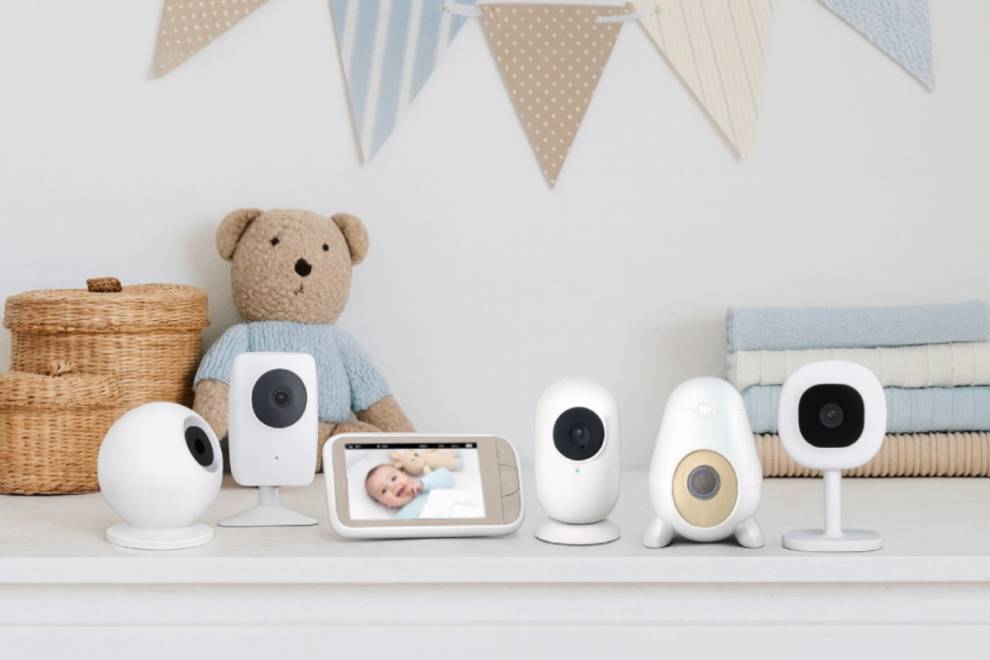
The Best Baby Monitors of 2026, Tested & Reviewed
Over the past 10 years, we have put over 100 baby monitors through our hands-on testing...