
Delta Smart Sleep Baby Monitor Review + Video
An affordable overhead baby monitor with motion tracking, flexible mounting options, and no app subscription fees.
 By: Tali Ditye, Ph.D., Co-founder
Mommyhood101 independently curates baby gear to help inform decisions; if you buy through links on our site, we may earn a commission.
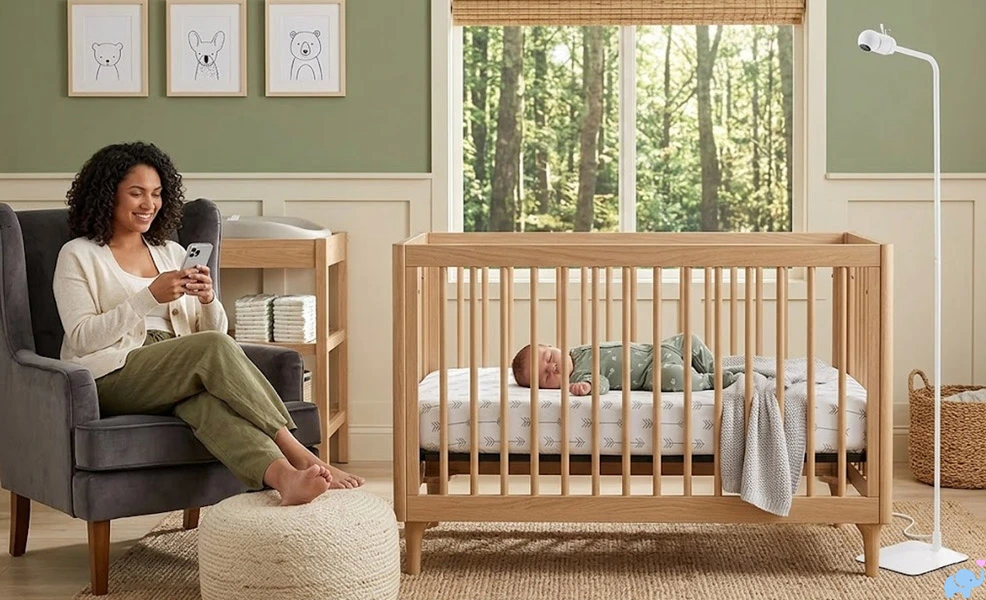
The Delta Children Smart Sleep Video Baby Monitor is a modern WiFi baby monitor designed to provide an overhead view of a crib or bassinet without requiring parents to drill into the wall or attach anything directly to the sleep space.
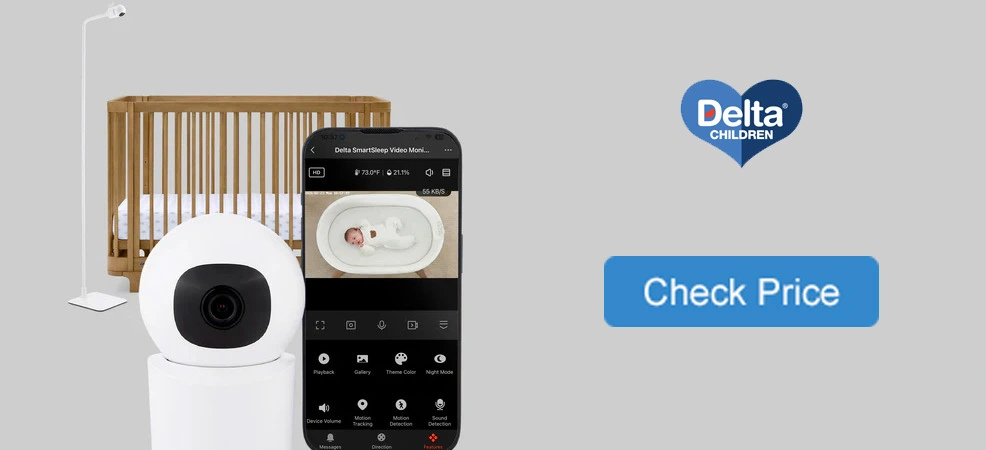
It includes a tall freestanding tower, a compact motorized camera, 2.5K video, night vision, digital zoom, motion and sound detection, temperature and humidity monitoring, two-way audio, local microSD recording, and remote viewing through the Delta Children Connect app.
Most importantly, all of the primary features are available without a monthly subscription.
To determine whether the Delta Children Smart Sleep deserves a spot on our list of the best baby monitors, we tested its unboxing, assembly, tower stability, camera mounting options, WiFi setup, mobile app, daytime image quality, night vision, zoom, motion detection, motion tracking, alerts, sharing features, and overall value.
-
- Take-Home Message
- Unboxing
- Tower Assembly
- Features
- Specifications & Design
- Mounting Options
- Mobile App & WiFi Setup
- Daytime Video Quality
- Night Vision & Zoom
- Motion Tracking & Alerts
- App Features & Sharing
- Audio, Lullabies, & Environmental Monitoring
- Video Storage & Subscription Costs
- Safety & Tower Stability
- Comparison to Competitors
- User, App, & Reddit Sentiment
- Things we Loved
- Things we Disliked
- Conclusions
- References Cited
Our Delta Children Smart Sleep Baby Monitor Review
Nobody wants to read this entire article just to get to the point. You've got more important things to do!
Here are our findings right up front.
The Delta Children Smart Sleep Video Baby Monitor offers an impressive collection of smart-monitor features at a much lower price than premium competitors such as Nanit.
Its strongest advantages are the included overhead floor stand, flexible camera mounting options, excellent night vision, reliable motion alerts, useful digital zoom, capable app, local microSD storage, and complete lack of required subscription fees.
Here is a summary of what we loved, and a few things that could be improved.
✔️ Excellent overall value.
✔️ No required subscription fees.
✔️ App is free for life.
✔️ High-resolution 4MP camera.
✔️ 2.5K video resolution.
✔️ High-quality night vision.
✔️ Useful digital zoom.
✔️ Minimal zoom distortion.
✔️ Motorized pan and tilt.
✔️ Automatic motion tracking.
✔️ Reliable motion alerts.
✔️ Convenient alert-history list.
✔️ Sound detection and alerts.
✔️ Two-way audio.
✔️ Temperature monitoring.
✔️ Humidity monitoring.
✔️ Built-in lullabies.
✔️ Local microSD video storage.
✔️ No cloud plan required.
✔️ Adjustable tower stand.
✔️ Adjustable tower height.
✔️ Clever internal cord routing.
✔️ Four included floor cord covers.
✔️ Tabletop configuration.
✔️ Wall-mounting hardware.
✔️ Two USB power cords included.
✔️ Compact lightweight camera.
✔️ Multiple sharing options.
✔️ Android or iPhone.
✔️ Up to 20 shared users.
❌ Only works on 2.4GHz WiFi.
❌ Daytime video had a green hue.
❌ Motion tracking loses view.
❌ Tower lacks an anti-tip tether.
❌ Phillips screwdriver is not included.
That is still a very strong list, especially for a smart baby monitor in this price range.
The Smart Sleep's biggest strength is that it delivers many of the capabilities associated with more expensive overhead baby monitors without requiring families to pay ongoing fees.
The app is also more capable than we expected, with detailed camera controls, event alerts, event history, video sharing, environmental readings, lullabies, recording options, and remote access.
Video performance was mixed.
Night vision looked very good, and the digital zoom maintained an impressive amount of detail. Daytime video was usable but showed a consistent green tint in two different rooms with both natural and artificial lighting.
The automatic motion tracking also presented a practical issue. When a parent approached the crib, the camera often followed the parent and remained pointed away from the sleep surface after the baby was removed.
Overall, we give the Delta Children Smart Sleep Video Baby Monitor a 4.0 out of 5.
It is not as polished as the Nanit in its packaging, setup, image processing, or overall user experience, but it costs considerably less while offering many of the same core features.

Feel like an expert on the Delta Children Smart Sleep already? You should!
But if you are still uncertain, continue reading to see exactly how we reached these conclusions.
Unboxing
To be completely transparent, Delta Children provided us with a Smart Sleep Video Baby Monitor sample for hands-on testing.
If you are looking for an elaborate premium unboxing experience, this is probably not it.
The packaging is simple and functional, with none of the elaborate presentation, molded trays, layered compartments, or gift-worthy details that you might see with a premium monitor such as the Nanit.
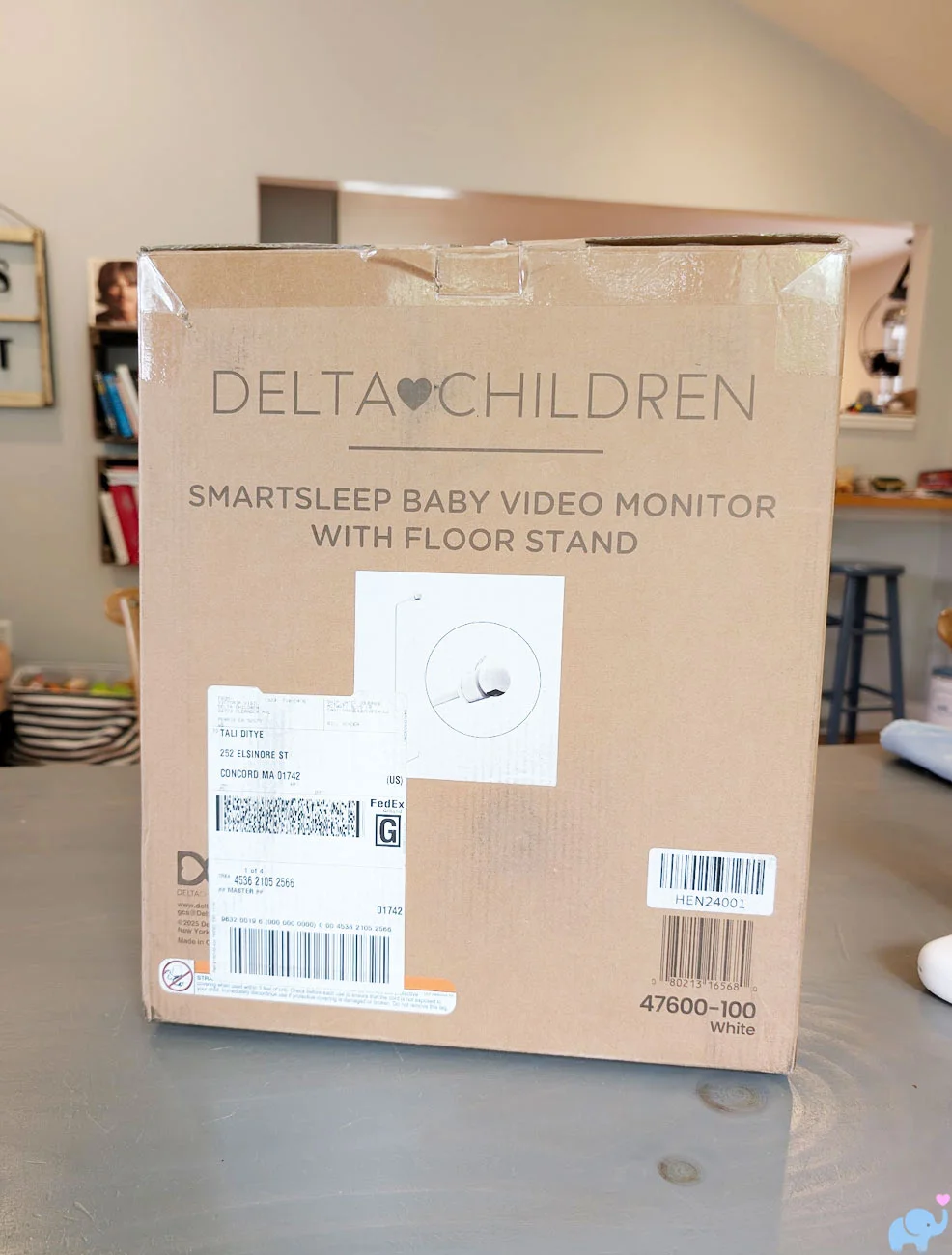
In other words, the packaging is no-frills.
That is not necessarily a problem. The box protects the components adequately, and choosing simpler packaging may help Delta Children keep the monitor's price substantially lower than premium competitors.
Sliding the contents from the box reveals a tightly packed collection of tower sections, mounting hardware, cables, cord guards, manuals, and the camera itself.
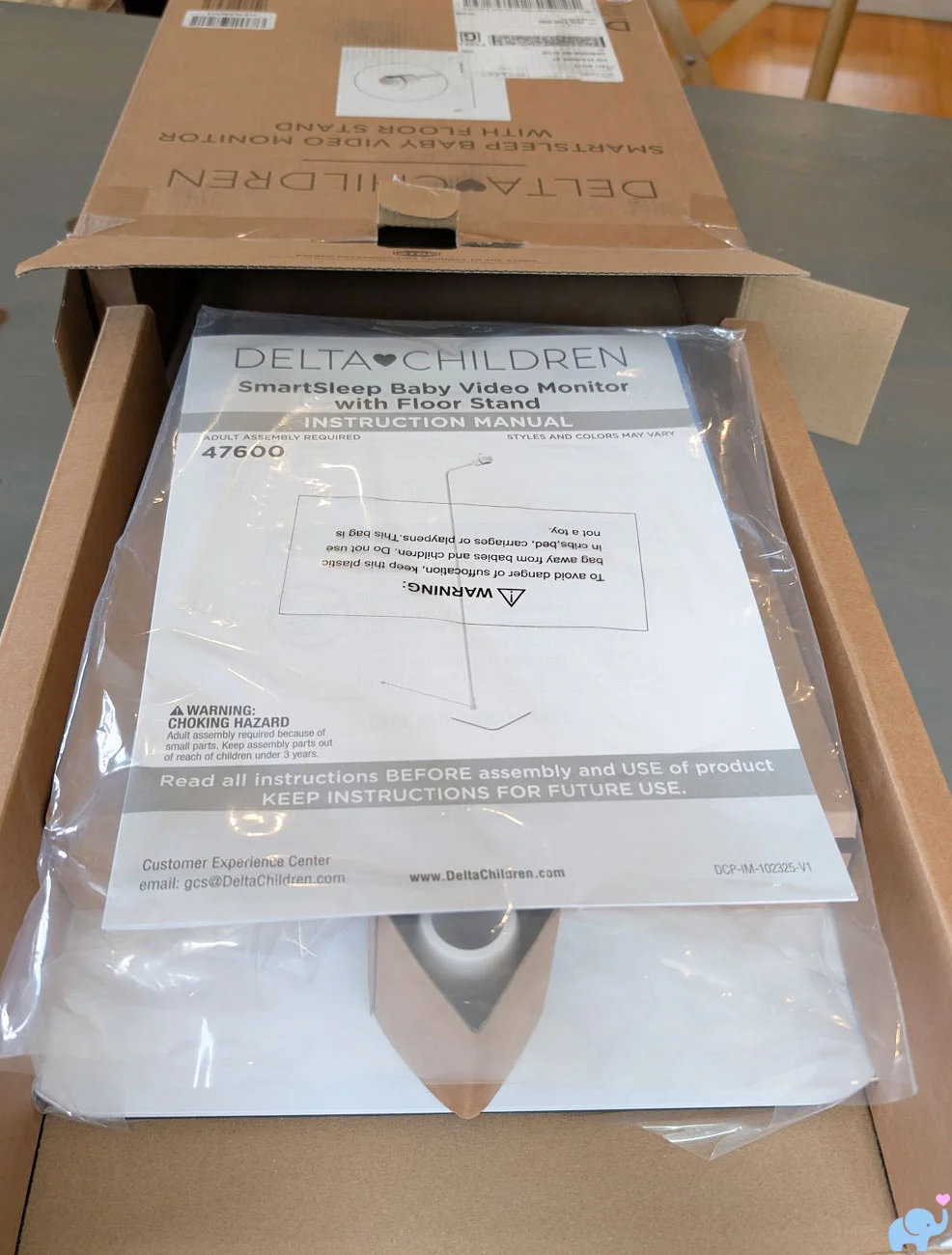
Everything was neatly and efficiently arranged, and the components appeared well protected against ordinary shipping bumps and drops.
Once unpacked, the full collection includes:
- Delta Children Smart Sleep camera.
- Heavy tower base.
- Multiple straight tower-tube sections.
- Short height-extension tube.
- Angled upper tower arm.
- Camera tower-mount adapter.
- Camera wall-mount adapter.
- Wall screws and anchors.
- Ten-foot USB-A to USB-C power cord.
- Six-foot USB-A to USB-C power cord.
- USB wall-power adapter.
- Four 14.5-inch cord-cover sections.
- Assembly and user manual.
- Delta Children Connect mobile-app guide.
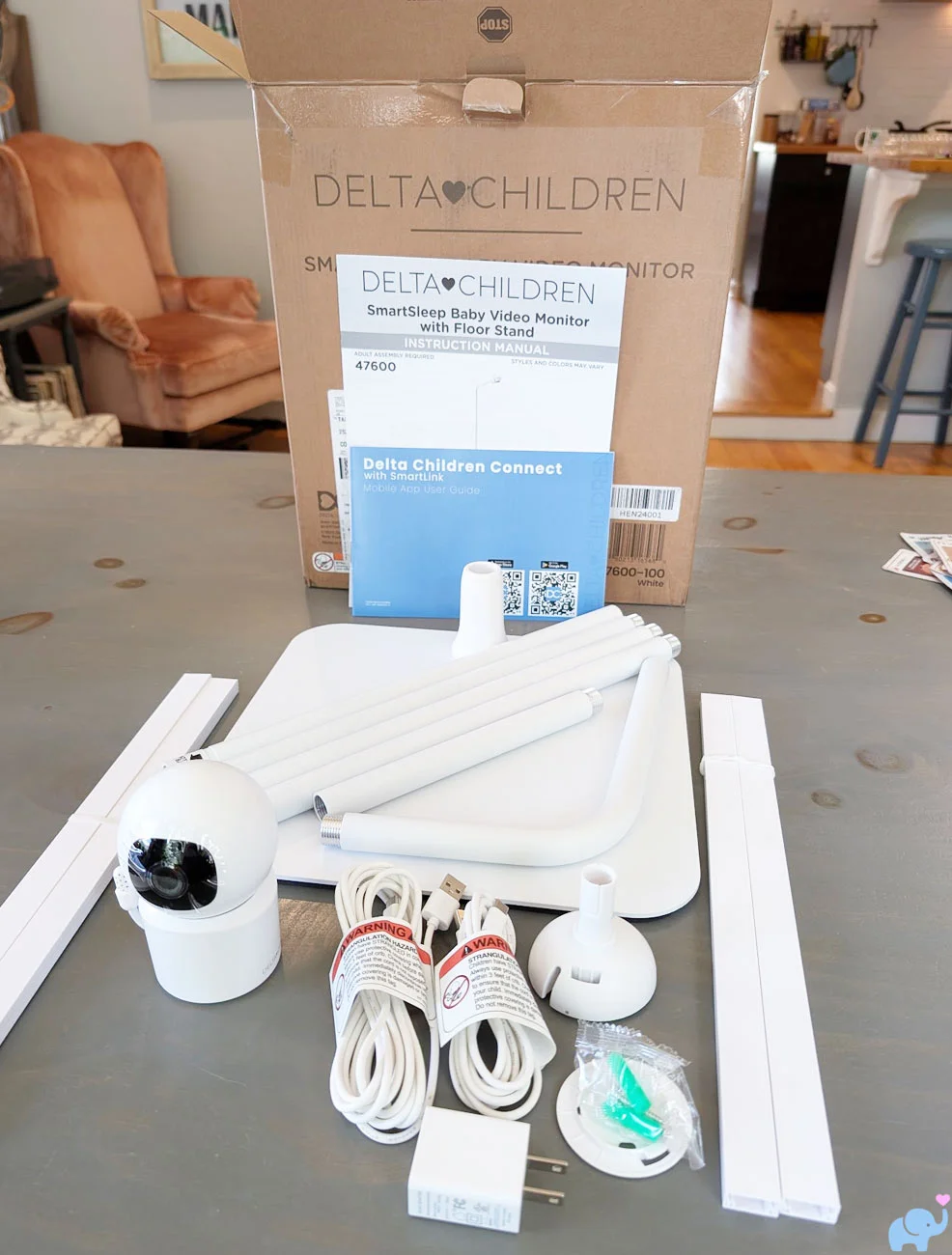
The parts initially look somewhat overwhelming because the freestanding tower is divided into several sections.
Fortunately, the basic assembly process is logical once you read the manual and arrange the tube sections in order.
The camera itself is compact and lightweight.
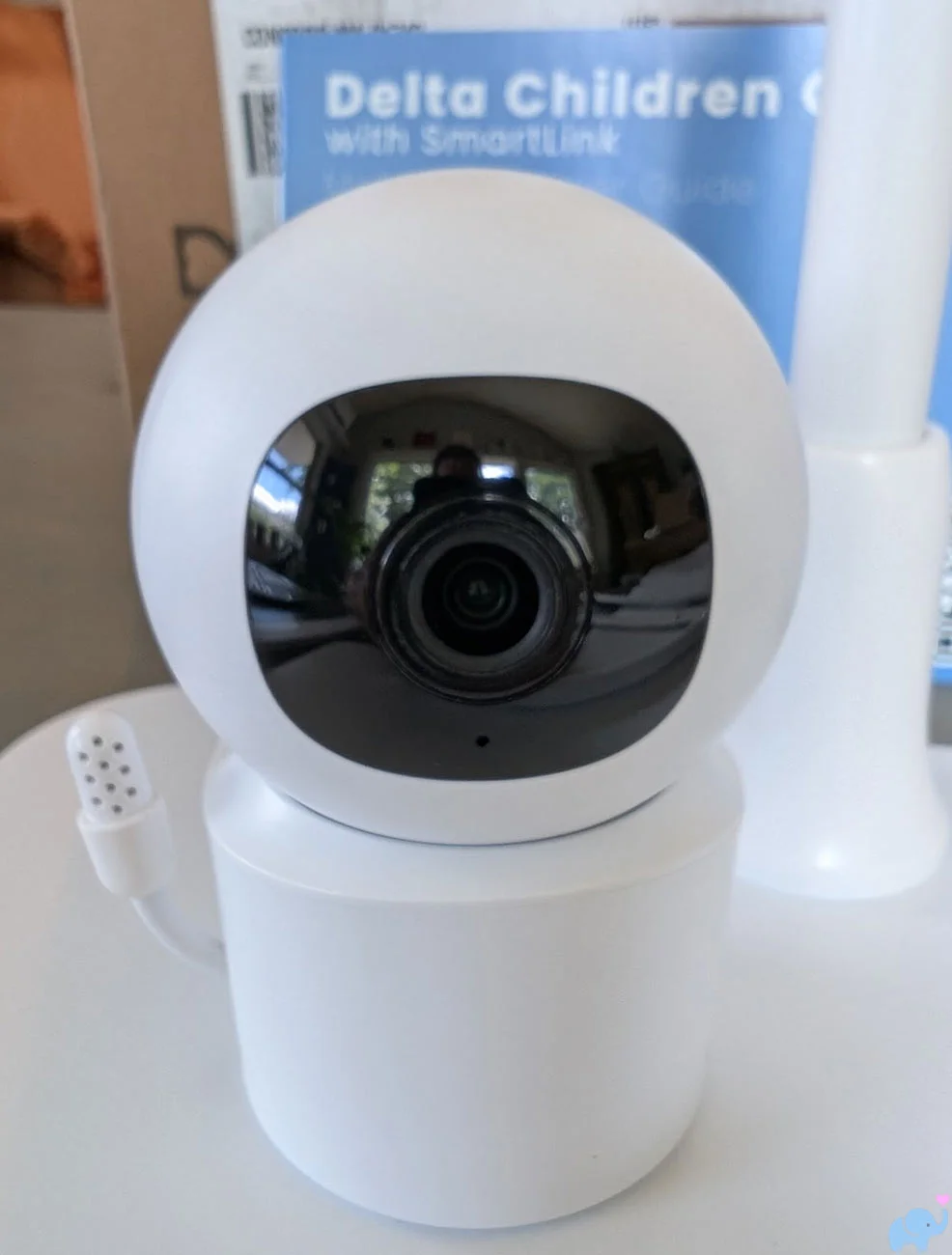
Its relatively low weight is beneficial in all three mounting configurations.
It minimizes downward pressure on the tower arm, reduces the amount of leverage applied to a wall mount, and makes the camera easier to position on a shelf or changing table.
The bottom label identifies the camera as model 47600-100 and lists several technical details.
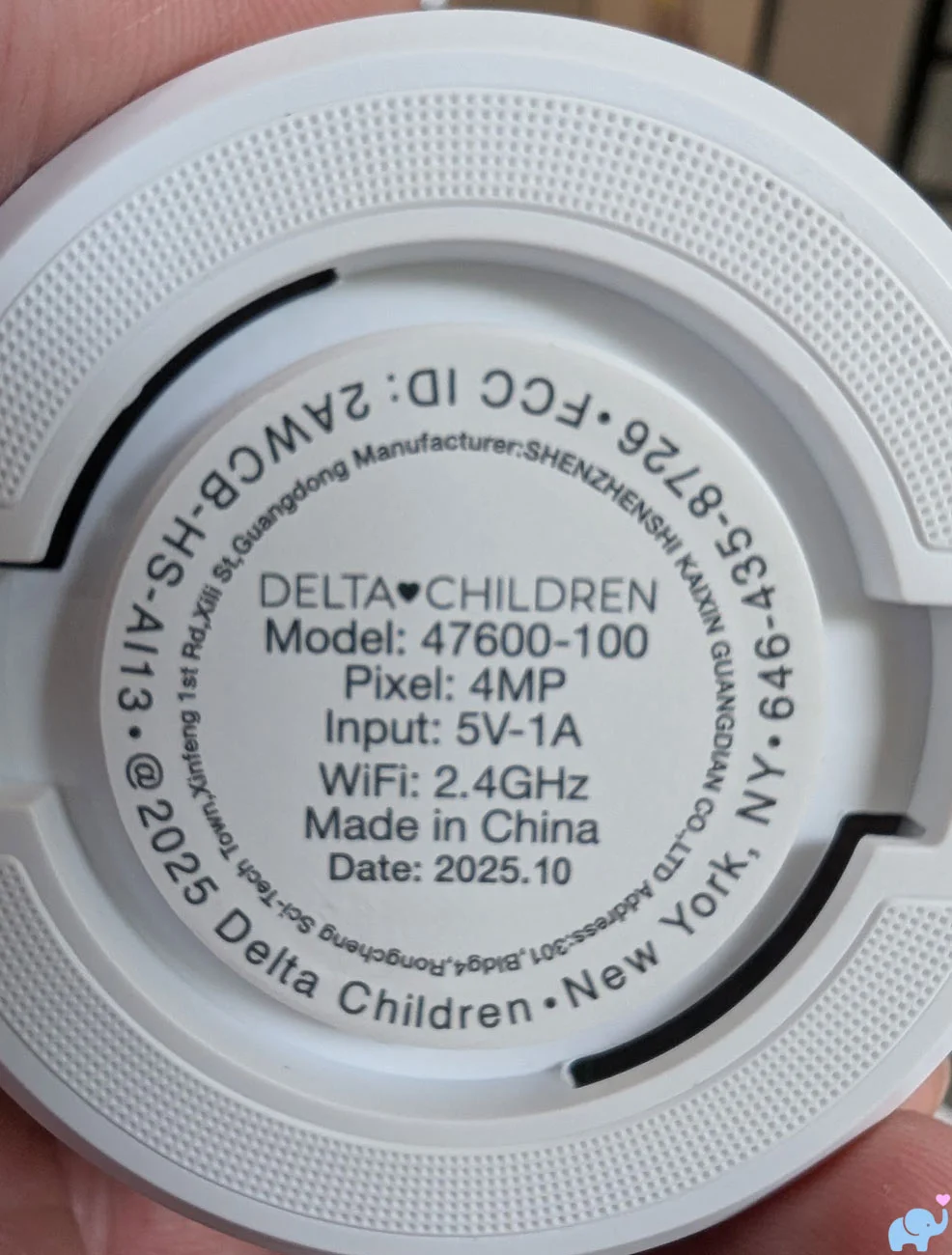
The label specifies:
- Model number 47600-100.
- 4MP camera resolution.
- 5V, 1A power input.
- 2.4GHz WiFi connectivity.
- FCC ID 2AWCB-HS-AI13.
- Manufacturing date.
- Delta Children contact information.
- Manufactured in China by Shenzhen Kaixin Guangdian Co., Ltd.
The 2.4GHz information is especially important because the camera did not connect to our 5GHz network, and the app did not clearly tell us that network incompatibility was the problem.
Tower Assembly
Assembling the Delta Children Smart Sleep tower is not extremely difficult, but it is more involved than simply snapping a camera onto a stand.
You will need a Phillips head screwdriver, which is not included.
The screwdriver is needed to secure the heavy base to the bottom tower section.
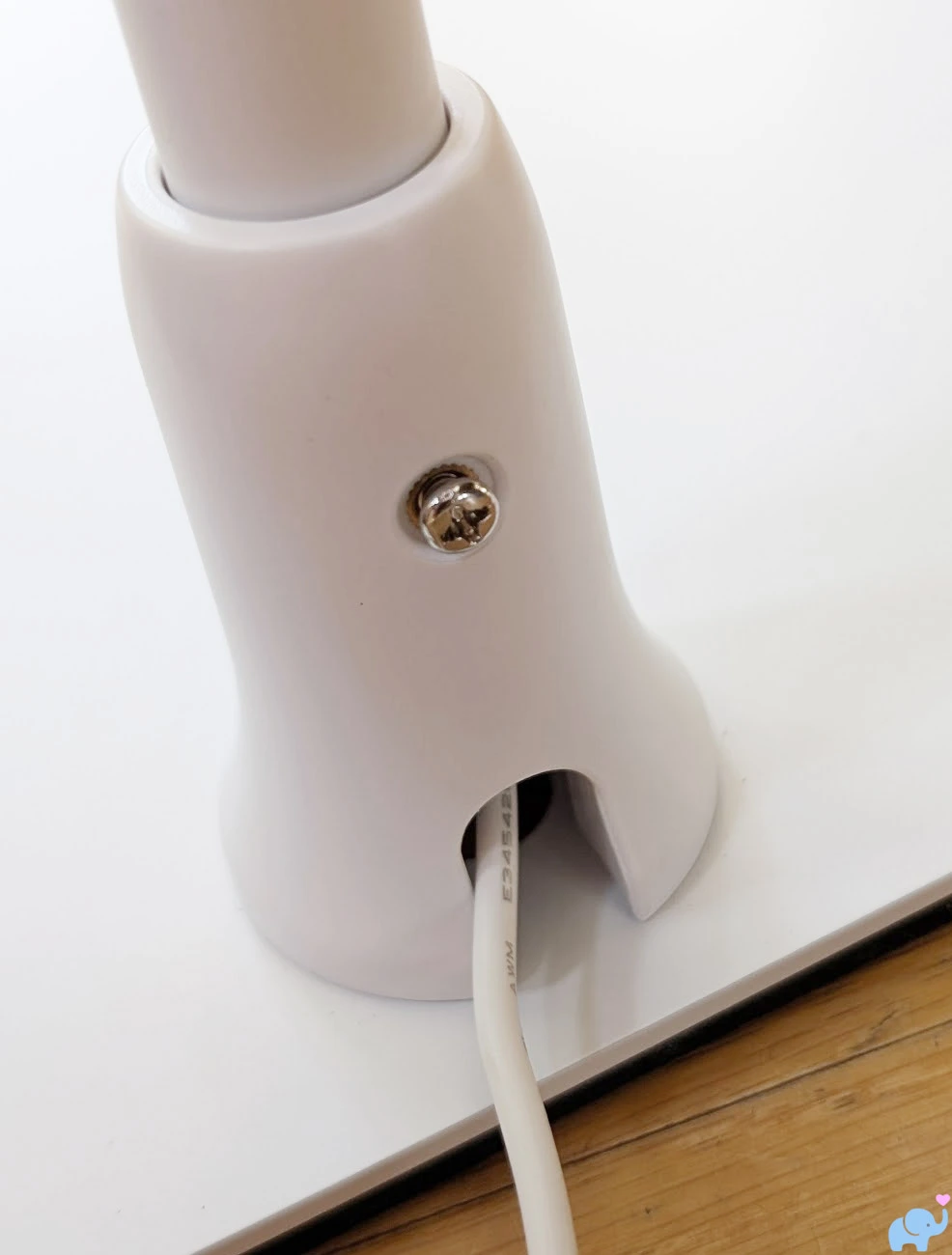
We would have appreciated either an included screwdriver or a large hand-tightened fastener, particularly because this is the only tool required for the entire assembly.
The most unusual part of assembly involves routing the ten-foot power cable through the inside of the tower.
The process is roughly as follows:
- Attach the lowest tower section to the weighted base.
- Feed the USB-C end of the long power cable through the first tube.
- Pull the cable through the next tube section.
- Screw the two tower sections together.
- Continue feeding the cable through each additional tube.
- Add or omit the short height-extension tube depending on crib or bassinet use.
- Feed the cable through the final angled arm.
- Screw the upper arm into the tower.
- Attach the camera-mount adapter.
- Connect the USB-C power plug to the camera.
- Attach the camera to the tower mount.
Feeding the cable through the straight sections was relatively easy.
The final angled section required more patience because the connector needs to travel around the bend and emerge through the opening near the camera mount.
It was a little finicky, but once completed, the hidden cable creates a much cleaner and safer result than wrapping an exposed wire around the outside of the tower.
The tower is compatible with two basic height configurations.
The shorter configuration is intended for bassinets, while the additional extension tube raises the camera for use with a full-size crib.
The ten-foot cord initially seems extremely generous, but much of that length disappears inside the tower tubing.
After routing the cable through the completed stand, we had approximately 37 to 45 inches of usable slack remaining, depending on whether the height-extension section was installed.
That should be enough for many nursery layouts, but parents should measure the distance between the tower base and the nearest electrical outlet before committing to placement.
Delta Children also includes four cord-cover sections, each measuring approximately 14.5 inches long.
These can cover the remaining cord along the floor and help keep it away from crawling babies and toddlers.
The cord covers do not include adhesive backing.
That is acceptable when placing them flat on the floor, but it makes them less useful for vertical applications.
For example, if the camera is positioned on a dresser or changing table, the included covers cannot readily be secured from a low wall outlet up to the furniture surface without adding separate adhesive strips or fasteners.
Once assembled, the camera attaches securely to the end of the angled arm.
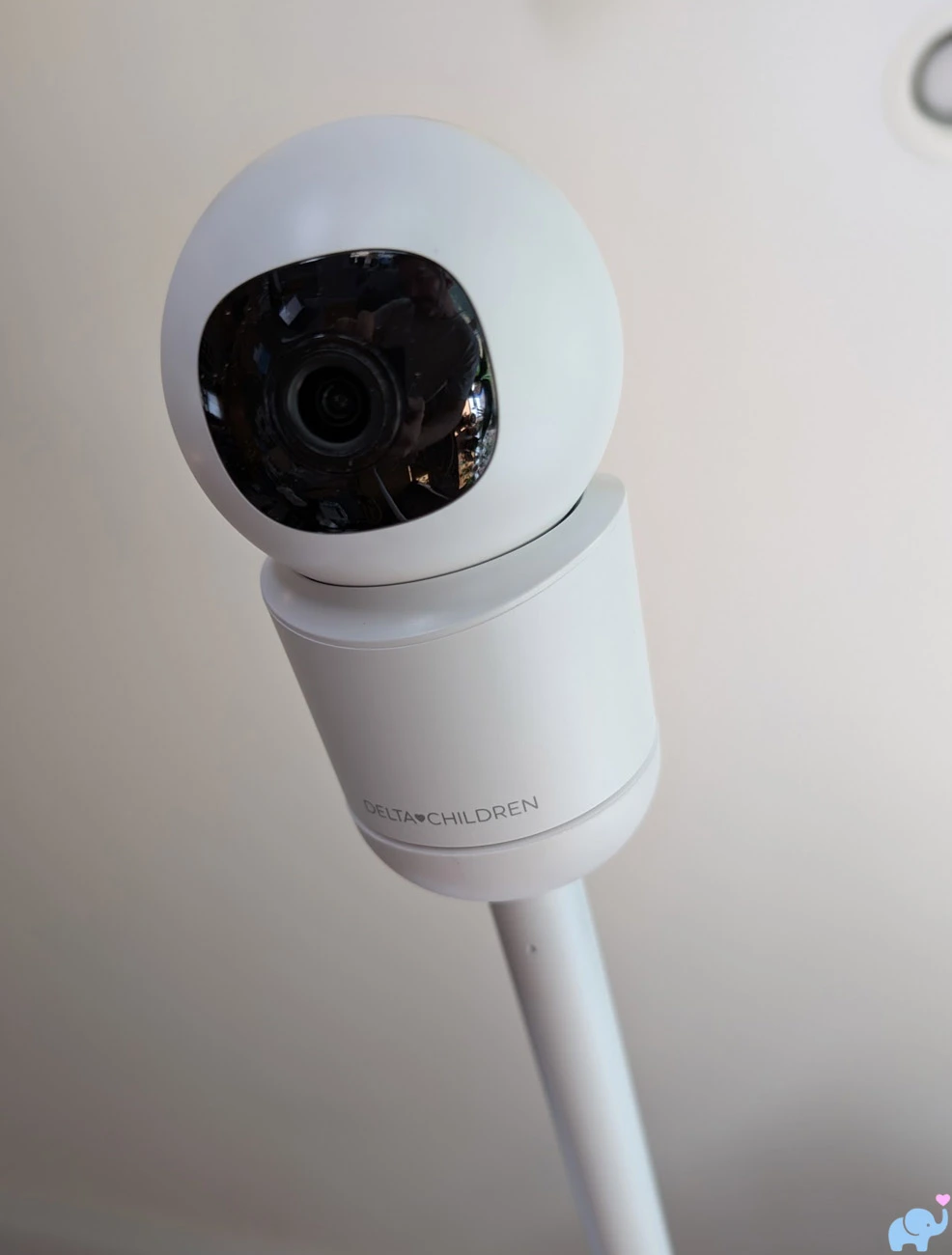
The finished tower provides a useful overhead view into the crib without attaching anything directly to the crib rails or drilling into the wall.
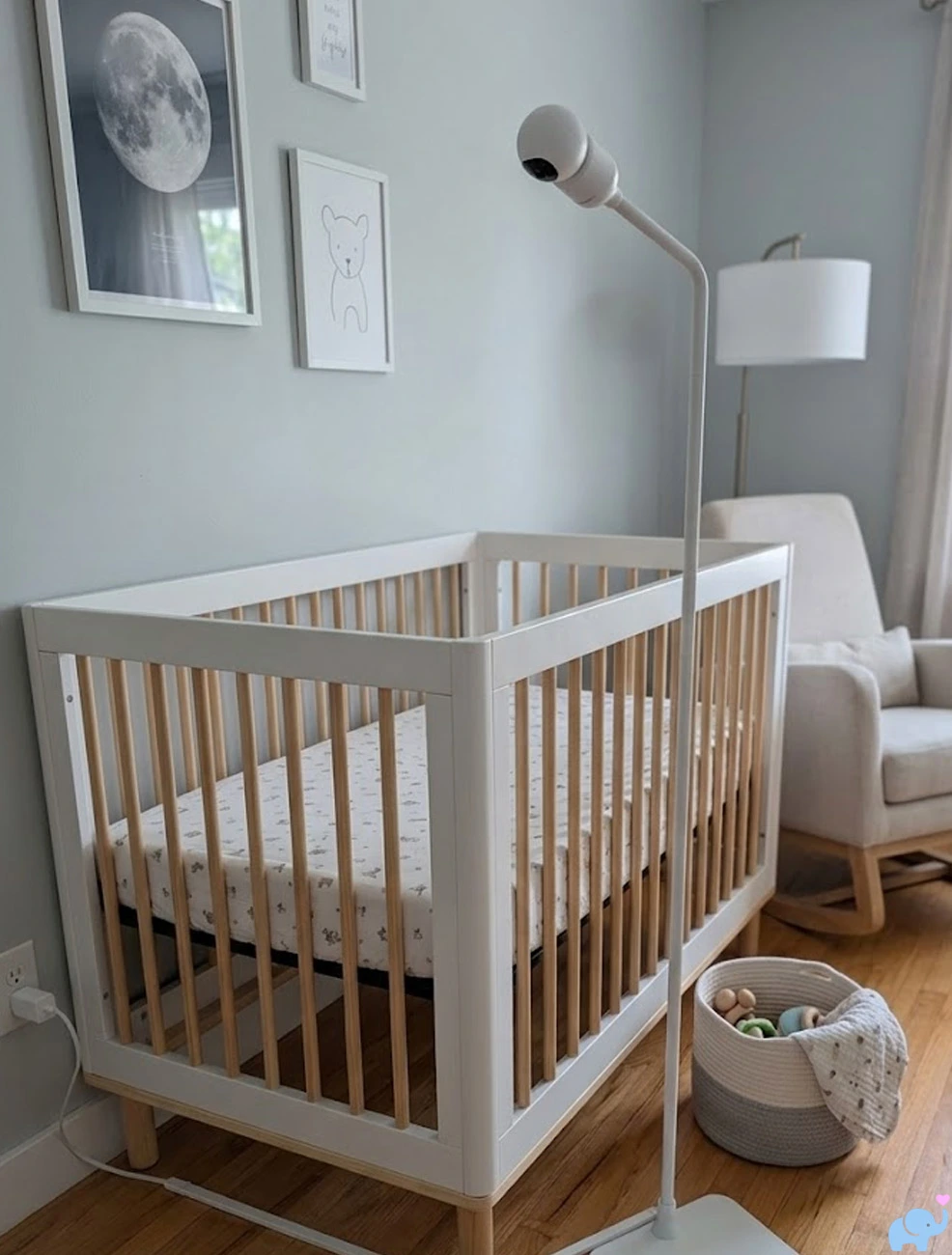
The stand should be positioned behind the crib or bassinet, ideally against a wall, with all cords completely outside the child's reach.
Features
The Delta Children Smart Sleep includes a surprisingly broad collection of features for its price.
Here are the primary features:
- 4MP smart baby-monitor camera.
- Advertised 2.5K video resolution.
- Daytime color video.
- Infrared night vision.
- Digital zoom.
- Motorized horizontal pan.
- Motorized vertical tilt.
- Automatic motion tracking.
- Motion detection and notifications.
- Sound detection and notifications.
- Notification-history list.
- Two-way audio.
- Built-in microphone.
- Built-in camera speaker.
- Temperature monitoring.
- Humidity monitoring.
- Temperature and humidity alerts.
- Four built-in lullabies.
- Manual screenshots.
- Manual video recording.
- Automatic local event recording.
- MicroSD card support.
- Up to 128GB local storage.
- No required subscription.
- No fee for app access.
- Remote viewing through the Delta Children Connect app.
- Android and iPhone compatibility.
- Multiple-camera support.
- Sharing with up to 20 users.
- Sharing through accounts, text messages, and links.
- Amazon Alexa compatibility.
- Google Assistant compatibility.
- Adjustable crib and bassinet tower heights.
- Internal tower cable routing.
- Four included floor cord covers.
- Freestanding tabletop placement.
- Included wall-mounting bracket.
- Two included power-cord lengths.
That is an unusually complete feature set for a monitor that undercuts many premium overhead systems.
The most important distinction is that the core monitoring experience does not depend on an ongoing paid plan.
Specifications & Design
The Smart Sleep uses a compact plastic camera with a motorized central lens assembly.
The camera sits inside a rounded housing that allows it to pan horizontally and tilt vertically through the mobile app.
| Specification | Delta Children Smart Sleep |
|---|---|
| Product | Smart Sleep Video Baby Monitor with Floor Stand |
| Model number | 47600-100 |
| Camera resolution | 4MP, advertised as 2.5K or 1440p QHD |
| Viewing method | Delta Children Connect mobile app |
| Dedicated parent unit | No |
| WiFi compatibility | 2.4GHz only |
| Pan range | Up to 360 degrees horizontally |
| Tilt range | Approximately 45 degrees |
| Zoom | Digital zoom through the mobile app |
| Night vision | Infrared night vision |
| Motion tracking | Automatic motorized tracking |
| Alerts | Motion, sound, temperature, and humidity |
| Audio | Two-way talk with integrated microphone and speaker |
| Lullabies | Four built-in selections |
| Local storage | MicroSD card up to 128GB |
| Subscription required | No |
| Shared users | Up to 20 users |
| Mounting options | Overhead tower, tabletop, shelf, or wall mount |
| Power | 5V at 1A through USB-C |
| Included power cords | Ten-foot tower cord and six-foot alternate-installation cord |
| Smart-home support | Amazon Alexa and Google Assistant |
| Country of manufacture | China |
The front of the camera is understated, with the lens and infrared components contained inside the moving center section.
The rear includes the USB-C power connection, external antenna, microphone, and speaker.
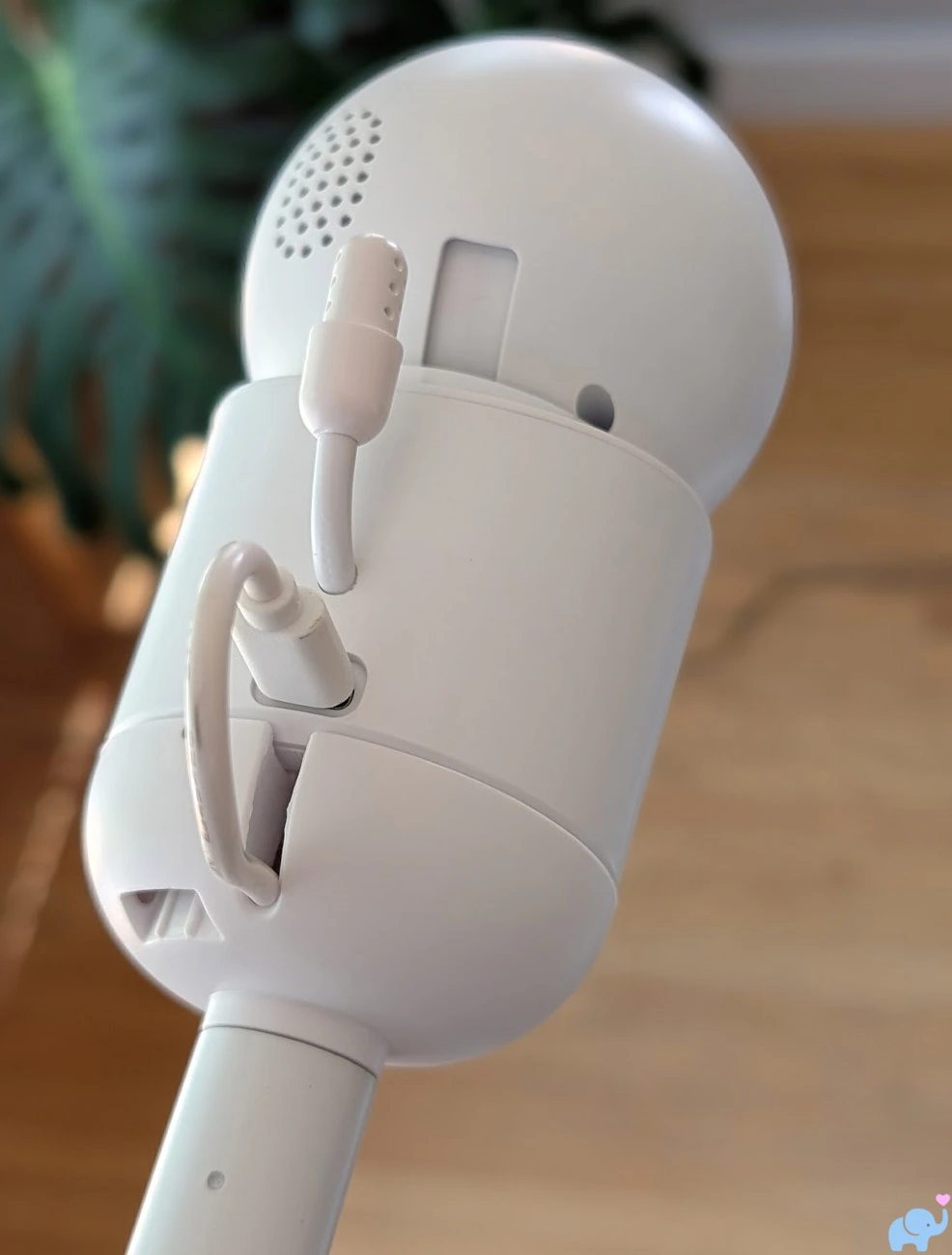
The lightweight design is appropriate for the long tower arm, which showed no meaningful sagging during our testing.
The monitor does not include an internal battery.
It must remain connected to power through either of the included USB cables.
That is typical for app-connected smart baby monitors, but it means the camera stops working during a power outage unless connected to a separate battery backup.
Mounting Options
The included tower is the defining feature of the Smart Sleep system, but it is not the camera's only mounting option.
Parents can use the camera in three primary ways:
- Mounted on the freestanding overhead tower.
- Placed directly on a shelf, dresser, or changing table.
- Mounted to a wall using the included bracket, screws, and anchors.
The tower provides the best overhead view and requires no drilling.
That makes it particularly useful for renters, grandparents, or families who do not want permanent wall hardware in the nursery.
The camera attaches to the tower using a dedicated mounting adapter.
Because the camera can pan and tilt, the tower does not need to be aligned perfectly during initial placement.
However, the best results still come from centering the arm over the sleep surface and using the app only for smaller framing adjustments.
The camera can also stand on its own without a separate tabletop base.
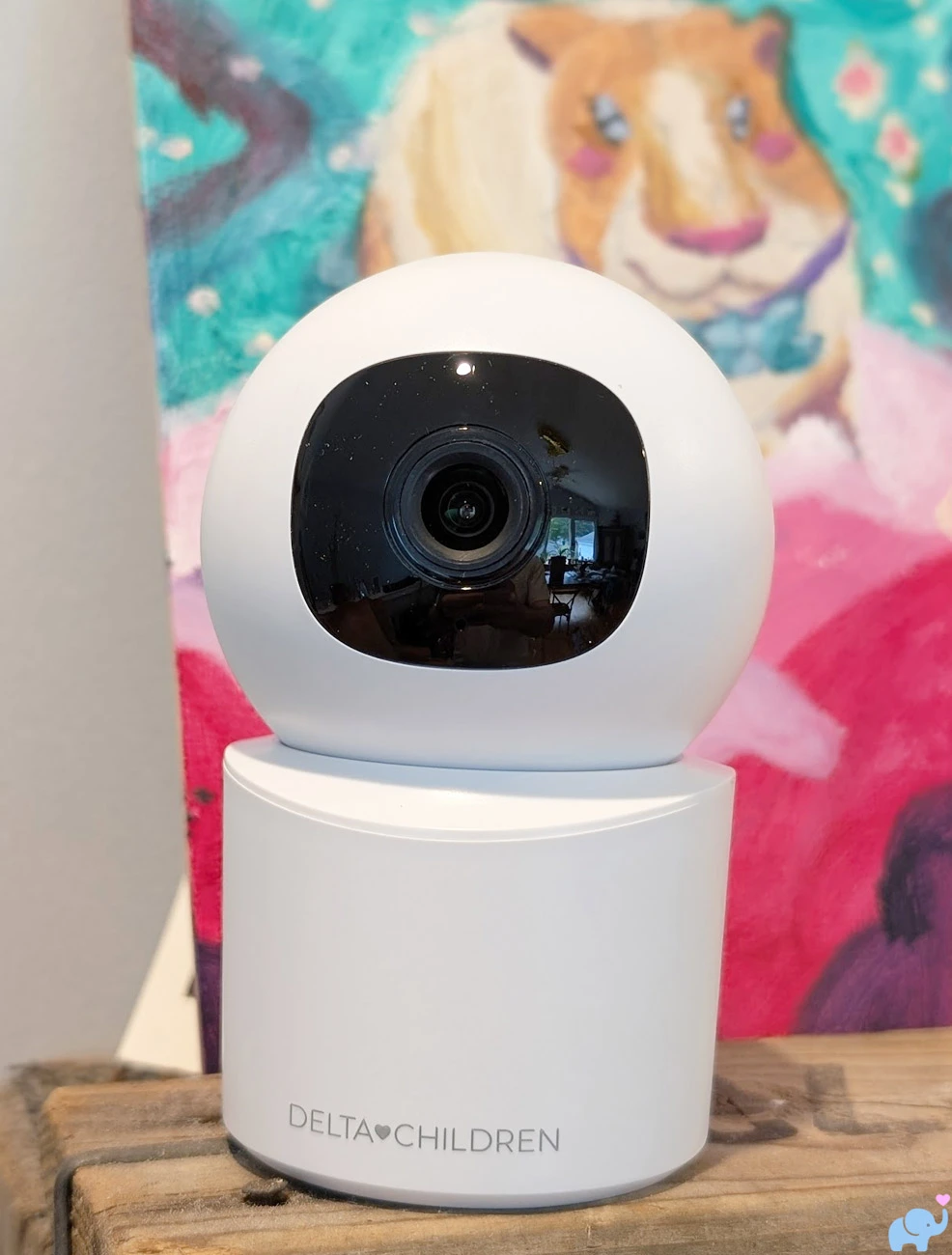
This configuration is convenient for travel, temporary monitoring, playrooms, or families who already have a suitable shelf with a clear view of the crib.
The separate six-foot power cord is useful in this configuration because parents do not need to remove the ten-foot cable from the tower.
The included wall mount provides a more permanent installation.
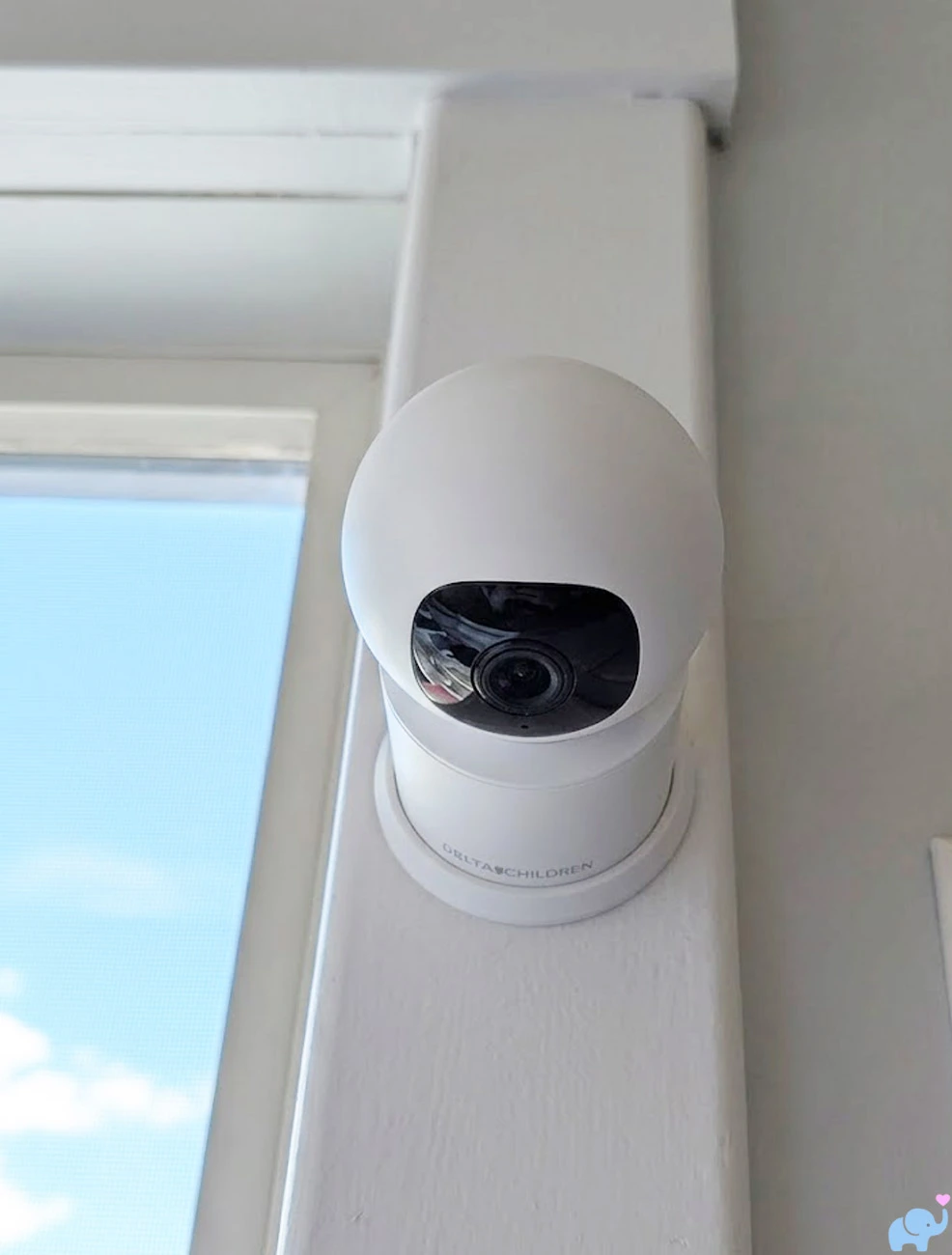
The compact camera places relatively little leverage on the mounting bracket, and Delta Children includes both screws and wall anchors.
When wall mounting, carefully route and secure the power cord so that no portion can be reached from the crib.
The included cord covers may be useful on the floor, but because they lack adhesive, parents may need separate wall-rated cable channels for a clean vertical installation.
Mobile App & WiFi Setup
The Smart Sleep does not include a dedicated parent display.
All viewing and control occur through the Delta Children Connect app, available for both Android and iPhone.
Delta Children includes a QR code in the monitor manual and on the front of the mobile-app guide, making the correct app easy to locate.
After downloading the app, users create or sign into a Delta Children account and select the option to add a new device.
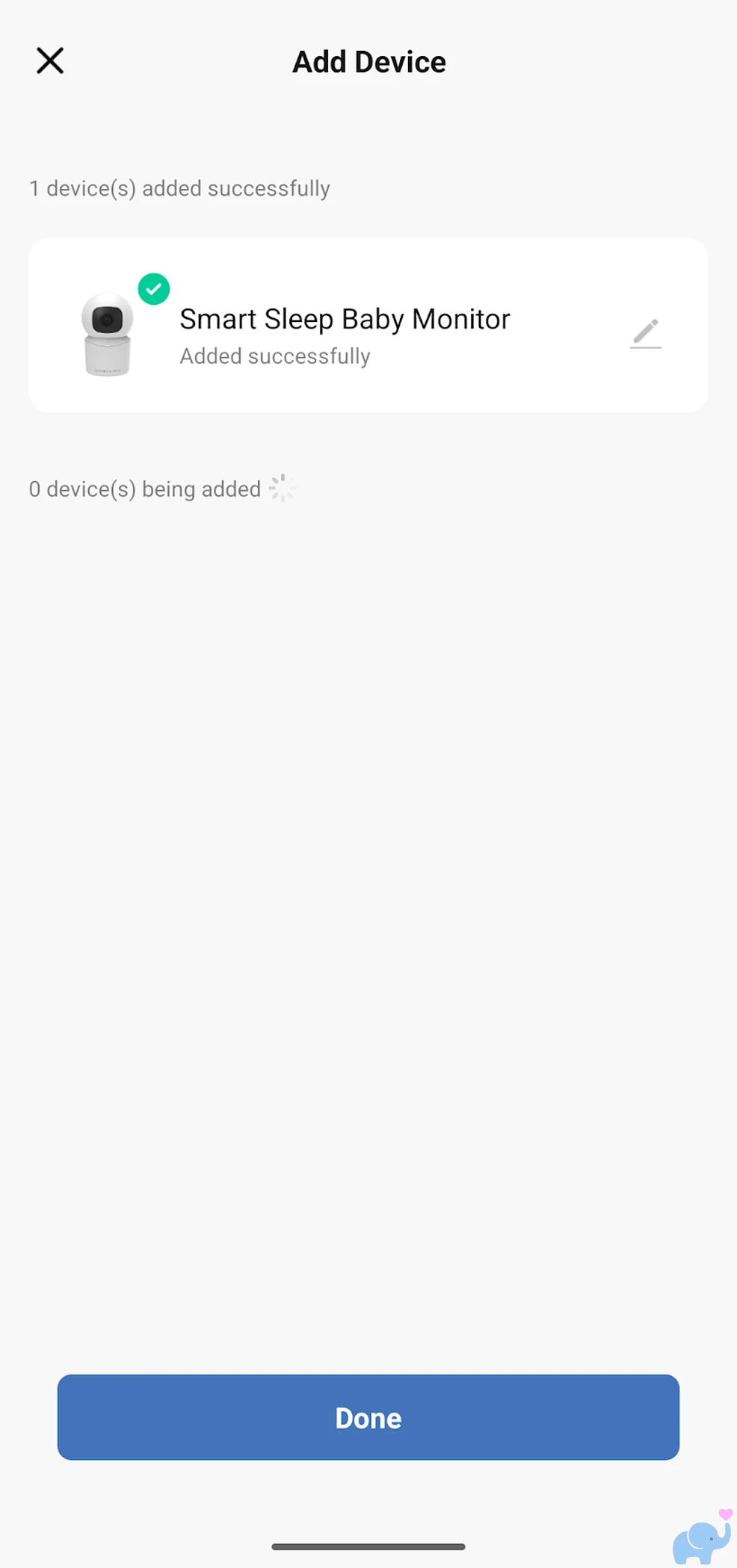
This is where we encountered our first meaningful setup problem.
The camera would not connect to our 5GHz WiFi network.
The app repeatedly failed to complete setup, but it did not clearly explain why the connection was unsuccessful.
After some trial and error, we confirmed that the camera requires a 2.4GHz network.
If you have an older router broadcasting only 2.4GHz, this may not be an issue.
Many modern routers use 5GHz, 6GHz, or a combined network name that automatically moves devices between frequency bands.
In those cases, you may need to:
- Enable the router's 2.4GHz radio.
- Temporarily separate the 2.4GHz and 5GHz network names.
- Enable dual-band broadcasting.
- Move farther from the router so your phone connects through 2.4GHz.
- Use the router's Internet-of-Things or compatibility mode.
Once we connected through a visible 2.4GHz signal, setup worked successfully.
Delta Children should make the WiFi limitation much more obvious within the app and display a specific message when a user attempts to connect through an unsupported frequency.
A message such as “This camera requires a 2.4GHz WiFi network” would have saved considerable time and frustration.
After pairing, the camera appeared in the app and provided access to live video, camera movement, recording, alerts, environmental readings, lullabies, sharing, and other settings.
The app is more powerful than its modest design initially suggests.
However, as with any app-only monitor, performance depends on the reliability of the home WiFi network, internet connection, phone operating system, notification permissions, and background-app settings.
Daytime Video Quality
The Smart Sleep uses a 4MP camera and advertises 2.5K video resolution.
That sounds excellent on paper, and the image showed a reasonable amount of detail during daytime testing.
Unfortunately, color accuracy was less impressive.
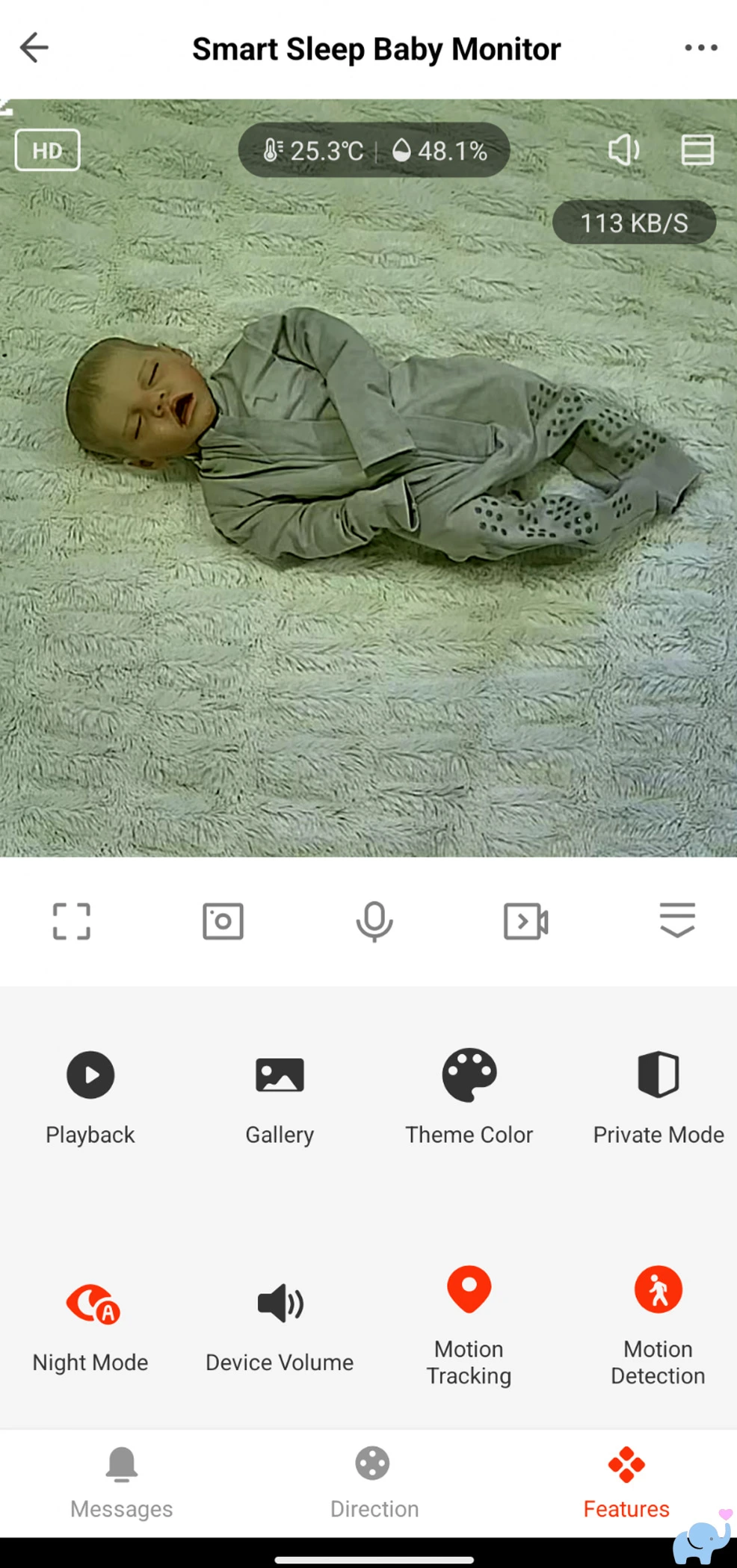
We noticed a consistent green hue in two different testing rooms.
The tint appeared with both natural daylight and artificial indoor lighting, suggesting that it was not caused by a single unusual bulb or room color.
The image remained usable, and we could clearly see the crib, bedding, child movements, and surrounding room.
However, the color balance did not look as natural as what we have seen from premium monitors.
We give the daytime image quality a 6.5 out of 10.
That score reflects decent sharpness and visibility but mediocre color accuracy.
A future firmware or app update may be able to improve the camera's white balance and color processing.
The app does not provide the type of detailed image controls that would allow parents to manually correct the green tint.
In practical terms, this issue is unlikely to interfere with basic monitoring.
You can still determine whether your baby is awake, sleeping, rolling, standing, or moving around the crib.
Nevertheless, parents purchasing a high-resolution monitor may reasonably expect more accurate daytime colors.
Night Vision & Zoom
Night vision was considerably more impressive than daytime video.
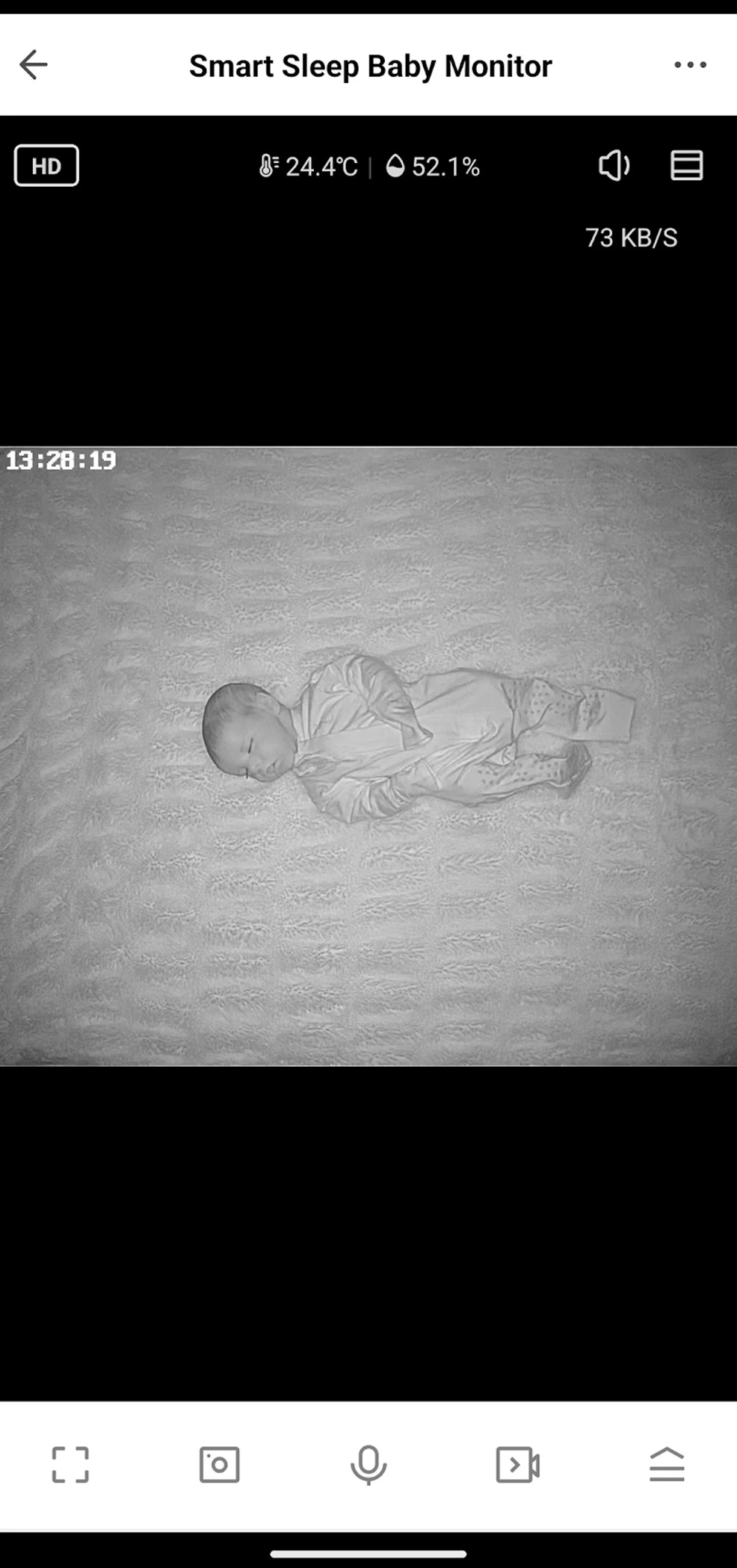
The infrared image provided a clear view of the crib and surrounding area in a dark nursery.
The image was slightly washed out, particularly on light-colored sheets and nearby surfaces, but overall visibility was excellent.
Facial features, body position, crib boundaries, blankets, and larger movements remained easy to see.
We give the night-vision quality an 8 out of 10.
That is a strong result for a monitor in this price range.
The digital zoom also worked very well.
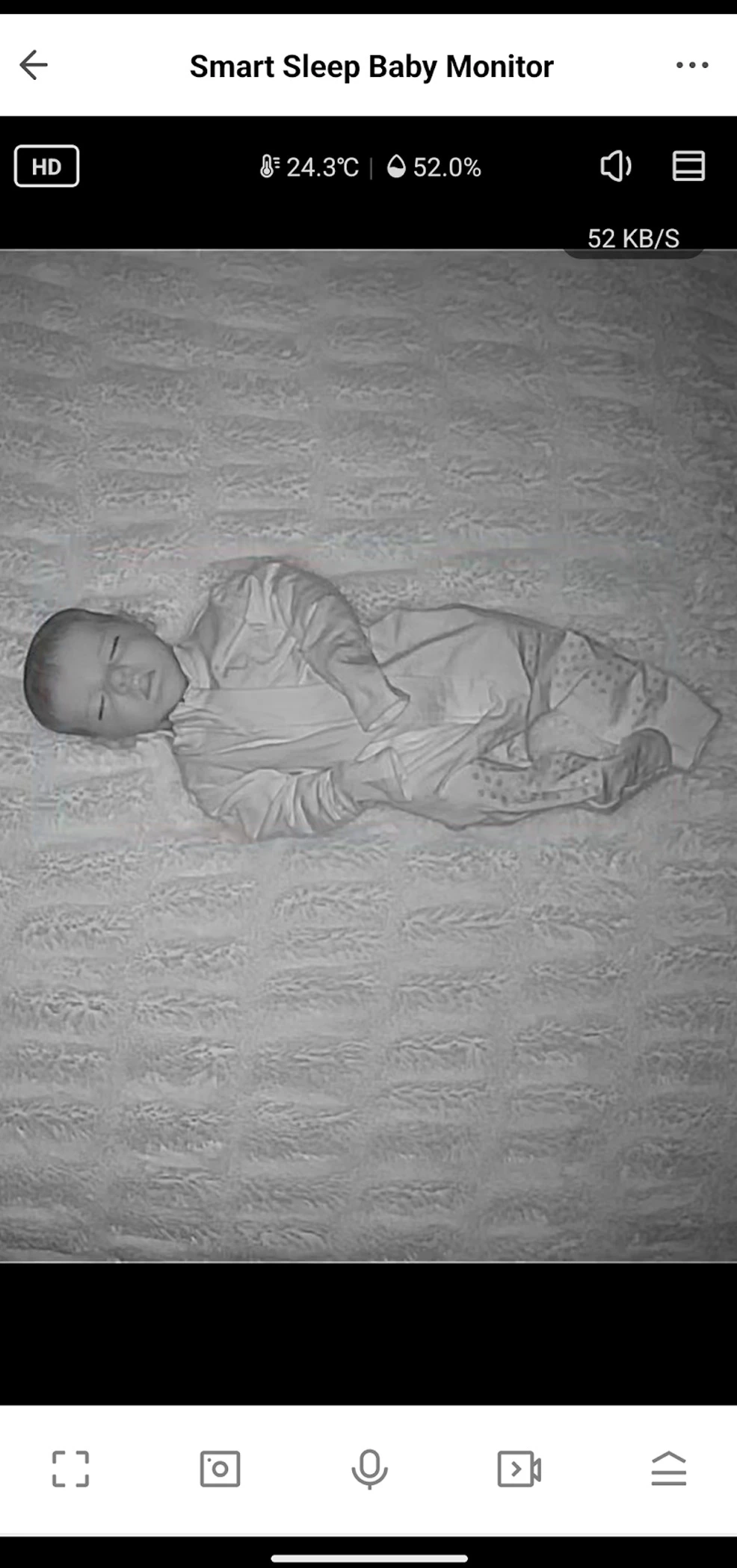
Digital zoom normally introduces obvious pixelation because the camera is enlarging a cropped portion of the original image.
The Smart Sleep maintained a surprising amount of detail when zooming in.
There was some expected softness, but distortion and blocky pixelation were relatively minimal.
The combination of 4MP capture and digital zoom is especially useful with the overhead tower.
The wide initial view allows parents to see the entire crib, while zoom can provide a closer look at breathing movements, facial position, a dropped pacifier, or whether the baby's eyes are open.
As always, a consumer baby monitor should not be relied upon as a medical breathing monitor or substitute for safe-sleep practices.
Motion Tracking & Alerts
The Smart Sleep can detect motion, issue a phone notification, and automatically rotate the camera toward the movement.
The motion alerts worked reliably during our testing.
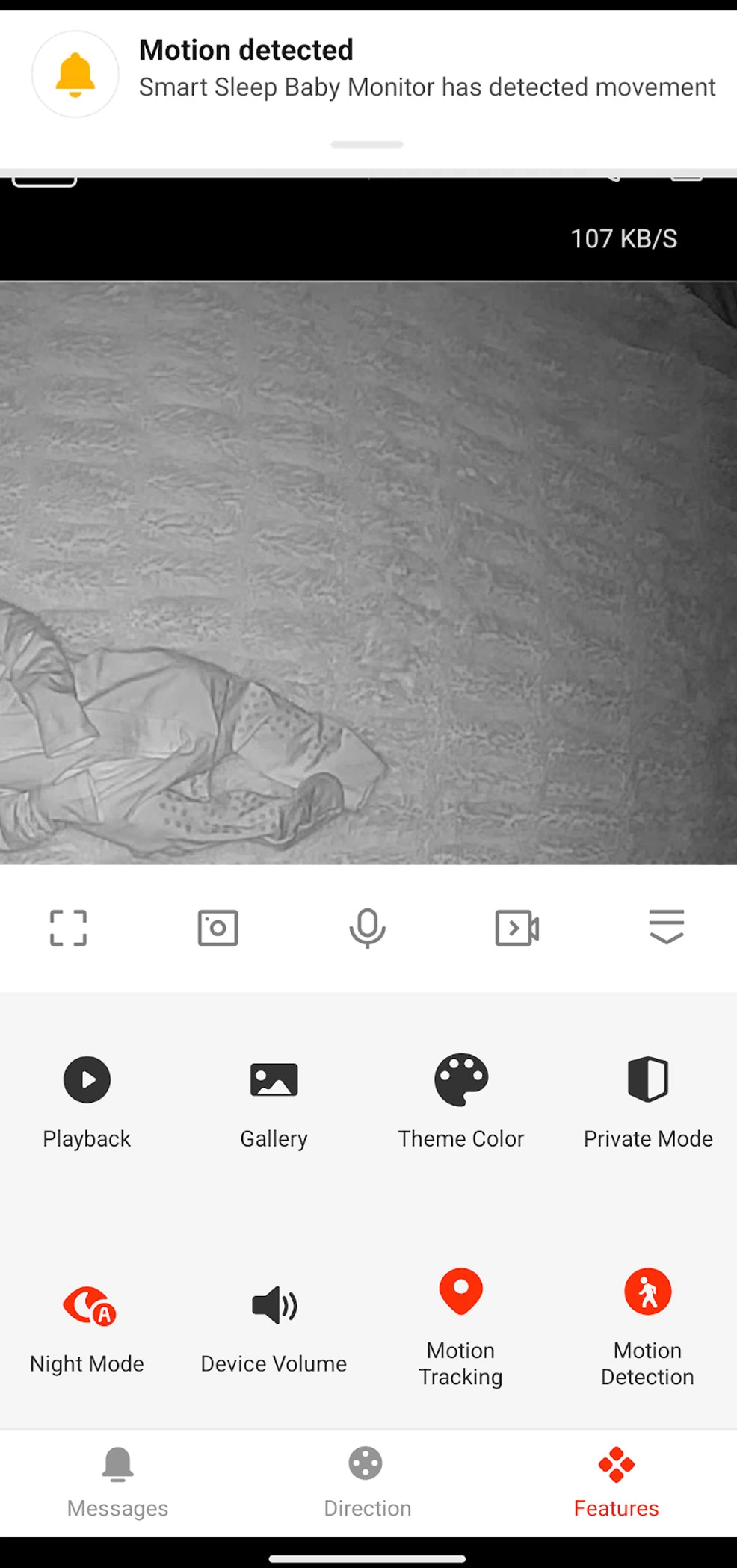
Notifications appeared when meaningful movement occurred in the monitored area, making it easier to know when a baby was stirring, rolling, sitting up, or being approached by a caregiver.
The app also stores previous alerts in an event-history list.
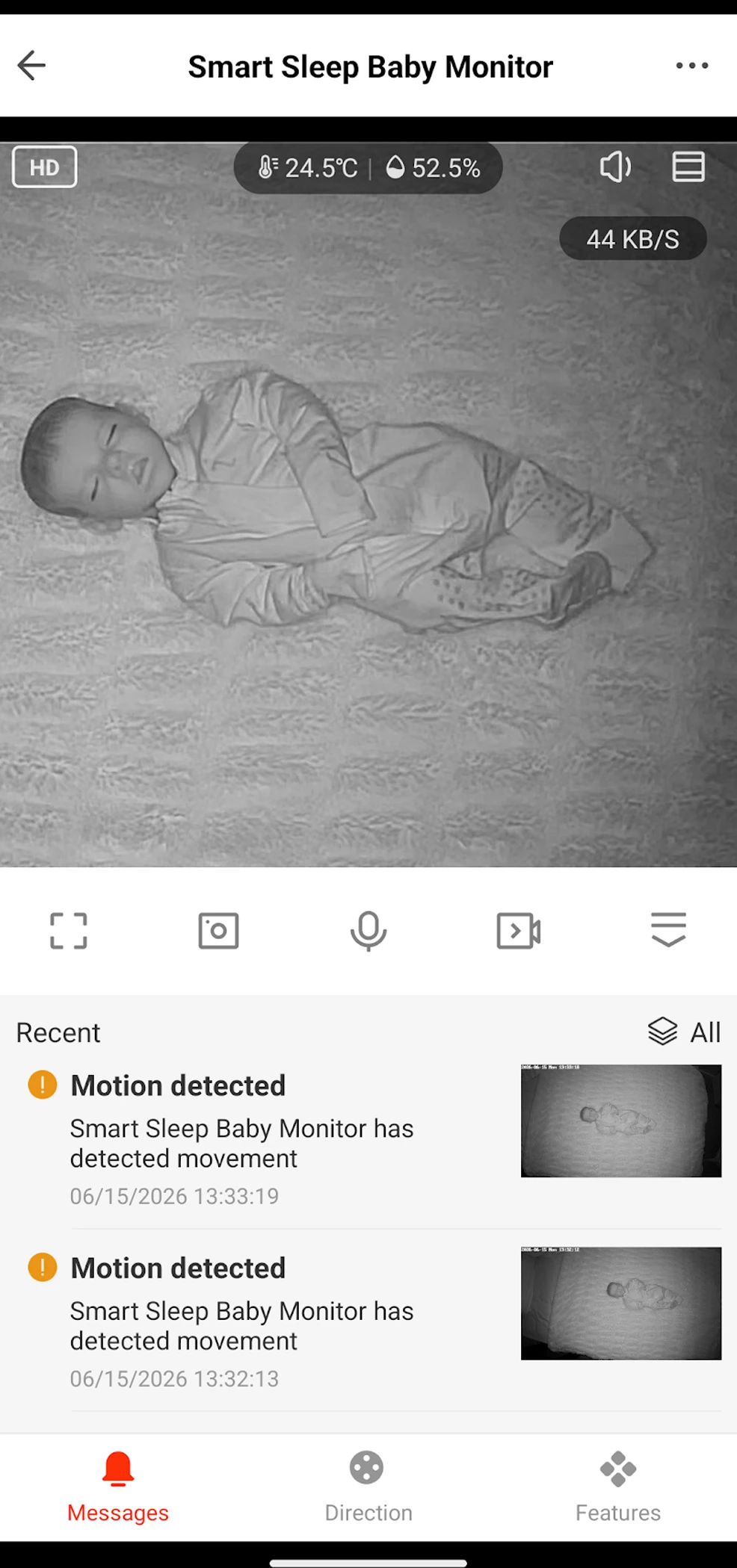
This is useful if you miss a notification, want to see how often your baby moved, or need to review when someone entered the nursery.
The automatic tracking feature was less consistently useful.
When a baby moved within the crib, the camera could adjust its position to keep the movement in view.
However, the camera also followed adults approaching the crib.
For example, when a parent entered the frame to pick up the baby, the camera panned toward the parent's body.
After the parent and baby left, the camera sometimes remained pointed toward the side of the room instead of returning to its original crib-centered position.
When the baby was later returned to the crib, the monitor occasionally corrected itself after detecting new movement, but this was not completely consistent.
This creates a practical tradeoff.
Motion tracking is useful when a mobile toddler moves around a large crib or when the camera is monitoring a playroom.
For a stationary overhead crib view, automatic tracking may create more problems than it solves.
We often preferred turning motion tracking off and leaving the camera fixed on the sleep surface.
The motor is also audible while the camera pans or tilts.
It was not extremely loud, but it was not silent.
Light sleepers may notice the brief mechanical sound, particularly in an otherwise quiet room.
Parents can still move the camera manually through the app when tracking is disabled.
App Features & Sharing
The Delta Children Connect app provides a surprisingly broad level of control.
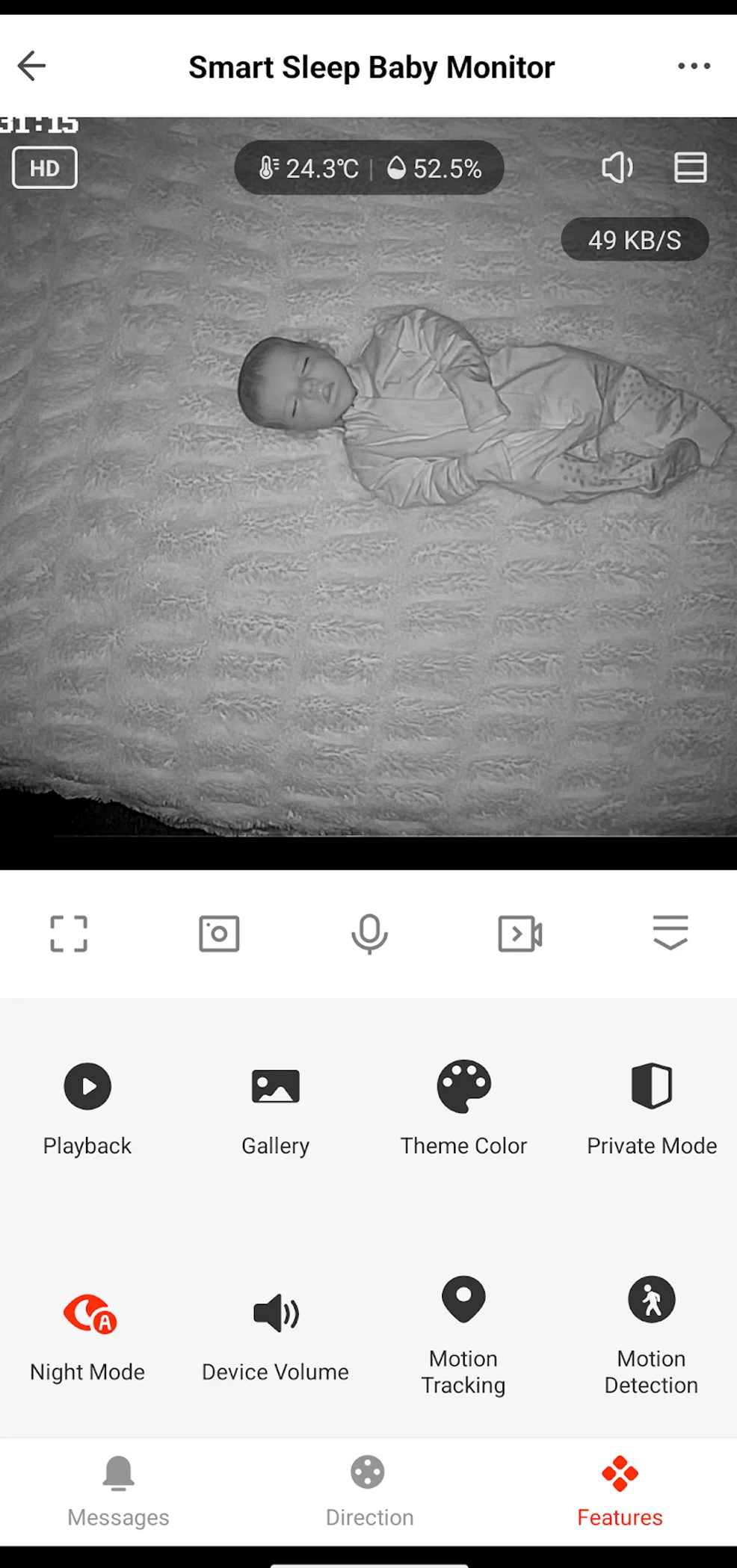
Depending on the selected screen and settings, users can access features including:
- Live video viewing.
- Full-screen viewing.
- Horizontal camera movement.
- Vertical camera movement.
- Digital zoom.
- Motion tracking.
- Motion detection.
- Sound detection.
- Night-mode controls.
- Two-way talk.
- Camera-speaker volume.
- Manual screenshots.
- Manual video recording.
- Local-recording playback.
- Temperature readings.
- Humidity readings.
- Temperature alerts.
- Humidity alerts.
- Lullaby playback.
- Notification history.
- Device sharing.
- Scheduled automations.
The interface is not as streamlined or baby-monitor-specific as the apps from some premium competitors.
It appears to use a broader smart-home structure, with devices, rooms, scenes, sharing, and automated actions.
That adds flexibility, but it also creates a slightly steeper learning curve.
For example, parents who want to schedule a lullaby may need to navigate through several automation menus rather than using a simple dedicated sleep-schedule screen.
Sharing options are extensive.
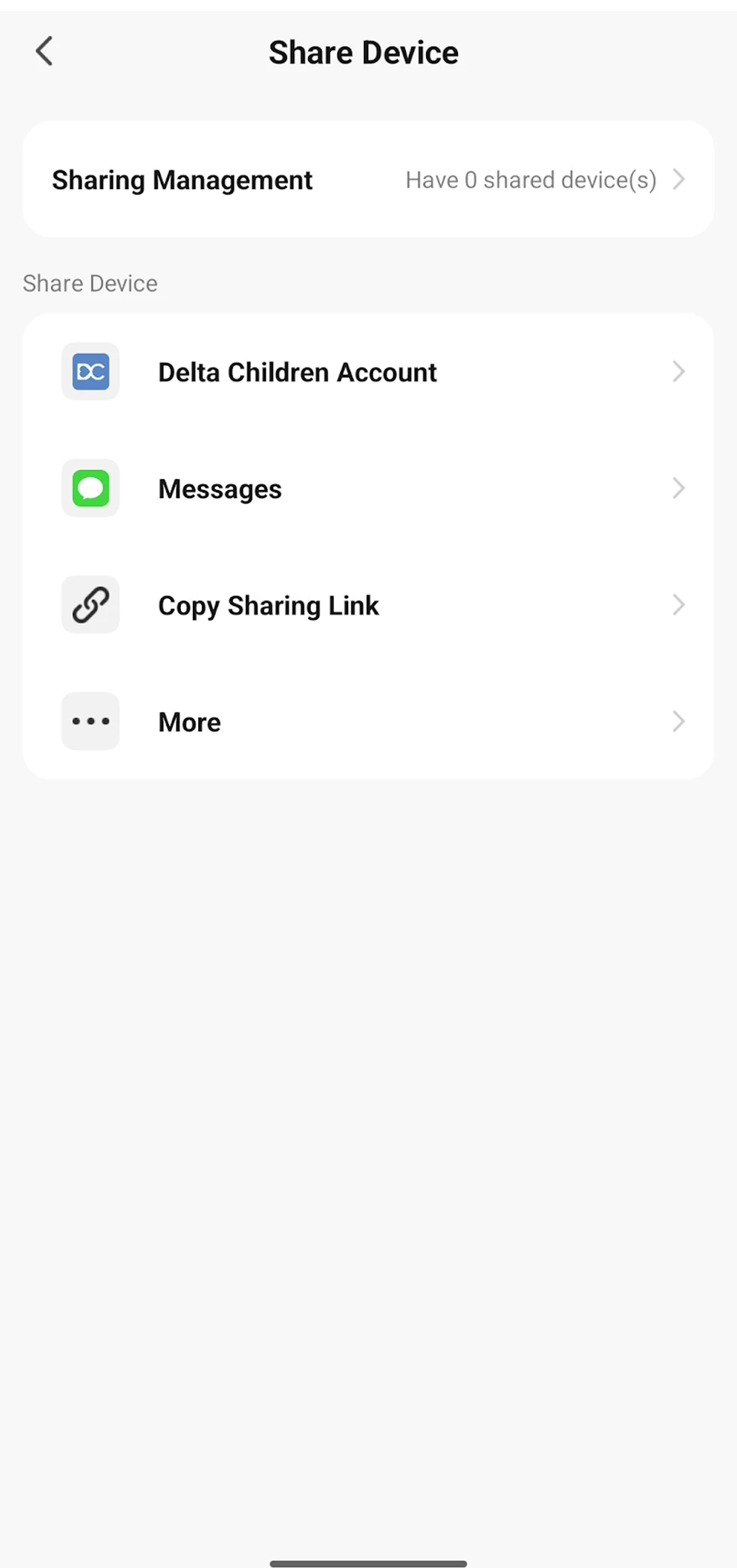
The feed can be shared with another Delta Children account, through a text message, or by copying a sharing link.
Delta Children advertises support for up to 20 users.
This could be useful for:
- Both parents.
- Grandparents.
- Babysitters.
- Nannies.
- Caregivers.
- Divided households.
- Additional household phones and tablets.
Parents should share access carefully and remove users when they no longer need to view the camera.
A nursery camera provides access to private household video and audio, so account security is especially important.
Use a strong and unique password, keep the app updated, protect phones with a passcode or biometric lock, and avoid distributing permanent sharing links more widely than necessary.
Audio, Lullabies, & Environmental Monitoring
The camera includes both a microphone and speaker for two-way audio.
This allows parents to hear nursery sounds and speak through the camera from the app.
Two-way talk can be helpful for reassuring an older baby or toddler, communicating with a caregiver, or telling a child that you are on the way.
As with most WiFi monitors, there may be a brief delay between speaking into the phone and hearing the voice from the camera.
The camera also detects sound and can send notifications when the noise level crosses its alert threshold.
This is especially useful because the Smart Sleep does not include a dedicated parent unit that remains continuously audible on a bedside table.
Parents should confirm that:
- Phone notifications are enabled.
- The app has permission to run in the background.
- Battery-saving settings do not suspend the app.
- Notification sounds are loud enough to wake them.
- Do Not Disturb settings allow the desired alerts.
- The phone remains charged overnight.
The monitor also includes four built-in lullabies.
These can be selected and played through the camera speaker using the app.
The app supports more advanced routines and automations, though setting them up is less intuitive than using the basic playback controls.
Temperature and humidity sensors provide additional nursery information.
Parents can view the current readings in the app and configure high or low alerts.
These measurements are useful for identifying broad changes in the room, such as excessive heat, cold, dryness, or humidity.
However, the camera's readings should not be treated as laboratory-grade measurements.
The sensor is located near powered electronics, mounted above the crib, and may report conditions that differ slightly from those at mattress level.
For the most accurate nursery assessment, compare the readings with a separate thermometer and hygrometer.
Video Storage & Subscription Costs
One of the Smart Sleep's greatest advantages is the lack of required subscription fees.
The Delta Children Connect app is free, and the primary camera functions remain available without a recurring plan.
That includes live viewing, camera control, alerts, environmental readings, two-way talk, sharing, and local recording.
This is refreshing in a category where many smart-monitor companies reserve video history, sleep analytics, multiple users, or other valuable features for monthly or annual subscriptions.
The Smart Sleep supports a microSD card with a capacity of up to 128GB.
The card is not included.
Local storage can provide several advantages:
- No monthly cloud-storage payment.
- Event recordings remain under household control.
- Video can be saved without purchasing a premium plan.
- Recording does not depend entirely on a future cloud service.
- Older recordings can be overwritten as storage fills.
Parents should choose a high-endurance microSD card designed for repeated video recording.
Standard inexpensive cards may wear out more quickly when constantly writing and overwriting footage.
Local recording also has limitations.
If the camera is stolen or damaged, the installed card may be lost with it.
Parents should also determine whether recordings can be exported to a phone, how long event clips last, and whether the card automatically overwrites the oldest files when full.
The app includes references to cloud functionality, but paid cloud recording was not necessary for our testing and was not part of the monitor's core value proposition.
The absence of mandatory fees is one of the main reasons the Smart Sleep compares so favorably with more expensive systems.
Safety & Tower Stability
The Smart Sleep's internal cord routing is a clever safety feature.
Most of the ten-foot power cable passes through the tower tubing, leaving only a relatively short section exposed near the floor.
The included cord covers can help protect that remaining section and reduce the chance that a crawling baby or toddler can grab it.
Parents should still follow several important installation practices:
- Position the tower behind the crib or bassinet.
- Keep the stand against a wall whenever possible.
- Keep every portion of the cord outside the child's reach.
- Use the included cord covers where appropriate.
- Do not place the tower inside the crib.
- Do not attach the camera or power cable directly to crib slats.
- Confirm that every tower section is tightly screwed together.
- Confirm that the base screw is fully tightened.
- Check that the camera is securely attached to the mount.
- Recheck the installation as the child begins standing and reaching.
- Never allow a toddler to play with or climb on the stand.
The weighted base provided reasonable stability during ordinary use.
However, the tall design creates leverage if a child pulls on the tower.
We would have liked Delta Children to include an anti-tip tether or optional securing strap.
Such a strap could connect the tower to an adjacent wall, heavy piece of furniture, or another appropriate fixed structure.
We would not recommend improvising a connection directly to a crib slat unless specifically approved by the manufacturer, because the tower should remain independent from the sleep space.
The lack of a tether does not make the system inherently unsafe when installed correctly behind a crib and against a wall.
However, an additional restraint could provide valuable protection once a curious toddler begins exploring, pulling, and climbing.
The tower should be inspected periodically for movement, loosened connections, exposed cord, or changes in reach as the child grows.
Comparison to Competitors
The Delta Children Smart Sleep competes with overhead WiFi monitors including the Nanit Pro (see our review here), Cubo Ai Plus (see our review here), Owlet Cam, Hubble Nursery Pal systems, and several less expensive app-connected cameras.
| Baby Monitor | Key Distinction |
|---|---|
| Delta Children Smart Sleep | Included overhead tower, local storage, motion tracking, broad app controls, and no required subscription at a relatively low price |
| Nanit Pro | Premium app, refined overhead mounting, excellent ecosystem, and optional sleep and breathing features at a higher total cost |
| CuboAi Plus | Strong smart alerts and covered-face detection with premium positioning and optional subscription features |
| Owlet Cam | Integration with Owlet monitoring products and a polished app ecosystem |
| Hubble Nursery Pal | Several models include both WiFi app access and a dedicated handheld parent display |
| Basic WiFi security camera | Often less expensive but typically lacks a purpose-built overhead stand and baby-focused app features |
The Nanit Pro is the most obvious comparison.
Both systems offer an overhead crib view, app-based monitoring, night vision, remote access, environmental information, and a modern smart-monitor experience.
Nanit provides a more polished presentation, more refined software, stronger brand recognition, and an established ecosystem of stands, travel accessories, sleepwear, breathing monitoring, and sleep analytics.
It also generally costs more, especially when adding a floor stand and ongoing premium features.
The Smart Sleep counters with motorized pan and tilt, automatic tracking, microSD storage, broad sharing options, and no required subscription.
CuboAi offers more advanced baby-focused alerts, including features designed around face covering and sleep position.
However, the Delta provides stronger basic value for families who primarily want video, audio, alerts, local recording, and an overhead view.
Owlet may be more appealing to families already using an Owlet smart sock or related ecosystem.
Hubble offers options with dedicated parent displays, which may be preferable for parents who do not want to depend entirely on a phone.
A generic WiFi security camera may cost less, but it usually lacks the included overhead tower, nursery temperature and humidity features, lullabies, baby-focused notification controls, and simplified caregiver sharing.
Overall, the Smart Sleep occupies a useful middle ground between low-cost WiFi cameras and premium smart baby-monitor ecosystems.
User, App, & Reddit Sentiment
The Delta Children Smart Sleep is still very new, so long-term owner sentiment remains limited.
There are not yet enough independent reviews to establish how the camera, tower, motor, mobile app, and WiFi connection will perform after years of daily use.
Early interest appears to center on several attractive features:
- The included overhead floor stand.
- The lower price relative to Nanit.
- No required subscription.
- High-resolution video.
- Local microSD recording.
- Motorized pan and tilt.
- Motion alerts.
- Multiple mounting options.
- Remote family sharing.
The Delta Children Connect app has a more complicated history.
Some older app-store reviews involve other Delta Children connected products rather than this monitor, so they should not be interpreted as direct reviews of the Smart Sleep.
However, previous complaints about setup, device responsiveness, instructions, and interface design make app reliability an important consideration.
Our own experience was mixed but generally positive.
The unanswered questions involve long-term app stability, firmware support, motor durability, camera reconnection after network interruptions, and tower stability in homes with curious toddlers.
We will update this review if meaningful long-term owner feedback or reliability concerns emerge.
Things we Loved
We loved the overall value. The Smart Sleep provides many of the core capabilities found on premium overhead monitors while costing considerably less.
We loved the lack of subscription fees. The app and primary monitoring features remain available without requiring a monthly or annual plan.
We loved the included tower. It provides a useful overhead view without drilling into the wall or attaching equipment directly to the crib.
We loved the hidden power cord. Feeding the cable through the tower is slightly tedious, but the finished installation looks much cleaner and reduces exposed cord.
We loved the multiple tower heights. The extension section allows the stand to accommodate both bassinets and full-size cribs.
We loved the mounting flexibility. The same camera can be used on the tower, placed directly on a shelf, or attached to the wall.
We loved the two included power cords. The ten-foot cable supports tower installation, while the six-foot cable can remain available for shelf, wall, or travel use.
We loved the compact camera. Its lightweight construction places minimal stress on the long tower arm and wall bracket.
We loved the night vision. The infrared image was clear and detailed enough to earn an 8 out of 10 in our testing.
We loved the digital zoom. Zooming introduced relatively little distortion or pixelation compared with many monitors.
We loved the reliable motion alerts. The app consistently notified us when movement occurred in the monitored area.
We loved the alert history. Missed notifications remained available in an organized event list.
We loved the motorized controls. Parents can pan and tilt the camera remotely rather than physically repositioning it.
We loved the capable app. It includes video, zoom, movement controls, alerts, recording, environmental monitoring, lullabies, audio, sharing, and automation features.
We loved the sharing options. Access can be extended to parents, grandparents, caregivers, and additional devices through several methods.
We loved the local storage option. A microSD card allows families to save recordings without purchasing cloud storage.
We loved the temperature and humidity information. These readings provide a convenient overview of nursery conditions.
Most importantly, we loved how much functionality Delta Children includes for the price. The Smart Sleep is one of the more compelling value-oriented overhead WiFi monitors we have tested.
Things we Disliked
The unboxing experience is basic. Everything arrived safely, but the presentation lacks the premium, gift-worthy feel of a more expensive system such as Nanit.
A Phillips screwdriver is required but not included. Only one screw requires a tool, making the omission feel unnecessary.
Routing the power cable can be finicky. Feeding the connector through the final angled tower section required patience.
The cord covers do not include adhesive. They can sit over a cord on the floor, but they are not readily usable for securing a cable vertically along a wall.
The monitor only supports 2.4GHz WiFi. Some modern routers may require configuration changes before the camera can connect.
The app did not explain our connection failure. A clear warning about the unsupported 5GHz network would have prevented unnecessary troubleshooting.
Daytime video had a green tint. The image was usable, but color accuracy was disappointing for a 4MP camera.
Motion tracking sometimes lost the crib. The camera could follow a parent approaching the child and remain aimed away from the sleep surface afterward.
The camera motor is audible. Panning and tilting produced a noticeable mechanical sound in a quiet room.
There is no dedicated parent display. Parents must depend on a phone, tablet, WiFi connection, notifications, and app background behavior.
The tower does not include an anti-tip tether. A wall or furniture securing strap would provide additional reassurance in rooms with mobile toddlers.
None of these issues completely undermines the Smart Sleep's strong value, but they prevent it from matching the polish and consistency of the best premium monitors.
Conclusions
The Delta Children Smart Sleep Video Baby Monitor impressed us with its strong combination of features, flexible installation, capable app, excellent night vision, local storage, and low long-term cost.
The included tower provides the overhead crib view that many parents want without requiring wall drilling or direct attachment to the crib.
Its internal cable routing is clever, the crib and bassinet height options are useful, and the compact camera can also sit on a shelf or use the included wall bracket.
The mobile app includes far more functionality than we expected, including motorized movement, digital zoom, motion and sound alerts, alert history, two-way talk, temperature, humidity, lullabies, recording, sharing, and automation features.
Night vision was a highlight, earning an 8 out of 10, and digital zoom retained a useful amount of detail.
Motion alerts were also reliable, and we appreciated being able to review missed events in the app.
The most important advantage is the absence of required subscription fees.
Families can use the app, view the camera, receive alerts, share access, and save recordings to a microSD card without adding another monthly bill.
There are several areas for improvement.
Assembly is a little finicky, the required screwdriver is not included, and the cord covers lack adhesive.
Setup also requires a 2.4GHz WiFi signal, but the app did not clearly explain why our initial 5GHz connection attempts failed.
Daytime video showed a consistent green hue, reducing our image-quality score to 6.5 out of 10.
Automatic motion tracking was useful in some situations but could pan toward a parent and remain pointed away from the crib.
The motor was also audible when moving.
Finally, we would like to see an anti-tip tether included with the tall floor stand.
Overall, we recommend the Delta Children Smart Sleep Video Baby Monitor for families seeking an affordable overhead smart monitor without ongoing subscription costs.
It does not provide the premium packaging, polished image processing, or refined ecosystem of the Nanit.
However, it costs substantially less while offering many similar functions, plus motorized movement and local microSD storage.
That excellent balance of functionality, flexibility, and value earns the Delta Children Smart Sleep Baby Monitor a very good 4.0 out of 5 stars.
References Cited
Delta Children Official Website
Delta Children Smart Sleep Video Baby Monitor Product Page
Delta Children Connect App for iPhone
Delta Children Connect App for Android
Amazon Delta Children Smart Sleep Video Baby Monitor Product Page
Federal Communications Commission Equipment Authorization Database
U.S. Consumer Product Safety Commission Safe Sleep Guidance

Jartoo 5.5" Dual Mode Smart Baby Monitor Review
The new Jartoo JBM550 combines a 2K camera, large 5.5-inch parent display, direct...
Babysense Max View Pro Baby Monitor Review
The Babysense Max View Pro combines two full-HD cameras, a large 5.5-inch parent...
Cubo Ai Plus Baby Monitor Review & Video
We first got our hands on the Cubo baby monitors for testing over 3 years ago, and they...
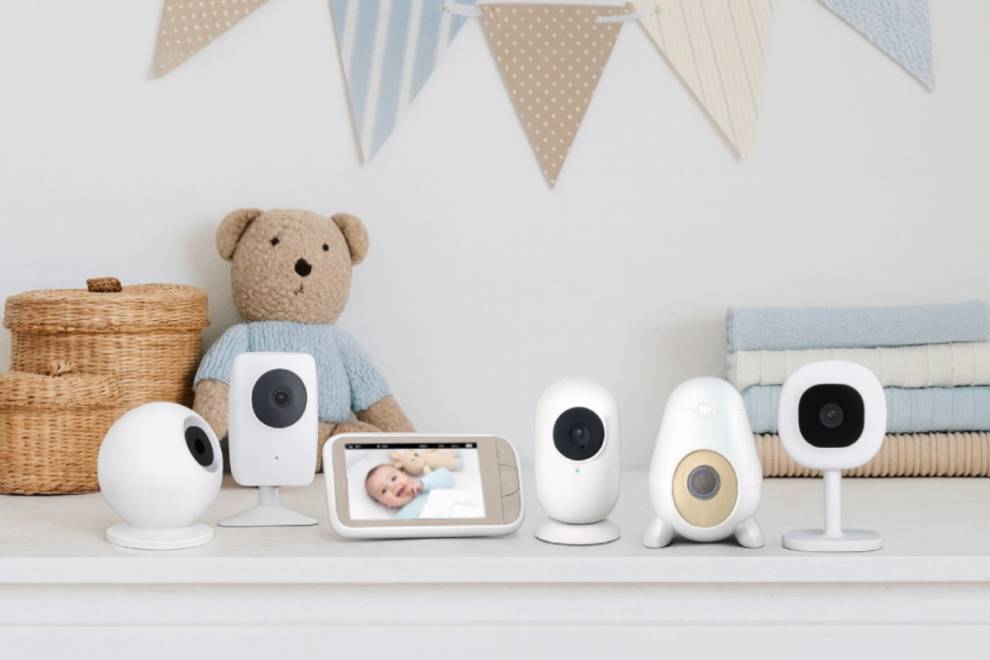
The Best Baby Monitors of 2026, Tested & Reviewed
Over the past 10 years, we have put over 100 baby monitors through our hands-on testing...